Employee engagement flyer with clear steps to join in.
Invite coworkers to a challenge, volunteer day or team activity with a flyer that names the activity, who can join, the dates and each step to take part.
One generated flyer image with the activity name, who is hosting and invited, the dates, and your participation steps shown as a numbered sequence. Recognition appears only if you enter it; check channel names, dates and deadlines before posting.
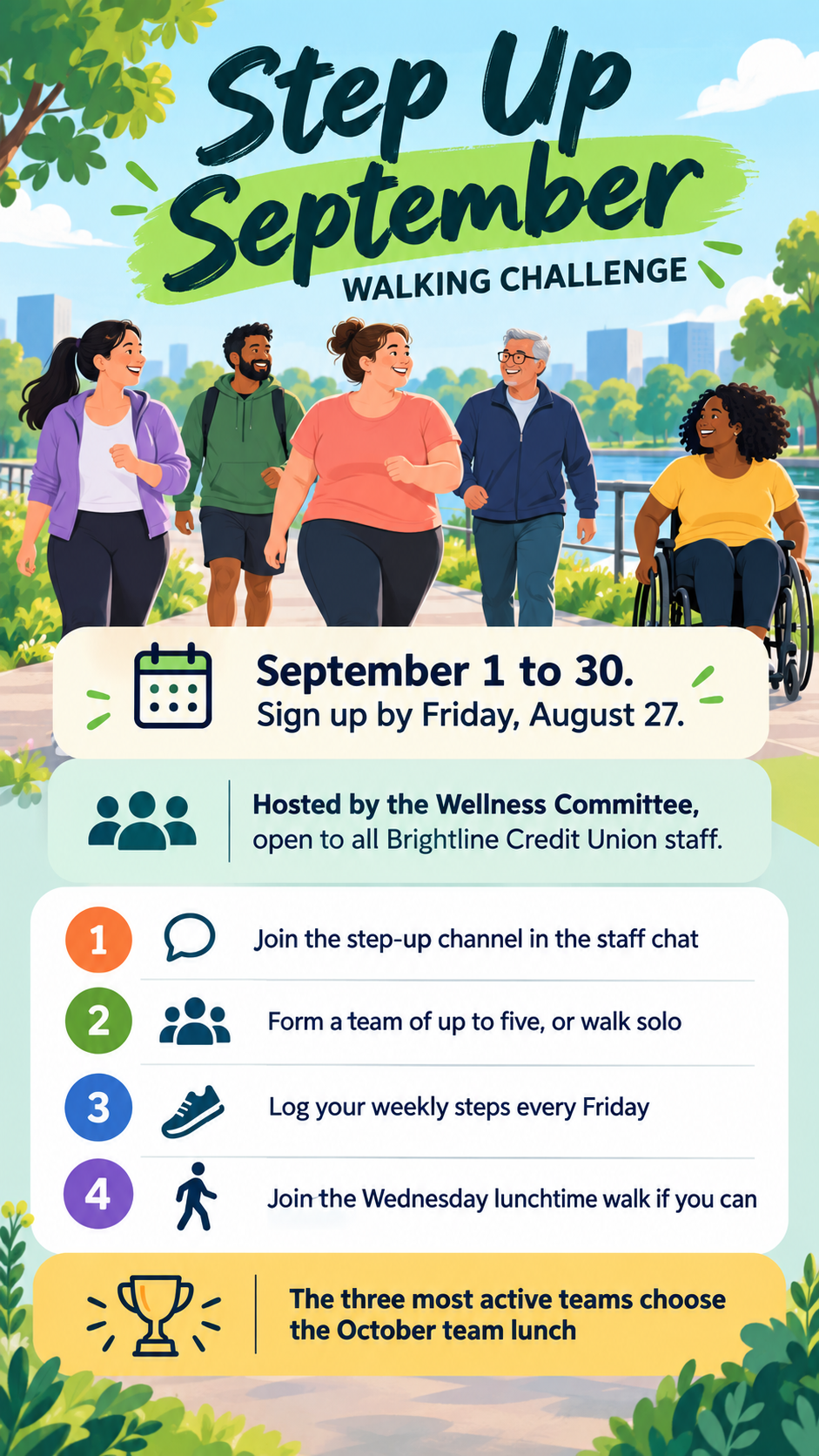
Month-long walking challenge with four steps and a team lunch
Activity or challenge name
Step Up September walking challenge
Host and who can join
Hosted by the Wellness Committee, open to all Brightline Credit Union staff
How to take part, one step per line
Join the step-up channel in the staff chat
Form a team of up to five, or walk solo
Log your weekly steps every Friday
Join the Wednesday lunchtime walk if you can
Dates and sign-up deadline
September 1 to 30. Sign up by Friday, August 27.
Recognition or prizes, only if confirmed (optional)
The three most active teams choose the October team lunch
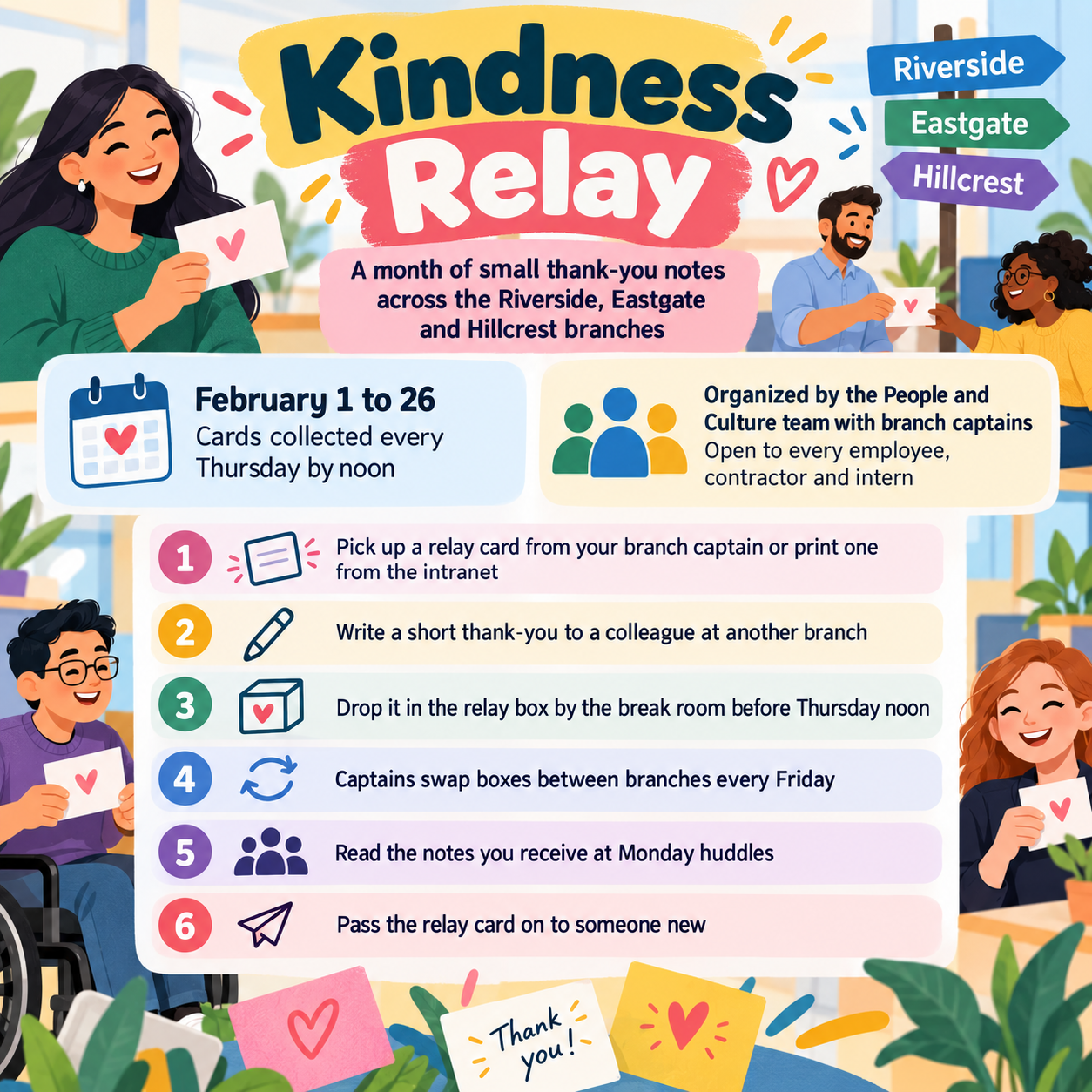
Multi-branch kindness relay with six steps and no recognition
Activity or challenge name
Kindness Relay, a month of small thank-you notes across the Riverside, Eastgate and Hillcrest branches
Host and who can join
Organized by the People and Culture team with branch captains; open to every employee, contractor and intern
How to take part, one step per line
Pick up a relay card from your branch captain or print one from the intranet
Write a short thank-you to a colleague at another branch
Drop it in the relay box by the break room before Thursday noon
Captains swap boxes between branches every Friday
Read the notes you receive at Monday huddles
Pass the relay card on to someone new
Dates and sign-up deadline
February 1 to 26, cards collected every Thursday by noon
Recognition or prizes, only if confirmed (optional)
Left empty
Six long steps across three branches and no recognition field. Checks that the numbering and order are kept, that each step stays on its own line, and that no prize or leaderboard is added.
Same task, three directions
Pick a direction to start from.
01
Big numbered steps
The steps run large down one side, next to an illustration of the activity. Suits challenges where joining takes several actions.
02
Warm team moment
A friendly scene of coworkers together, with the steps on a white card overlay, for social and volunteer activities.
03
Office noticeboard
A pinned-card look where each step sits on its own note, which reads well on screens and printed boards alike.
What the template keeps
The parts that stay consistent.
01
Steps you can follow
Numbered, one per line, in the order you wrote them.
02
Participation, not policy
The flyer invites people to an activity and stays clear of benefits or HR policy wording.
03
Inclusive imagery
Coworkers of varied ages, body types and abilities, rather than only athletic or office-based people.
How to use it
From details to a result.
01
Name the activity and the host
Say who organizes it and who is invited, so people know it is open to them.
02
Write the steps in order
One action per line. These become the numbered sequence, so write them the way people should follow them.
03
Add dates and any confirmed recognition
Include the sign-up deadline. Recognition is optional and only appears if you have agreed it.
04
Review, generate and check details
The brief opens in Vizify before anything runs. After generating, check channel names, dates and step order.
Output boundaries
What to check before you use it.
Generated text can contain mistakes. Check channel names, email addresses, dates and the step order before posting.
It does not run the activity. Sign-up tracking, leaderboards and reminders stay in your own tools.
More than five or six steps crowd the layout; combine related actions where you can.
The coworkers shown are generic and do not depict your staff or office.
The result is one image in a tall or square direction, not a print-ready file or an editable template.
QuestionsHow is an employee engagement flyer different from a benefits flyer?+
This one invites people to do something, with steps and dates. A benefits flyer explains policy and eligibility. Keep them separate so the activity does not read like an HR notice.
Can I add prizes?+
Only if they are agreed. Add them in the recognition field exactly as they should read; leave it empty and the flyer shows no prize.
Our team is remote. Will the design still fit?+
Yes. Write online steps, such as joining a chat channel or a video call, and ask for a remote setting in the additional direction.
Can I share it in our team chat as well as print it?+
Use the square direction for chat and the tall one for a printed board; each is a separate request. Vizify does not post it for you.