Event, offer, or promotion details
Audience and required copy
Purpose (event, promo, business, real estate)
Format (print, digital, or both)
Turn event or offer details into one flyer image with a clear headline, date, place and call to action. Check every detail before you print or share it.
Your brief and choices open in Vizify for review. Nothing runs until you send it.
Event, offer, or promotion details
Audience and required copy
Purpose (event, promo, business, real estate)
Format (print, digital, or both)
AI Flyer Maker · One generated image to review
Turn event or offer details into one flyer image with a clear headline, date, place and call to action. Check every detail before you print or share it.
Event or offer, location, timing, price, and call to action are structured for quick reading whether the flyer ends up in print, digital, or both.
Choosing event, promotion, business, or real estate — and print, digital, or both — shapes composition without limiting what you can still ask for in the brief.
The complete brief opens in Vizify, where you can generate, review, revise, and save the flyer without rebuilding the prompt.

Announce a career fair or hiring event with one flyer built from your event name, the kinds of roles on offer, the date and venue, and how to register.

Summarize the benefits your company has confirmed, and who qualifies for them, in one icon-led flyer for new hires, open enrollment or break-room screens.

Invite coworkers to a challenge, volunteer day or team activity with a flyer that names the activity, who can join, the dates and each step to take part.

Announce a commencement to families and the wider community with one flyer showing the school, class year, ceremony time and venue, and ticket or guest instructions.
One generated image to review. Choose a destination to guide the composition, then check the actual image size. Exact pixels, crop marks, bleed and CMYK are not guaranteed; resize or prepare the file before publishing or printing.
Start with the message, audience, required content such as date, time, location, or price, the destination or call to action, and any brand or style direction you already know. Rough notes are fine.
You can choose print, digital, or both as a starting format direction, and describe the audience or channel in the brief. The output is one generation-ready flyer image; matching it to a specific print size or social platform is a separate step, covered below.
No. This tool prepares a purpose- and format-matched brief, not a locked print trim size or platform pixel dimension. Generate the flyer here, then resize or export it to the exact size you need as a separate step.
Event, promotion, business, and real estate are built-in purpose presets. Any other purpose can still be described directly in the prompt.
Yes. The choices here are a starting brief. In Vizify you can refine the wording, purpose, format, styling, model choice, and generation direction before saving the result.
Prepare the request in your browser without installing an app. Generation runs in Vizify after sign-in, uses credits, and starts only after you review and send the request.
You can revise the prompt, purpose, format, required content, composition direction, and supported delivery settings before or after the first run in Vizify.
Save the image and keep the prompt for a later request. You can revise both in the conversation; saving a reusable workflow is not available.
Preparing the flyer brief is free. Generating needs sign-in: a free account includes a small image allowance paid from its sign-up credits, and more flyers need Pro or a credit pack.
Yes. Choose Event, then give the party name, host, date, start time, address and RSVP details exactly as they should read, plus a theme and colors. Check every detail in the image, since generated text can contain mistakes.
Not on this page, which has no upload. Describe the logo's colors and shape in the brief, or attach the image in the Vizify conversation before you send, and check that it wasn't redrawn.
This page uses Vizify’s current public-tool workflow: shape the flyer brief here — purpose, format, and required details — then carry the complete request into the app for generation, review, and reuse.
An AI flyer generator brief focuses on getting the message, hierarchy, and visual direction right; it does not lock in an exact print trim size or a specific platform’s pixel dimensions. Once the flyer is generated in Vizify, resize or export it to the exact size your printer or platform requires.
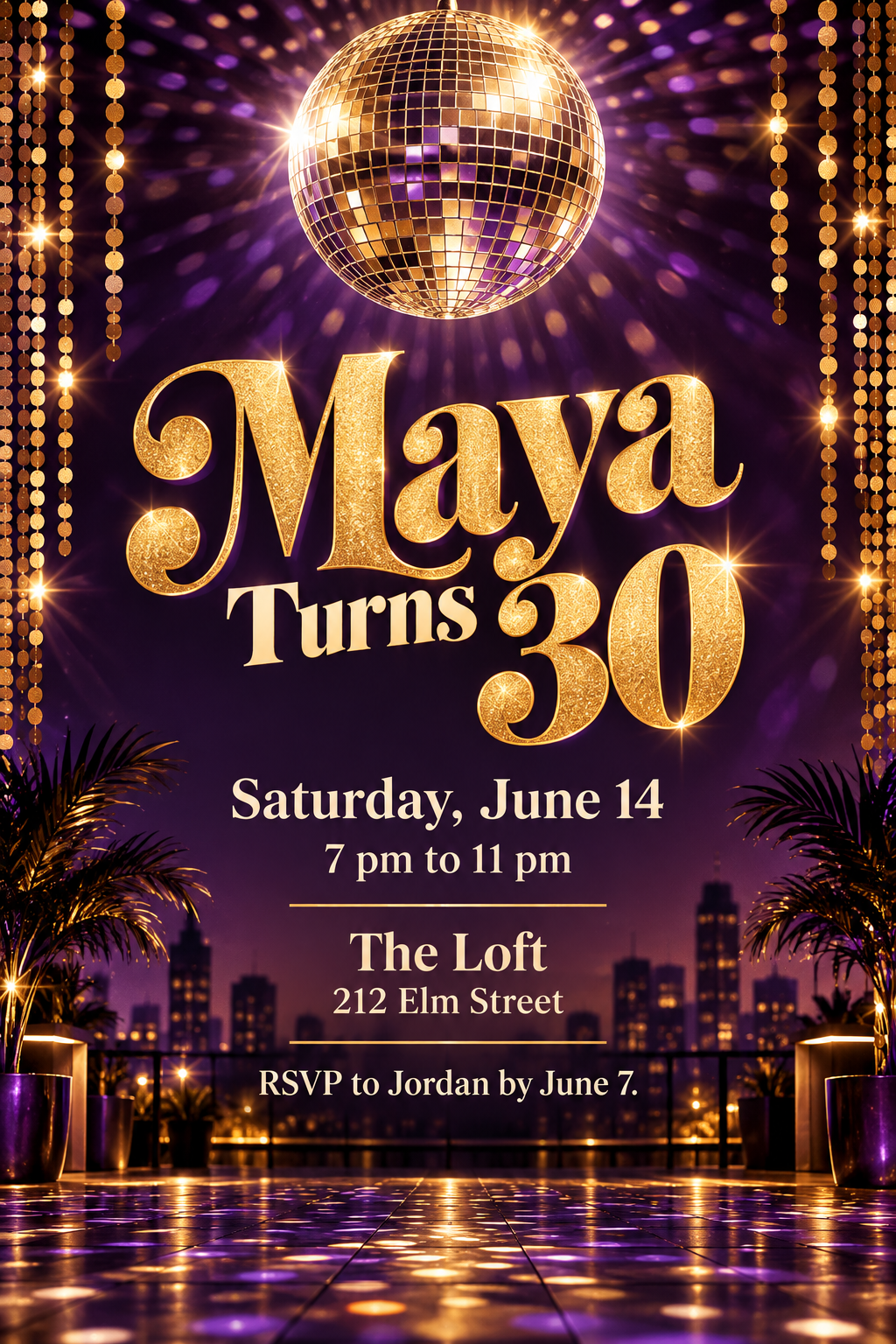
Event flyer for Maya's 30th birthday rooftop party. Saturday, June 14, 7 pm to 11 pm, at The Loft, 212 Elm Street. RSVP to Jordan by June 7. Disco theme in gold and deep purple with a mirror-ball illustration, headline 'Maya Turns 30'. Digital and print. Keep all details exactly as written.
What are the confirmed time and venue for the church bake sale?
Make a flyer for our church bake sale next month. We're still confirming the time and the place.
Checks that the reply asks for the date, time and address or leaves clear [TIME] and [ADDRESS] placeholders, and does not invent a venue or date.