Career fair flyer for a multi-employer hiring event.
Announce a career fair or hiring event with one flyer built from your event name, the kinds of roles on offer, the date and venue, and how to register.
One generated flyer image that leads with the event name, groups the hiring areas you list, and sets the date, time, venue and registration line apart. Employers, dates and web addresses come only from your input, so check each one before you print or share.
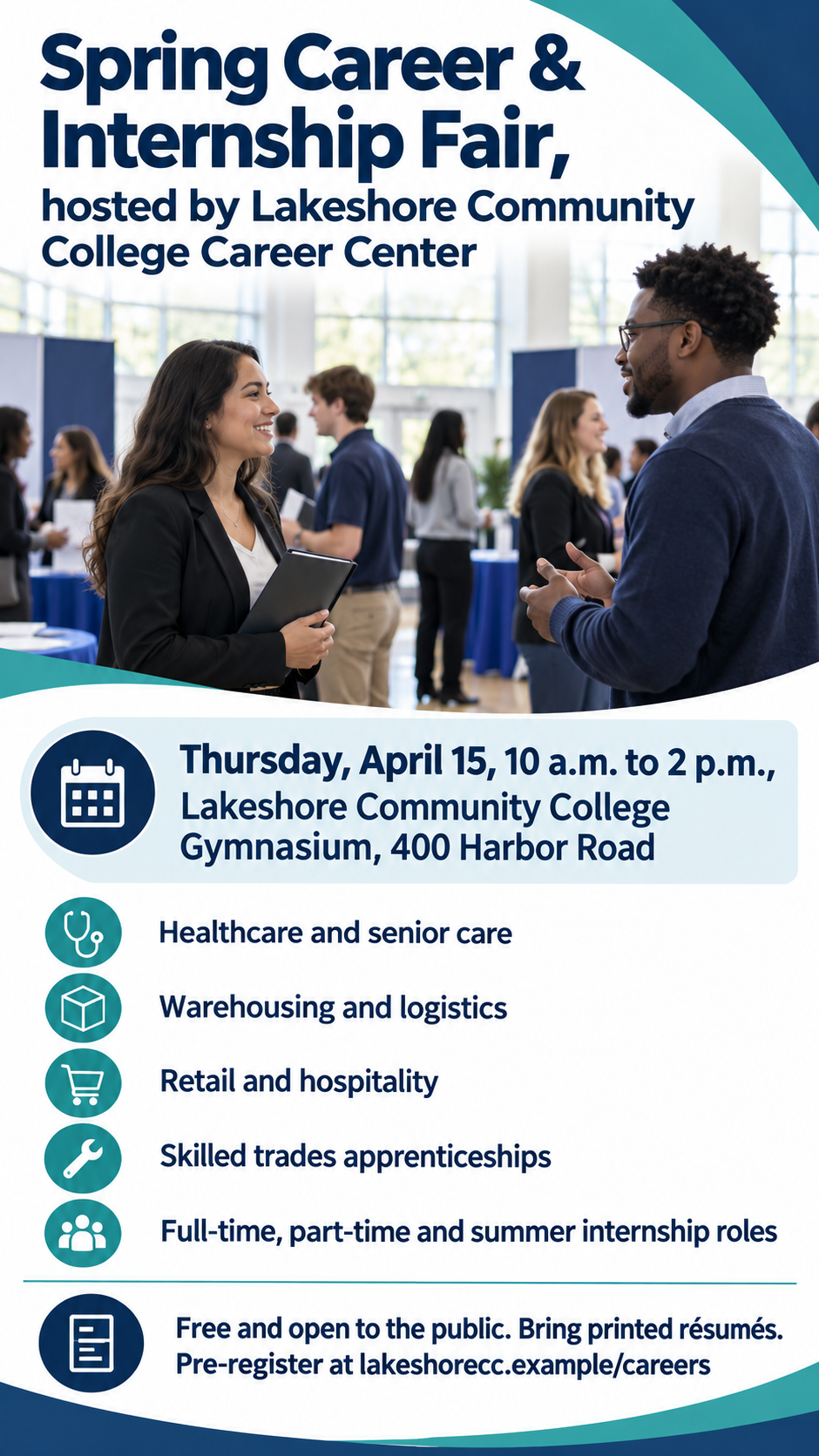
Community college spring career and internship fair
Event name and host
Spring Career & Internship Fair, hosted by Lakeshore Community College Career Center
Who is hiring and for what kinds of roles
Healthcare and senior care
Warehousing and logistics
Retail and hospitality
Skilled trades apprenticeships
Full-time, part-time and summer internship roles
Date, time and venue
Thursday, April 15, 10 a.m. to 2 p.m., Lakeshore Community College Gymnasium, 400 Harbor Road
Registration or what to bring
Free and open to the public. Bring printed résumés. Pre-register at lakeshorecc.example/careers
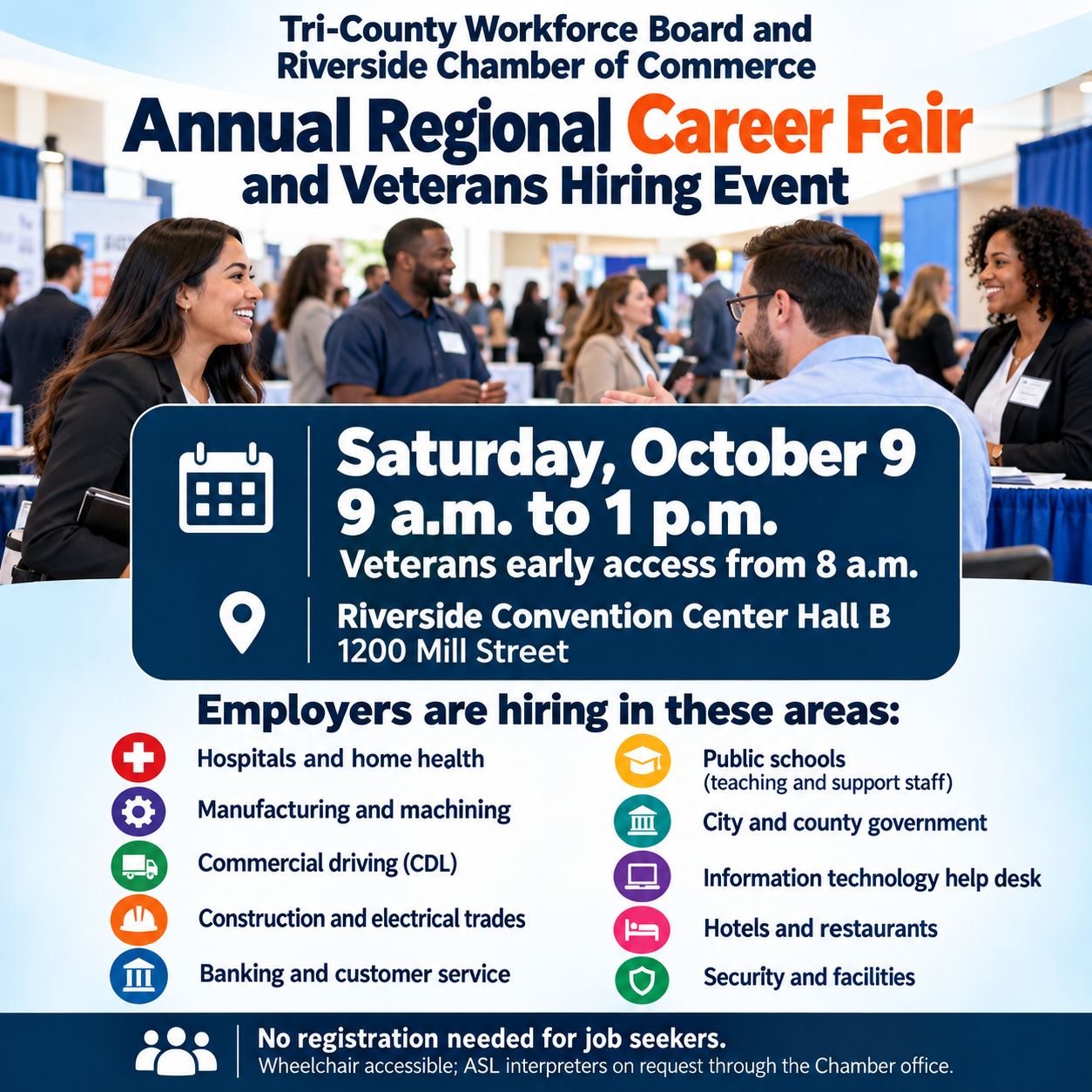
Two-host regional hiring event with ten hiring areas and early access
Event name and host
Tri-County Workforce Board and Riverside Chamber of Commerce Annual Regional Career Fair and Veterans Hiring Event
Who is hiring and for what kinds of roles
Hospitals and home health
Manufacturing and machining
Commercial driving (CDL)
Construction and electrical trades
Banking and customer service
Public schools (teaching and support staff)
City and county government
Information technology help desk
Hotels and restaurants
Security and facilities
Date, time and venue
Saturday, October 9, 9 a.m. to 1 p.m. (veterans early access from 8 a.m.), Riverside Convention Center Hall B, 1200 Mill Street
Registration or what to bring
No registration needed for job seekers. Wheelchair accessible; ASL interpreters on request through the Chamber office.
School or organizer colors
Left empty
A long two-host name, ten hiring areas and two start times with no color direction. Checks that the early-access time stays tied to veterans and that the list is grouped rather than shrunk until it cannot be read.
Same task, three directions
Pick a direction to start from.
01
Campus bulletin board
School colors, a large date block and a small icon beside each hiring area. Suits college career centers and high school job fairs.
02
Busy hall of employer tables
A photo-style scene of people talking at employer tables, with every fact on a solid panel so the details stay legible over the image.
03
Clean professional layout
White space, one accent color and two tidy columns, for workforce boards and chambers that want a formal hiring event flyer.
What the template keeps
The parts that stay consistent.
01
Facts in one block
Date, time and venue stay together and larger than the supporting text, so passers-by catch them first.
02
A scannable hiring list
Short, grouped lines with one idea each, instead of a paragraph of job titles.
03
No invented employers
Only the organizations and role types you name appear, with no borrowed company logos.
How to use it
From details to a result.
01
Name the event and host
Use the public name people will search for, and the organization running it, so the flyer matches your event page.
02
List hiring areas, not vacancies
Industries and role types keep the flyer readable. Individual job openings belong on each employer's own listings.
03
Add the date, venue and registration line
Type them exactly as they should appear. They are rendered as written, including any web address.
04
Review, generate and proof
The brief opens in Vizify and nothing runs until you send it. Check every fact against your event page before printing or posting.
Output boundaries
What to check before you use it.
Generated text can contain mistakes. Proofread the date, times, street address and any web address character by character.
The result is one image in a tall or square direction, not a US Letter or A4 page. Bleed, crop marks and a print-ready PDF are not included; resize or lay it out for print separately.
It cannot create a working QR code, a registration form or a job posting. It designs the flyer only.
Employer logos are not reproduced. Collect them from employers and add them in a layout tool if you need them.
Long hiring lists get cramped; beyond about eight lines, text shrinks below a comfortable reading size.
QuestionsIs a career fair flyer different from a career fair poster?+
Mostly in where it is used. This template makes one image; choose the tall direction for bulletin boards and career fair posters around campus, or square for sharing online. Fitting it to an exact print size is a separate step after generation.
Can I list the companies that are attending?+
Yes, once they have confirmed. Add them in the hiring field exactly as each employer wants to be named. The template never adds employers, logos or job counts you did not supply.
Will this work as a hiring event flyer for one company?+
It is built for events with several employers. For a single company's open day, list the teams you are hiring for; for one specific job, a hiring post or job poster is the better fit.
Can I add a QR code that links to registration?+
A generated image cannot contain a code that reliably scans. Ask for an empty corner in the additional direction, then place your real QR code in a design tool before printing.
Does Vizify publish the jobs or manage registrations?+
No. It creates the flyer image. Registration, job postings and printing stay with your own systems. Preparing the brief is free; generating needs sign-in and uses your account's access and credit rules.