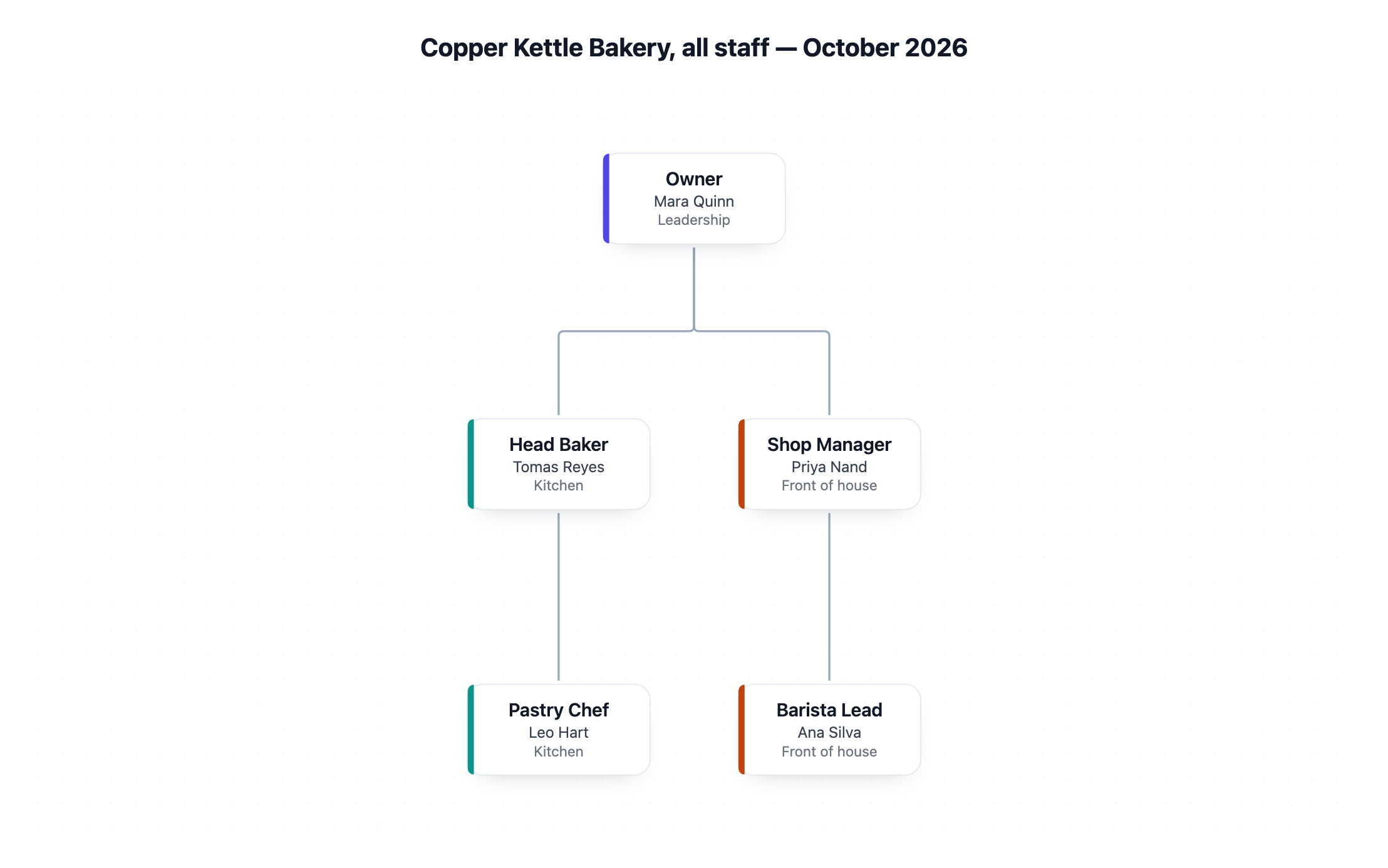
One organizational chart drawn as a single tree, with a box for every line you give showing title, name and department. Reporting lines follow your "reports to" column exactly. Check spellings, vacant roles and that each person sits under the right manager.
Owner | Mara Quinn | - | Leadership
Head Baker | Tomas Reyes | Owner | Kitchen
Shop Manager | Priya Nand | Owner | Front of house
Pastry Chef | Leo Hart | Head Baker | Kitchen
Barista Lead | Ana Silva | Shop Manager | Front of house
Four levels, a vacant role, a long title and a dotted-line note
Team or organization
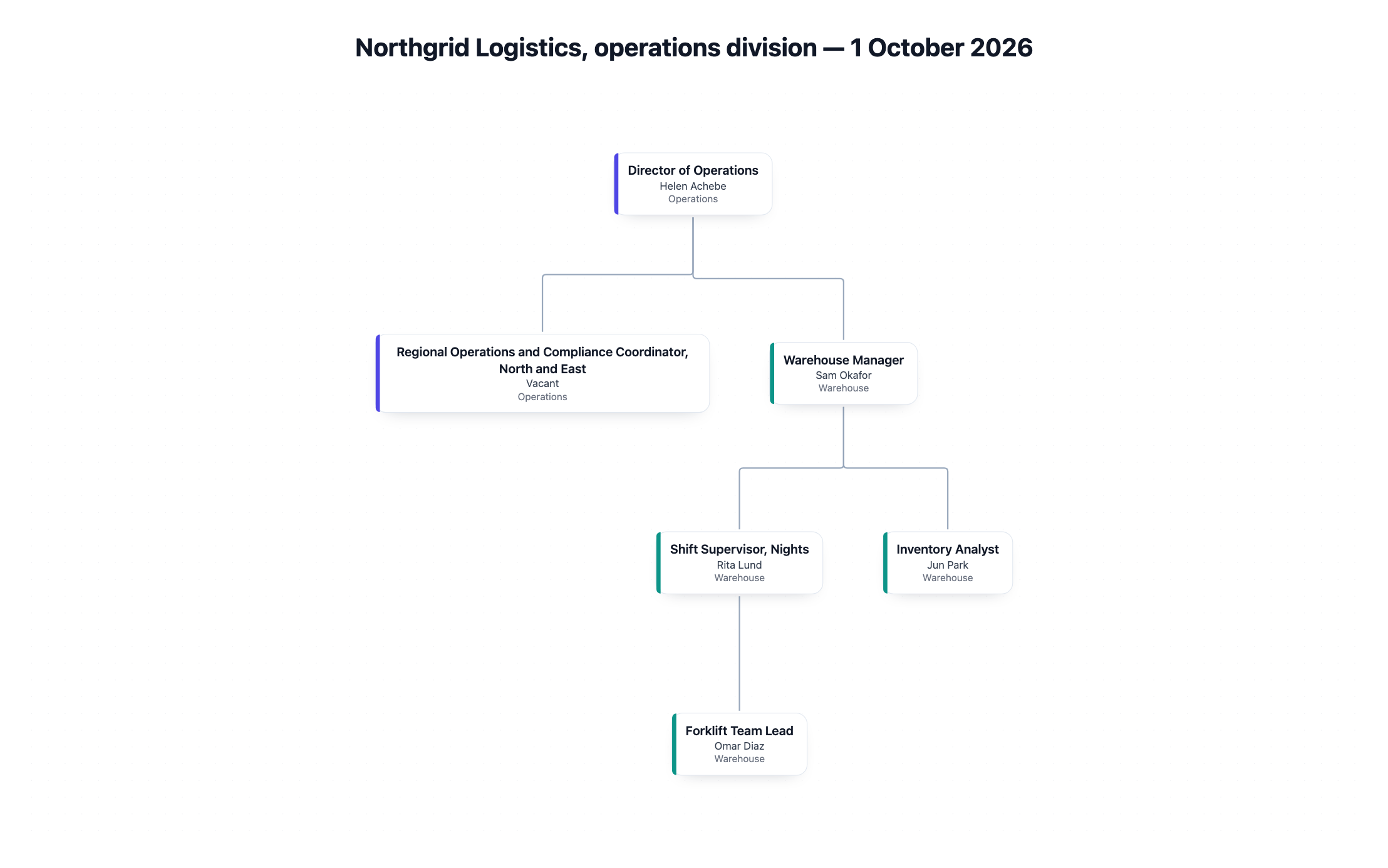
Northgrid Logistics, operations division
People as title | name | reports to | department
Director of Operations | Helen Achebe | - | Operations
Regional Operations and Compliance Coordinator, North and East | Vacant | Director of Operations | Operations
Warehouse Manager | Sam Okafor | Director of Operations | Warehouse
Shift Supervisor, Nights | Rita Lund | Warehouse Manager | Warehouse
Inventory Analyst | Jun Park | Warehouse Manager (also supports Finance) | Warehouse
Forklift Team Lead | Omar Diaz | Shift Supervisor, Nights | Warehouse
As of date
1 October 2026
What each box should show
Left empty
Checks that the vacant role keeps its box without an invented name, that the long title wraps, and that the dotted-line note to Finance is reported in the reply instead of drawn as a second manager.
Same task, three directions
Pick a direction to start from.
01
Leadership overview
Only the top two or three levels, for an all-hands slide or a new starter's welcome pack.
02
Department-colored chart
Each department in its own color so readers can see at a glance which team a role belongs to.
03
Roles-only structure for hiring plans
Titles without names, including planned and vacant roles, for discussing structure before people are assigned.
What the template keeps
The parts that stay consistent.
01
Names and titles as written
Spellings, capital letters and long titles are copied exactly. Nothing is shortened into a new title.
02
One connected tree
Every role links back to the top role, with no loose boxes and no circular reporting lines.
03
Vacant roles stay visible
A role without a person keeps its box, so the structure shows the gap.
How to use it
From details to a result.
01
List every role once
One line per role with the title, the person's name, who they report to and their department.
02
Mark the top role
Put a dash in the "reports to" column for the one role at the top. Every other role needs a manager from your list.
03
Choose what each box shows
Titles and names, titles only, or colors by department. Add an as-of date so the chart is not read as current forever.
04
Review in Vizify, then check the tree
Nothing runs until you send. Check spellings and that each person sits under the right manager.
Output boundaries
What to check before you use it.
Each person has one manager in the chart. Dotted-line and matrix reporting is described in the reply, not drawn as a second line.
Boxes show a title, a name and a department. Photos, contact details and headcounts are not part of this chart type.
Vizify does not connect to HR systems. The chart reflects only the list you paste, so update it when people change roles.
Spacing is automatic, and a manager with many direct reports produces a wide row. Export options are whatever the Vizify App offers.
QuestionsWhat makes a clear org chart design?+
One top role, every other role under exactly one manager, and short titles. Keep departments consistent in spelling so colors group correctly, and add an as-of date.
How do I show an open position?+
Write Vacant, or leave the name empty, on that role's line. The box stays in the organizational chart design so the gap is visible.
What if someone reports to two managers?+
Choose the primary manager for the "reports to" column. The chart draws that line, and the reply notes the second relationship so you can mention it alongside the chart.
What happens if a manager is missing from my list?+
Vizify asks which listed role that person reports to instead of guessing. Every box has to connect back to the top role before the chart is created.
Should I include everyone's full name?+
Only include names you are allowed to share. For planning or external use, a roles-only version with titles and departments works just as well.