Lay out a new product idea on the nine-box lean canvas, from the problem and customer segments to costs and revenue. Every box holds your own assumptions.
One lean canvas with all nine boxes, filled with the problems, customers, value proposition, solution, channels, metrics, advantage, costs and revenue you supply. Boxes you leave empty are marked "Not yet defined". Check that each item landed in the right box.
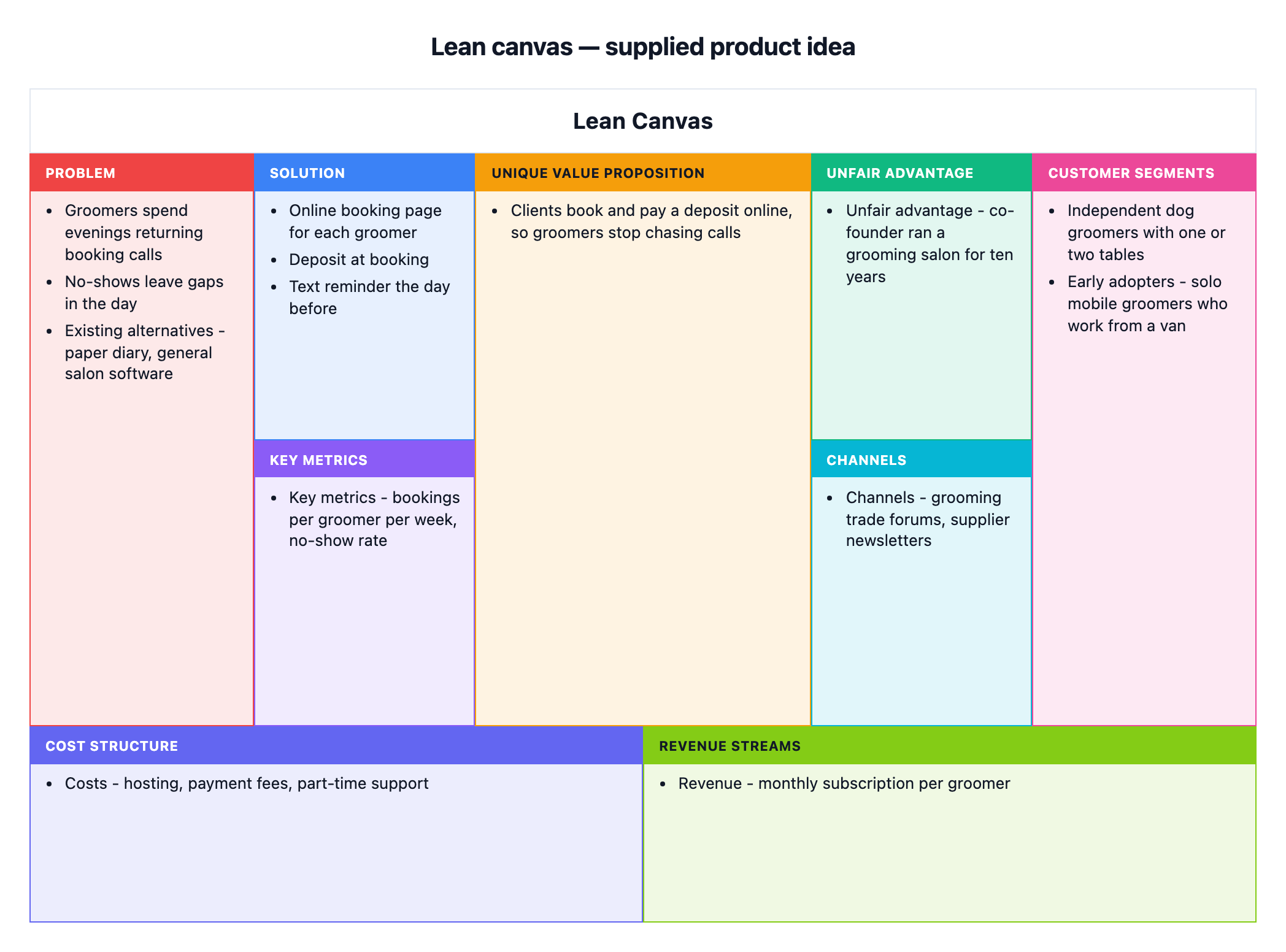
Booking app for independent dog groomers, all nine boxes filled
Problem and existing alternatives
Groomers spend evenings returning booking calls
No-shows leave gaps in the day
Existing alternatives - paper diary, general salon software
Customer segments and early adopters
Independent dog groomers with one or two tables
Early adopters - solo mobile groomers who work from a van
Unique value proposition
Clients book and pay a deposit online, so groomers stop chasing calls
Solution
Online booking page for each groomer
Deposit at booking
Text reminder the day before
Channels, key metrics and unfair advantage
Channels - grooming trade forums, supplier newsletters
Key metrics - bookings per groomer per week, no-show rate
Unfair advantage - co-founder ran a grooming salon for ten years
Cost structure and revenue streams
Costs - hosting, payment fees, part-time support
Revenue - monthly subscription per groomer
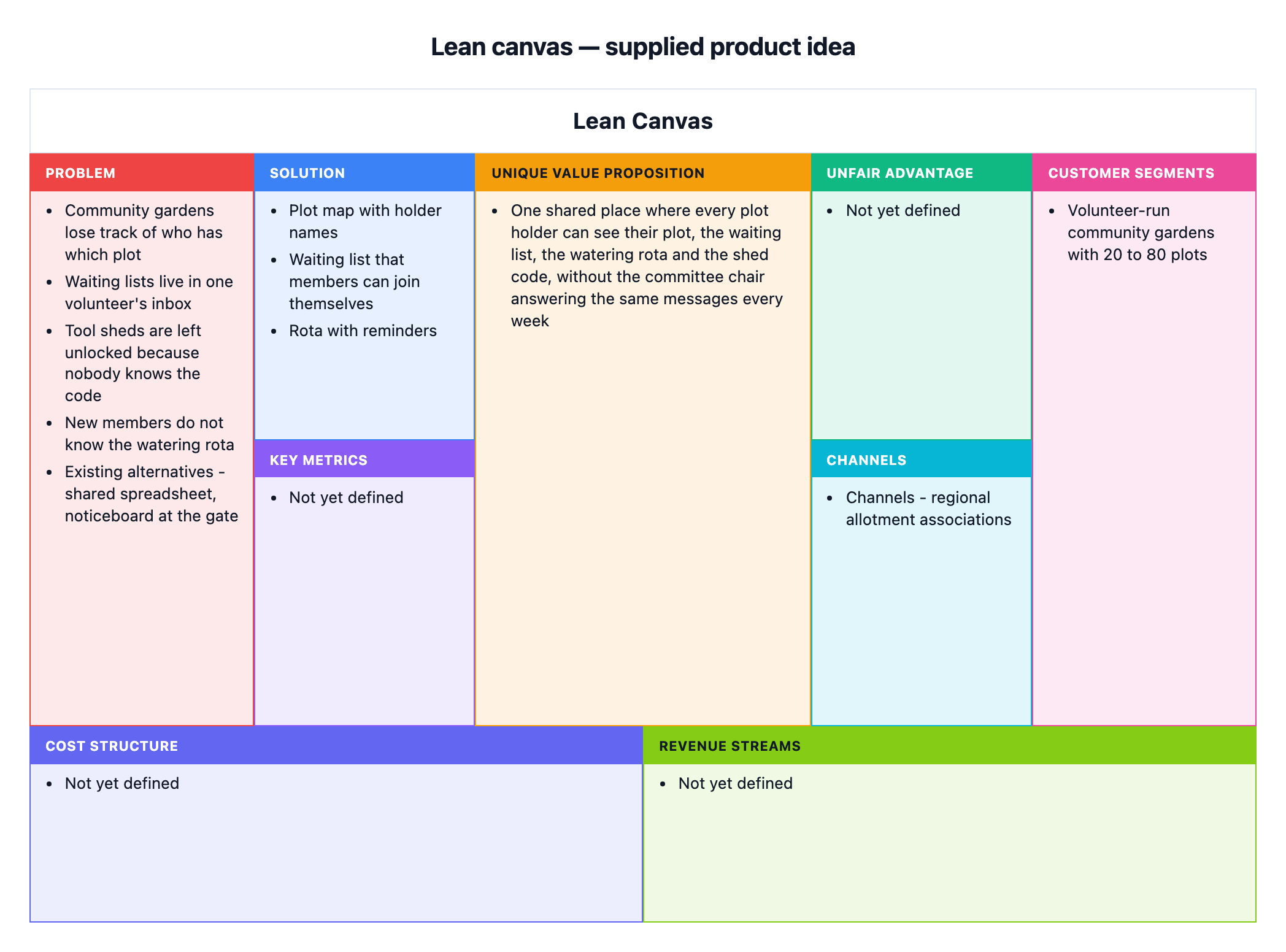
Long value proposition, many problems and no cost or revenue yet
Problem and existing alternatives
Community gardens lose track of who has which plot
Waiting lists live in one volunteer's inbox
Tool sheds are left unlocked because nobody knows the code
New members do not know the watering rota
Existing alternatives - shared spreadsheet, noticeboard at the gate
Customer segments and early adopters
Volunteer-run community gardens with 20 to 80 plots
Unique value proposition
One shared place where every plot holder can see their plot, the waiting list, the watering rota and the shed code, without the committee chair answering the same messages every week
Solution
Plot map with holder names
Waiting list that members can join themselves
Rota with reminders
Channels, key metrics and unfair advantage
Channels - regional allotment associations
Cost structure and revenue streams
Left empty
The cost and revenue field is empty and key metrics and unfair advantage are not given, so those four boxes must show "Not yet defined". Checks that the long value proposition is not cut and all five problems stay in one box.
Same task, three directions
Pick a direction to start from.
01
Pre-launch assumptions to test
Every box treated as a hypothesis, with the riskiest items flagged in your own words, for deciding what to test first.
02
One-page pitch summary
A tighter canvas with three items or fewer per box for a pitch meeting, using only the lines you choose to keep.
03
Iteration snapshot
A dated version of the canvas after a round of customer interviews, with changed items marked the way you wrote them.
What the template keeps
The parts that stay consistent.
01
All nine boxes
The canvas always shows the full lean canvas, even when a box is still open.
02
Your assumptions, in your words
Items keep your wording and order. Nothing is rewritten into marketing language.
03
Open questions stay open
A box you have not filled reads "Not yet defined" rather than a guessed answer.
How to use it
From details to a result.
01
Start with the problem and the customer
Write the top problems and who has them. These two boxes shape everything else on the canvas.
02
State the value proposition and solution
One sentence on why your idea is different, then the few features that answer the problems.
03
Add the remaining boxes you know
Label lines as Channels, Key metrics, Unfair advantage, Costs or Revenue. Leave out what you have not worked out yet.
04
Review in Vizify, then check each box
Nothing is created until you send the brief. Check that each item sits in the right box and that empty boxes say so.
Output boundaries
What to check before you use it.
The nine boxes are fixed. Extra sections cannot be added, so put notes such as a high-level concept inside the value proposition box.
Vizify does not test, research or score your assumptions. Market size, pricing and metrics appear only if you write them.
Long items make boxes crowded. Keep each item to one short line where you can.
Box sizes and text wrapping are automatic. Export options are whatever the Vizify App offers for the canvas.
QuestionsWhat goes in the unfair advantage box if I do not have one yet?+
Leave it out. The box will read "Not yet defined", which is an honest answer for an early idea and a useful reminder to come back to it.
Is a lean canvas model template the same as a business model canvas?+
No. The lean canvas swaps partner and resource boxes for problem, solution, key metrics and unfair advantage, which suits an untested idea. Ask for a business model canvas separately if you need that framework.
Can I update the canvas after customer interviews?+
Yes. Ask for changes to the same canvas in Vizify, such as moving an item or marking what changed. Each revision counts toward your account's chart allowance.
Should I write full sentences in each box?+
Short lines work better. A few words per item keeps the nine boxes readable when the canvas is shared on a screen or in a document.