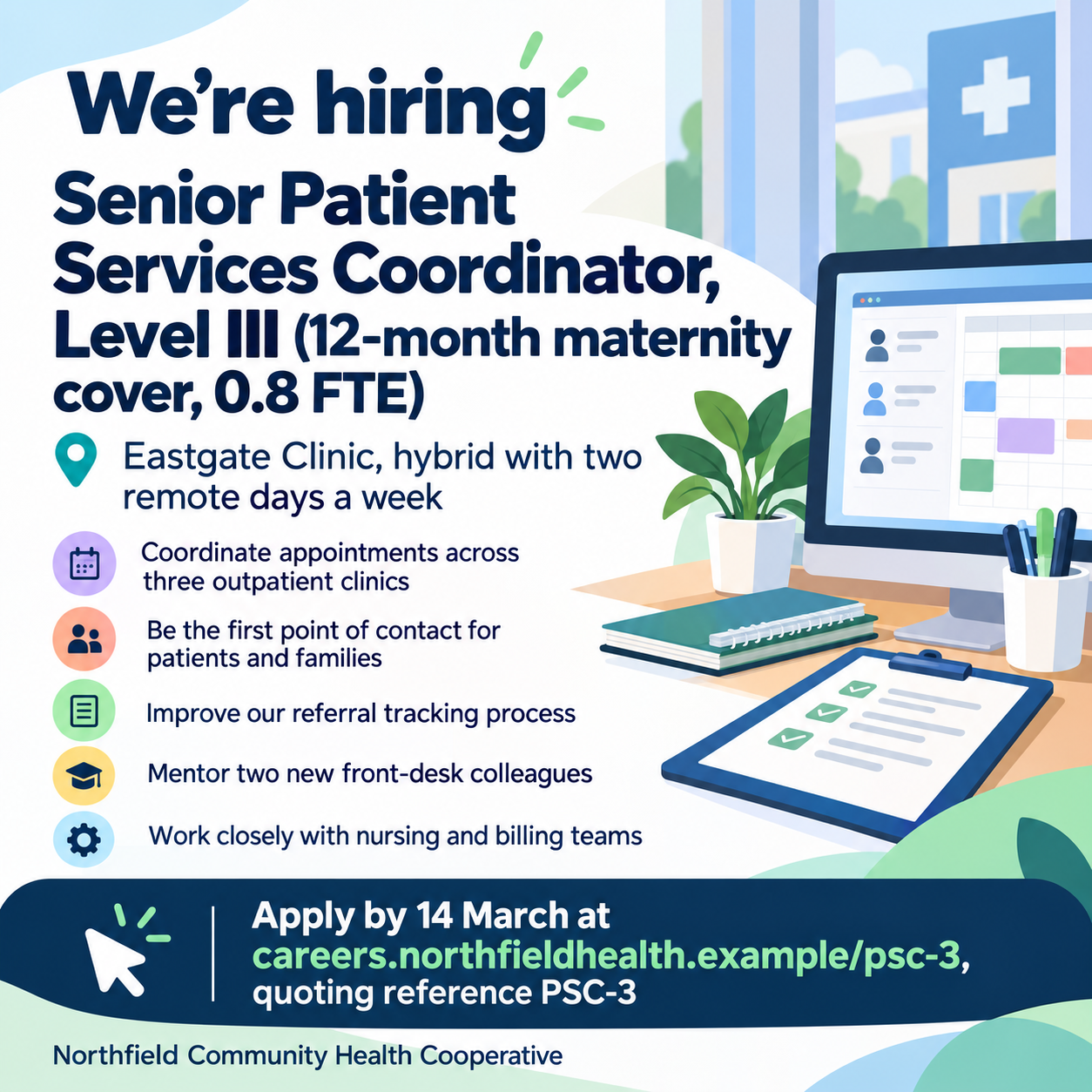
One generated poster image for a single role, with the job title and level as the main line, the location, your key points and a separate apply line. Check every word, any pay you include and the contact details before posting.
Eastgate Clinic, hybrid with two remote days a week
Key points, one per line
Coordinate appointments across three outpatient clinics
Be the first point of contact for patients and families
Improve our referral tracking process
Mentor two new front-desk colleagues
Work closely with nursing and billing teams
How to apply
Apply by 14 March at careers.northfieldhealth.example/psc-3, quoting reference PSC-3
No pay is supplied, so none may appear. Checks that the level and contract terms stay with the title, all five points keep their order, and the web address and reference code are copied exactly.
Same task, three directions
Pick a direction to start from.
01
Bold type-only
Big lettering on one brand color and no imagery, so the title and apply line read from across a street or a crowded feed.
02
Tools of the trade
An illustrated still life of the tools the role uses sits behind a calm text panel, so people understand the job before reading.
03
Notice-board card
An off-white printed-notice look with a thin border, suited to community boards, staff rooms and shop windows.
What the template keeps
The parts that stay consistent.
01
Title first
The job title and level are the largest text, so the right people stop and read.
02
A separate apply line
How to apply sits in its own band, where it can be found without reading everything else.
03
Only your points
The list shows what you wrote, in your order, with no added perks or requirements.
How to use it
From details to a result.
01
Name the role and its level
Give the exact job title with level or hours, such as senior, part-time or 12-month contract, plus your company name.
02
Add location and key points
Two to four short points read best. Include pay only if you want it shown, typed exactly as it should appear.
03
Write the apply line
Give the exact email, web address or place to apply. It is copied character for character, so check it before you continue.
04
Review the poster, then post it
Compare the title, pay and apply line with your job listing, and ask for fixes in the conversation if anything is off.
Output boundaries
What to check before you use it.
AI-rendered text can contain mistakes, especially in email and web addresses. Check every character before the poster goes up.
One role per poster. Several different openings need separate requests.
It does not check job-advertising rules where you post, such as pay disclosure or equal-opportunity wording.
People and workplaces in the image are generated illustrations, not your actual team or premises.
The result is a single digital image. Window-sized prints and print-ready files are outside this template.
QuestionsCan one job poster cover several roles?+
This template is built for one role, because a single title reads fastest. For three openings, make three posters with the same style direction so they look like a set.
Should I put the salary on a we are hiring poster?+
Include it if you want it shown, typed exactly as it should read. Some places require a pay range in job ads, so check the rules where you post. The template never adds pay on its own.
What if we don't have a careers page?+
Any apply line works, such as an email address, a phone number or Ask at the counter. The poster shows exactly what you type in the apply field.
Can I use the same hiring poster in a window and on social media?+
Choose portrait for a window or screen and square for feeds; each is a separate request. If you plan to print it large, check that the image stays sharp at that size first.