Poster goal
Audience
Required text
Visual direction
Make one poster image from your event, product or class details with an exact headline, date and place. Check every word before you print or share it.
Your brief and choices open in Vizify for review. Nothing runs until you send it.
Poster goal
Audience
Required text
Visual direction
AI Poster Maker · One generated image to review
Make one poster image from your event, product or class details with an exact headline, date and place. Check every word before you print or share it.
Message, required text, visual focal point, and output format are planned together so the poster works at its real destination.
The complete brief opens in Vizify, where you can generate, review, revise, and save the work without rebuilding the prompt.

Tell customers or members about a closure, holiday hours or a change, with the dates and details you supply, on one clear poster for a door, screen or feed.

Prepare a poster brief from a short list of classes, times and rooms for a classroom, studio or community board. Check the generated timetable before displaying it.

Feature one café drink with its exact name and price on a poster for your counter screen or social feed. Add a photo of the real drink if you have one.

Arrange your company’s agreed values on one poster, with your heading and colors if supplied. Review every value before displaying the image.
Start with the message, audience, required content, destination, and any brand or style direction you already know. Rough notes are fine.
Yes. The choices here are a starting brief. In Vizify you can refine the wording, format, styling, model choice, and generation direction before saving the result.
Prepare the request in your browser without installing an app. Generation runs in Vizify after sign-in, uses credits, and starts only after you review and send the request.
One generated image to review. Choose a destination to guide the composition, then check the actual image size. Exact pixels, crop marks, bleed and CMYK are not guaranteed; resize or prepare the file before publishing or printing.
You can revise the prompt, selected controls, required content, composition direction, and supported delivery settings before or after the first run in Vizify.
Save the image and keep the prompt for a later request. You can revise both in the conversation; saving a reusable workflow is not available.
It's an AI poster generator. Vizify organizes your brief into hierarchy and generates the visual through an inspected image model rather than filling a fixed template.
Those pages start from a narrower brief tuned to campaigns or motivational quotes. This general AI poster generator covers any purpose — event, product, educational, entertainment, or real estate — through the Purpose control.
Preparing the poster brief is free. Generating needs sign-in: a free account includes a small image allowance paid from its sign-up credits, and more posters need Pro or a credit pack.
No. Vizify runs in the browser on desktop and mobile. Prepare the poster here, then finish it in the Vizify App after sign-in.
Start from the Purpose control and your own wording, then describe the layout, for example a large photo on top, the headline across the middle and details in a band at the bottom.
You can print the image, but it isn't a print-ready file: there is no bleed, no crop marks and no CMYK. Confirm size and resolution with your printer and check every word first.
A poster is judged from across a room or from a scrolling feed, so it carries one idea plus the few details that let someone act on it: date, place, price, a name. Everything else competes with the headline. Write the required text out in full in your brief, say which line has to dominate, and let the rest drop to a supporting size rather than leaving the hierarchy to chance.
You can print the image, but it isn’t a print-ready file: there is no bleed, no crop marks and no CMYK. Confirm size and resolution with your printer and check every word first.
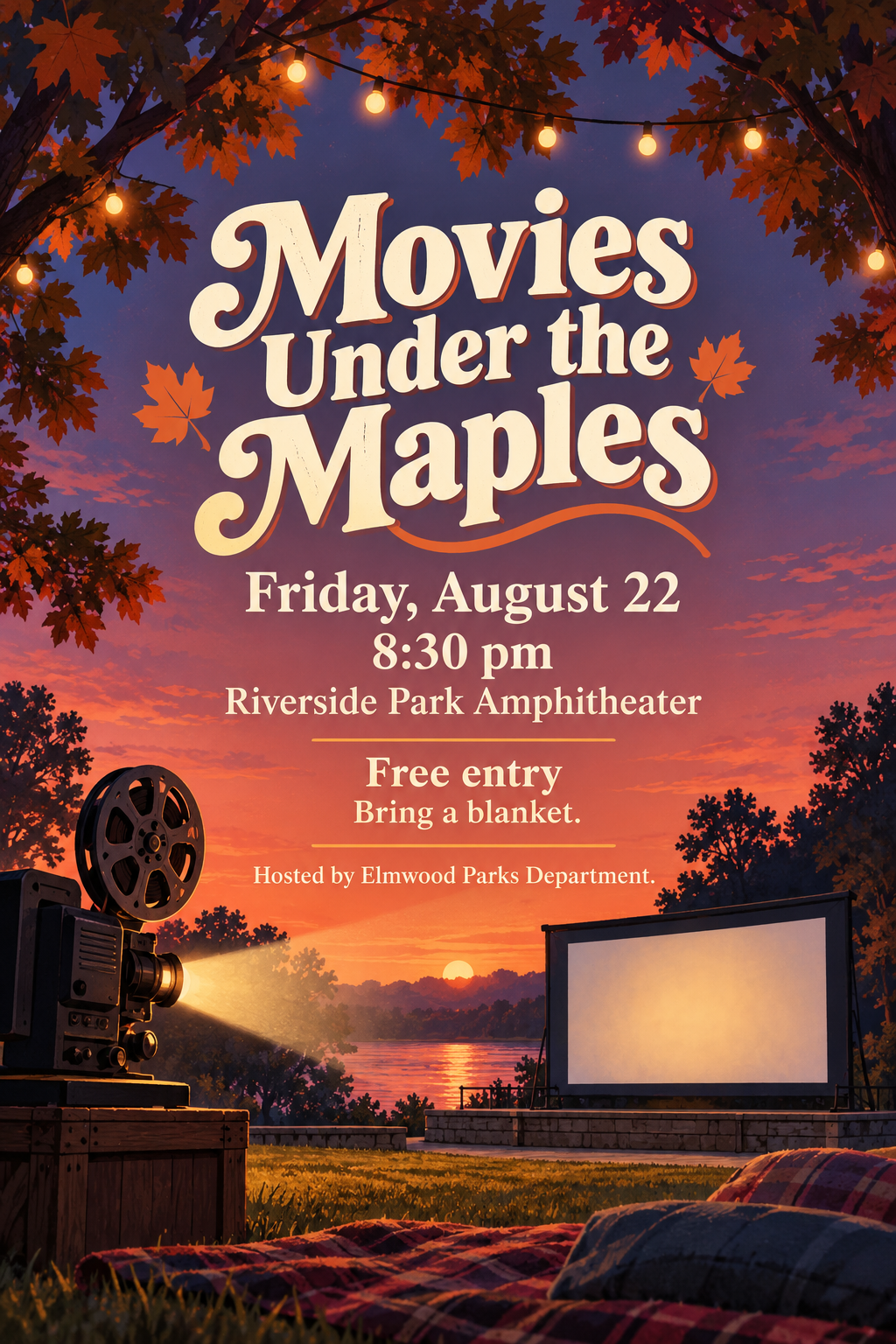
Event poster for an outdoor film screening. Headline: 'Movies Under the Maples'. Details: Friday, August 22, 8:30 pm, Riverside Park Amphitheater, free entry, bring a blanket. Hosted by Elmwood Parks Department. Warm dusk palette, vintage projector illustration, portrait, print.
What final event name, date and room should appear on the science-fair poster?
Make a poster for our school science fair. We're not sure about the date or the room yet, and we might rename the event.
Checks that the reply asks for the event name, date and room or uses clear placeholders, and does not invent a date, room or school name.