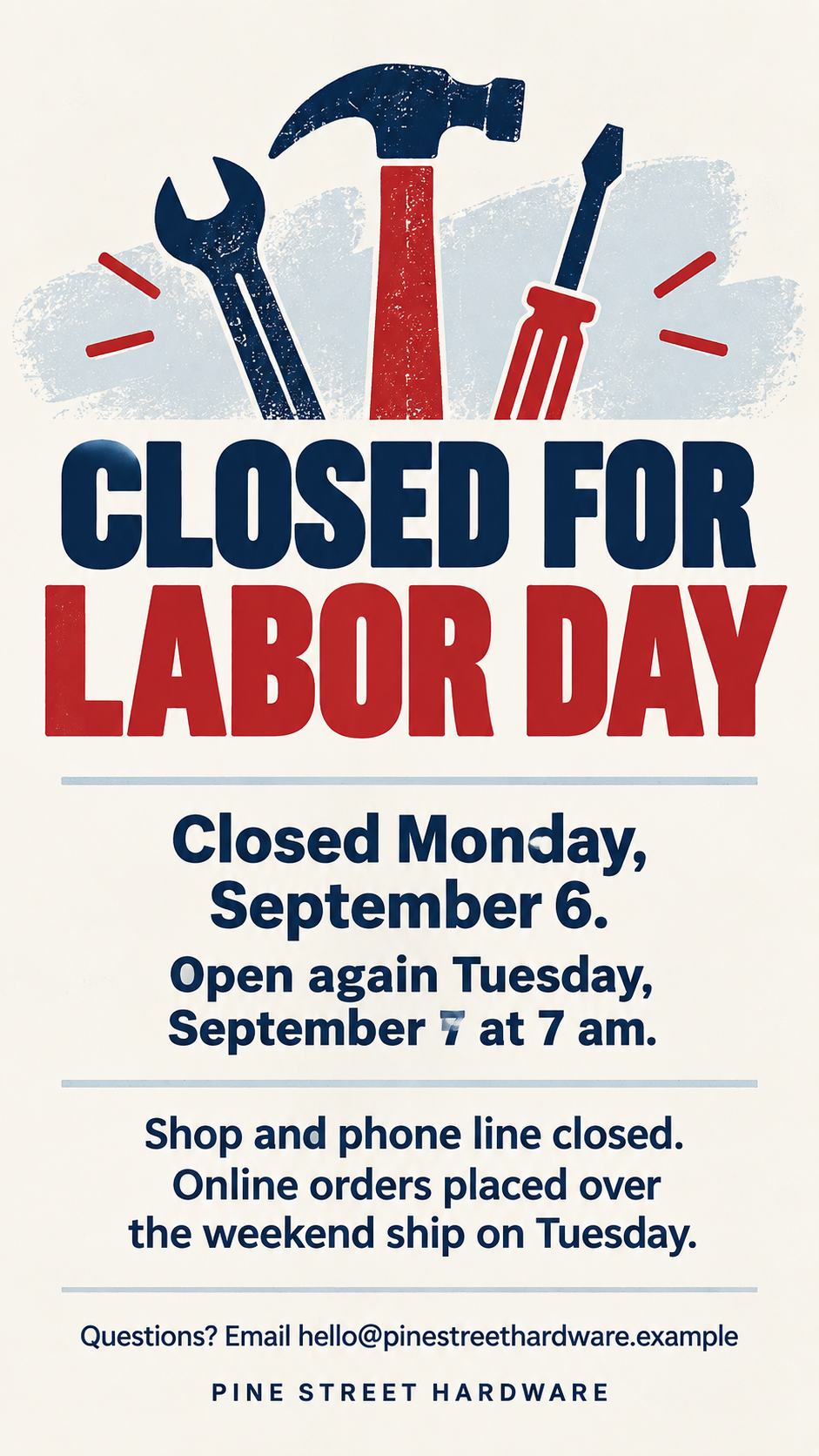
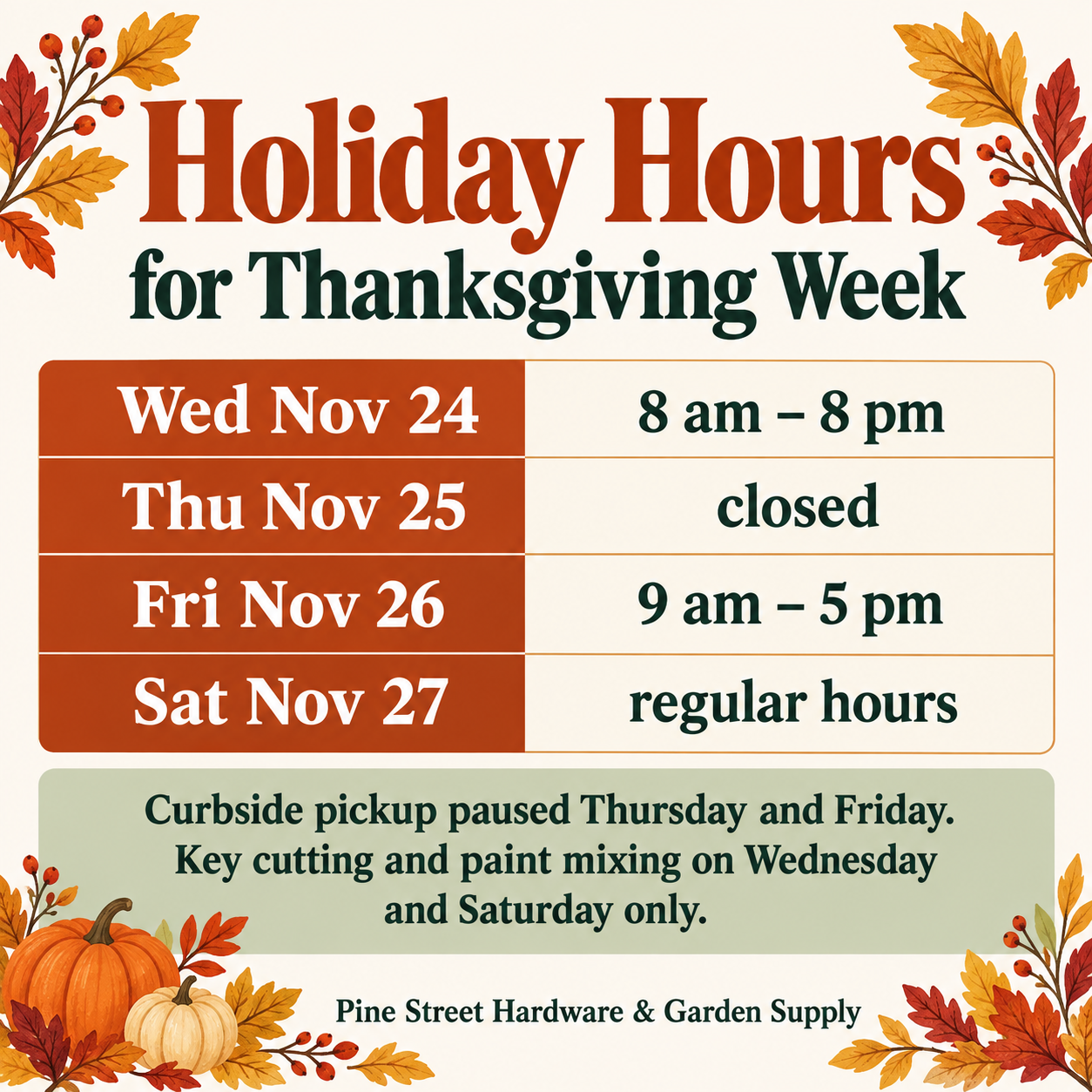
Announcement poster for closures, hours and changes.
Tell customers or members about a closure, holiday hours or a change, with the dates and details you supply, on one clear poster for a door, screen or feed.
One generated notice with no more than three layers of information, meaning what is happening, when, and what changes, plus your contact line and name. Check every weekday, date and time against your plan before posting.
Wed Nov 24, 8 am – 8 pm
Thu Nov 25, closed
Fri Nov 26, 9 am – 5 pm
Sat Nov 27, regular hours
What changes for people
Curbside pickup paused Thursday and Friday. Key cutting and paint mixing on Wednesday and Saturday only.
Contact line (optional)
Left empty
Four dated lines with different hours, a long name and no contact line. Checks that every weekday, date and time stays in order and exactly as typed, and that no phone number is invented for the empty contact line.
Same task, three directions
Pick a direction to start from.
01
Door notice
High-contrast layout for a shop door or window, with the dates in a bold block that reads through glass.
02
Light holiday touch
A small seasonal motif around the text for Labor Day, winter breaks or other holiday closures, kept well away from the dates.
03
Member update card
A calm card for members, parents or tenants about a change such as a new schedule or a moved location.
What the template keeps
The parts that stay consistent.
01
Three layers at most
What, when and what changes. Anything more is left out so the notice reads at a glance.
02
Dates as you wrote them
Weekdays, dates and times keep your wording, order and format.
How to use it
From details to a result.
01
Say what is happening
One short topic line, such as Closed for Labor Day or New Saturday hours. This becomes the headline.
02
List the dates exactly
Write each weekday, date and time the way customers should read them, one line per day if the hours differ.
03
Add what changes
Tell people what is closed, delayed or moved, plus a contact line if they may have questions.
04
Check each date before posting
Compare every date and time on the poster with your plan. A single wrong digit sends people to a locked door.
Output boundaries
What to check before you use it.
AI-rendered text can misprint dates and times. Check each one against your schedule before the poster goes up.
The poster copies the dates you type. It does not look up public holidays, local trading rules or your opening hours.
Long schedules with many different days become small and harder to check. Keep it to a few lines.
Each request makes one image in one format, not a print-ready file. A door version and a feed version are two requests.
QuestionsCan I make Labor Day holiday images for my store's closure?+
Yes. Put Closed for Labor Day as the topic and the exact date and reopening time in the dates field. The template adds only a light seasonal touch and keeps flags and emblems out unless you ask for them.
What if our reopening time isn't confirmed yet?+
Write the wording you want people to see, such as Reopening time to be confirmed. The poster shows that line as written instead of guessing a time.
How much can one announcement poster hold?+
Three layers read well from a door or a feed, meaning what is happening, when, and what changes. If you need to explain more, post the detail on your website or send it by email and keep the poster short.
Will the dates be checked for me?+
The poster copies what you type. If a weekday does not match the date, Vizify points it out, but it does not check holidays or opening rules, so the final check is yours.