Volunteer recruitment poster for a community activity.
Recruit volunteers for one activity with what they will do, when and where, and how to sign up, on a poster for notice boards, shop windows and local groups.
One generated recruitment poster showing the activity, the tasks, when and where, and a separate sign-up band, with the organizer only if you name one. Check times, places and contact details before sharing.
Two-day coat drive for service hours, with no organizer
Activity
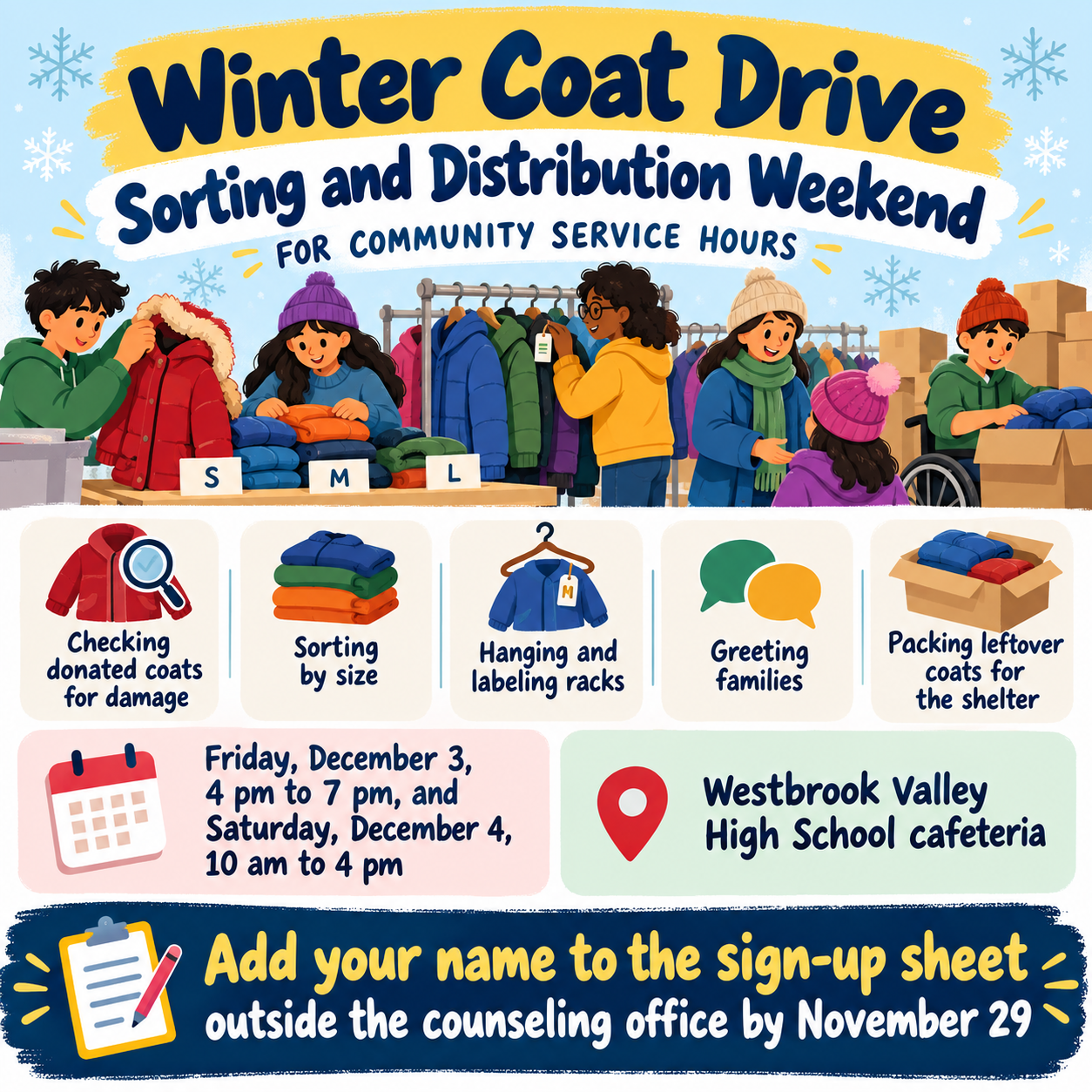
Winter Coat Drive Sorting and Distribution Weekend for Community Service Hours
What volunteers will do
Checking donated coats for damage, sorting by size, hanging and labeling racks, greeting families, and packing leftover coats for the shelter
Date, time and meeting point
Friday, December 3, 4 pm to 7 pm, and Saturday, December 4, 10 am to 4 pm · Westbrook Valley High School cafeteria
How to sign up
Add your name to the sign-up sheet outside the counseling office by November 29
Organizer (optional)
Left empty
Two shifts over two days, five tasks and no organizer. Checks that both shifts keep their times, every task appears, and no charity or partner name is invented for the empty organizer line.
Same task, three directions
Pick a direction to start from.
01
Hands-on scene
Illustrated volunteers doing the actual tasks, so people can picture themselves joining in.
02
Big ask
Heavy lettering and one strong color, for crowded boards where the poster has to stand out.
03
Neighborhood board
A friendly hand-made look, like a notice pinned to a café or library board.
What the template keeps
The parts that stay consistent.
01
A clear sign-up path
What, when and where, then how to join, in that order.
02
No invented organizations
Only the organizer you name appears. An empty field stays empty.
How to use it
From details to a result.
01
Name the activity
One activity per poster, named the way people will talk about it.
02
Say what volunteers will do
Specific tasks help people decide if they can help. List only what will really happen.
03
Add when, where and how to sign up
Date, time, meeting point and one sign-up route. Add your group's name if you want it shown.
04
Check and share
Confirm the times, place and contact details, then post it on boards and in local groups.
Output boundaries
What to check before you use it.
AI-rendered text can misprint times, places and phone numbers. Check each one before sharing.
Volunteers shown are generated illustrations, not your team or participants.
The poster does not collect sign-ups, record service hours or add safety guidance you haven't supplied.
Copies you print come from one digital image, not a print-ready file, so check that the sign-up line stays sharp.
QuestionsCan I make community service posters for students earning hours?+
Yes. If your school records hours, say how in the sign-up line or the additional direction, exactly as it should read. The template never adds hour credits or requirements on its own.
Do I have to name an organization?+
No. The organizer field is optional, and the poster adds no group, charity or sponsor if you leave it empty.
What makes volunteer posters work?+
One activity, specific tasks, a clear time and place, and a single sign-up route. Several asks on one poster make each one harder to act on.
Can I print copies to put up around town?+
You can print the image, but it is one digital file, not a print-ready one. Check that the sign-up line is readable at the size you print.