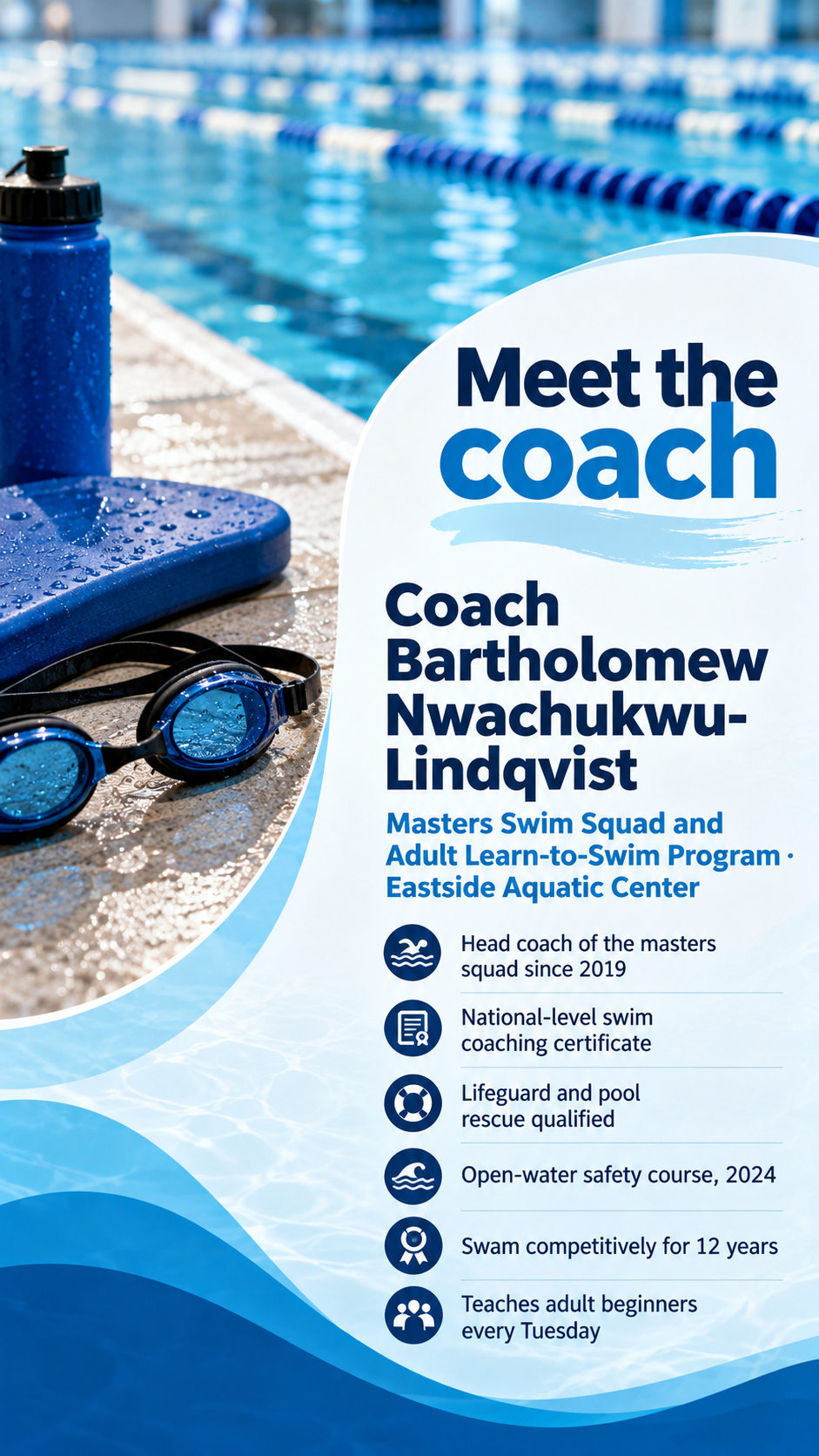
One generated introduction poster split into a photo zone and a text zone, with the coach's name, program, the credentials you list and an optional quote. Check the name, every credential and the likeness before posting.
Masters Swim Squad and Adult Learn-to-Swim Program · Eastside Aquatic Center
Experience and credentials, one per line
Head coach of the masters squad since 2019
National-level swim coaching certificate
Lifeguard and pool rescue qualified
Open-water safety course, 2024
Swam competitively for 12 years
Teaches adult beginners every Tuesday
A line from the coach (optional)
Left empty
No photo, a double-barreled surname and six credential lines, with no quote. Checks that the surname is spelled exactly, no realistic face stands in for the coach, and every credential appears once without upgrades.
Same task, three directions
Pick a direction to start from.
01
Action photo split
The coach's photo on one side in a sport setting, with the introduction on a clean panel beside it.
02
Player-card style
Styled like a collectible sports card, with the name on a banner and credentials in a stats-style box.
03
Welcome notice
A calm, friendly layout for a club newsletter, noticeboard or parents' group chat.
What the template keeps
The parts that stay consistent.
01
Photo and text kept apart
The photo and the introduction each have their own zone, so neither covers the other.
02
Credentials as written
Experience lines keep the coach's own wording, with nothing added or upgraded.
How to use it
From details to a result.
01
Add the coach's name and program
Use the name players will call them, plus the team, sport or program they lead.
02
List experience and credentials
One per line, worded exactly as the coach wants them shown. Only what you list appears.
03
Add a photo and a quote if you like
Upload one clear photo the coach agreed to share. Without one, the poster uses sport imagery instead.
04
Check before sharing
Have the coach check their name, credentials and likeness before the poster goes out.
Output boundaries
What to check before you use it.
AI-rendered text can misspell names and certifications. Check every line before posting.
A photo guides the likeness, but faces can change. Compare the result with the original and ask for fixes.
Credentials are not verified. The poster shows what you type.
Club crests and league logos are not reproduced, so add official artwork afterwards if your club requires it.
QuestionsDo I need a photo of the coach?+
No. Without a photo, the poster uses the sport's equipment or a silhouette instead of inventing a face. Add a photo when families need to recognize the coach at the first practice.
Can I list certifications and past teams?+
Yes. Type each one on its own line, worded exactly as it should read. The template does not check or add qualifications.
Can I make one for every coach on our staff?+
Each request makes one poster for one coach. Reuse the same variant and colors for each coach so the set matches.
Will this work on our club's social media?+
Choose the square format for feeds and the tall format for stories or a noticeboard. Check the name and credentials in the result before posting.