Thank-you flyer after an event, for volunteers, donors or sponsors.
Thank the people who made an event happen with one flyer that names the event, the group you are thanking and your message, plus a confirmed result if you have one.
One generated flyer image that ties your thank-you to a named event, with the message as the headline, the people you are thanking beneath it, and an optional result and sign-off. Names and figures appear only as supplied; check the spelling of every name.
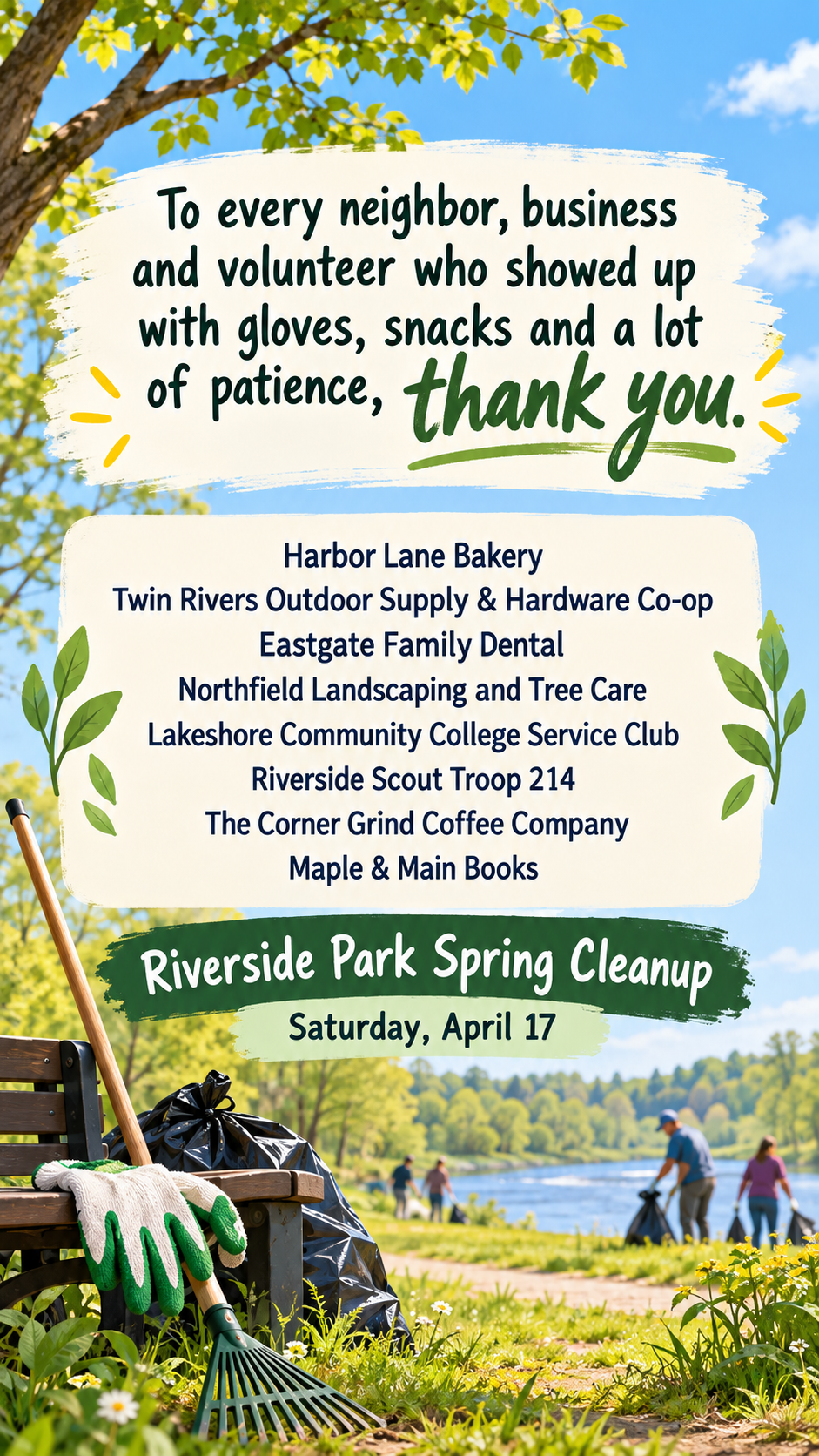
Park cleanup thanks naming eight local sponsors, with no result or sign-off
Thank-you message
To every neighbor, business and volunteer who showed up with gloves, snacks and a lot of patience, thank you.
Who you are thanking
Harbor Lane Bakery
Twin Rivers Outdoor Supply & Hardware Co-op
Eastgate Family Dental
Northfield Landscaping and Tree Care
Lakeshore Community College Service Club
Riverside Scout Troop 214
The Corner Grind Coffee Company
Maple & Main Books
Event and when it happened
Riverside Park Spring Cleanup, Saturday, April 17
Result to share, confirmed figures only (optional)
Left empty
Signed by (optional)
Left empty
A long headline and eight sponsor names, with no result, sign-off or photo. Checks that every business name is spelled exactly, set as text rather than logos, and that no total or volunteer count is invented.
Same task, three directions
Pick a direction to start from.
01
Community noticeboard
A warm paper texture and hand-lettered style headline, for school halls, libraries and neighborhood boards.
02
Photo-led recap
Uses your event photo as a soft background with the message on a clear panel, for newsletters and social recaps.
03
Sponsor wall
Business and sponsor names in a tidy grid under the headline, for fundraisers that need to recognize many supporters.
What the template keeps
The parts that stay consistent.
01
A clear event context
The flyer always says which event the thanks is for, so it reads as a public recap, not a personal card.
02
Names as text
Sponsors and supporters appear as readable text, never as imitation logos.
03
Only real figures
Totals and counts appear only when you supply them.
How to use it
From details to a result.
01
Write your thank-you message
Keep it short enough to read at a glance. It becomes the headline.
02
Name who you are thanking and the event
Groups or businesses, one per line if there are several, plus the event and its date.
03
Add a result and a photo if you have them
Only a confirmed figure belongs in the result line. A photo from the event guides the scene.
04
Review, generate and check names
The brief opens in Vizify before it runs. Check each name letter by letter before sharing.
Output boundaries
What to check before you use it.
Generated text can contain mistakes. A misspelled sponsor name is worse than none, so check every name.
An event photo is a reference for the scene, not the original picture; faces and small details are redrawn and will not match.
Sponsor and business logos are not reproduced. Add official logos in a layout tool if sponsors require them.
The result is one square or tall image. Vizify does not email, print or post it.
Very long name lists, beyond about ten, become small; split them across two flyers or a follow-up post.
QuestionsHow is a thank you flyer different from a thank-you card?+
A card thanks one person privately. This flyer thanks a group publicly after a named event, for a noticeboard, newsletter or feed.
Can I thank sponsors by name?+
Yes. List them one per line exactly as each wants to be credited. They appear as text, not logos.
Can I include how much we raised?+
Add the confirmed figure in the result field. If you leave it empty, the flyer shows no totals or counts.
Can I use a photo from the event?+
Yes, one photo. It shapes the setting and mood, but people are redrawn, so do not rely on it to show recognizable faces.