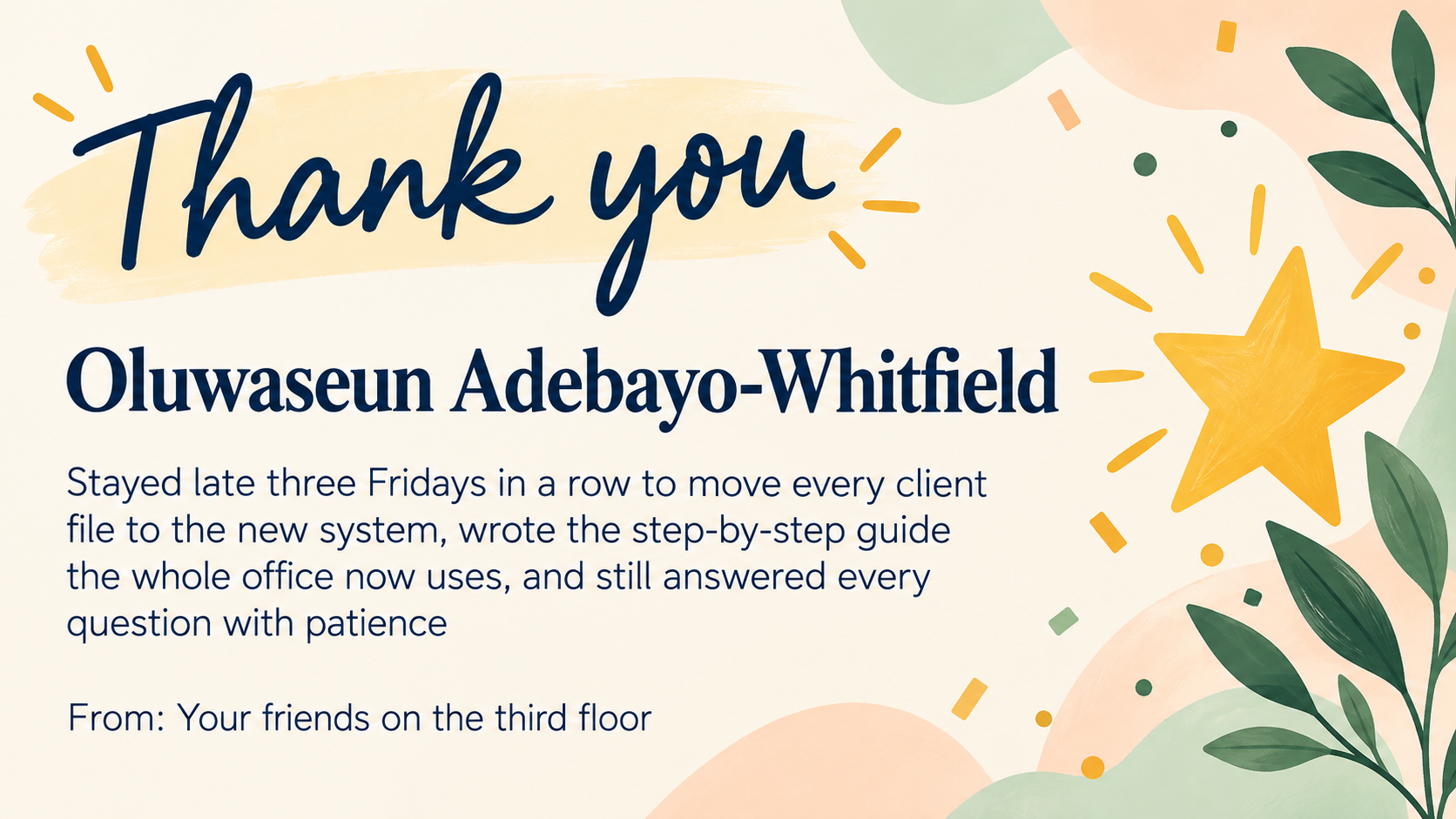
Make an Employee Appreciation Day card that thanks one person by name for something specific they did, signed by you or the team, ready to post in chat or show on a slide.
One generated appreciation card with the employee's name large, their contribution in your words and your sign-off. Nothing about their performance is added; check the name and wording before sharing.
Long hyphenated name and a three-part contribution, no company or style
Employee name
Oluwaseun Adebayo-Whitfield
What they did
Stayed late three Fridays in a row to move every client file to the new system, wrote the step-by-step guide the whole office now uses, and still answered every question with patience
From
Your friends on the third floor
Team or company (optional)
Left empty
Style or colors (optional)
Left empty
A hyphenated surname and a contribution near the length limit, with no company or style. Checks that the full contribution stays verbatim and legible and that nothing is added about performance.
Same task, three directions
Pick a direction to start from.
01
Warm confetti
Light confetti in your colors and a clear name. Friendly enough for team chat.
02
Formal recognition
A thin border, serif type and a small laurel mark, for thanks read out at an all-hands.
03
Illustrated work
A small illustration of the kind of work described, such as boxes, headsets or a calendar, beside the text.
What the template keeps
The parts that stay consistent.
01
The person first
Their name is the most prominent text on the card.
02
Specific, verbatim thanks
Your description of what they did appears as written, never inflated.
03
Workplace-appropriate tone
Warm and positive without jokes, alcohol or likenesses of real people.
How to use it
From details to a result.
01
Enter their name
Use the name they go by at work, spelled the way they spell it.
02
Describe one thing they did
Name the task and what it made possible. A specific line reads as sincere.
03
Sign it and add your team
Sign as yourself or the team, and add the company name if the card will be shared widely.
04
Review, generate and share
Check the result in Vizify, then post it in chat, add it to a slide or attach it to an email yourself.
Output boundaries
What to check before you use it.
Names and longer contributions can contain rendering mistakes. Read the whole card before sharing.
The card never adds metrics, awards or job titles. Any number shown must come from you.
Each request makes one card for one person or one group thanks, not a batch for a whole team.
It is a shareable image, not a print-ready card or formal certificate file.
QuestionsWhat should I write on an Employee Appreciation Day card?+
Name one thing the person actually did and what it changed for the team or customers. The template keeps your wording exactly, so a specific line is what makes the card feel personal.
Can I make employee appreciation day cards for a whole team?+
Each request makes one card. Repeat it with each person's name and contribution so every card is specific, or make one group card that thanks the team together.
Will it add achievements or numbers?+
No. It never adds metrics, rankings or job titles. If you want a number shown, type it yourself and check it before sharing.
Can I include our company logo?+
This template takes no uploads. Type the company name and colors instead; if the official logo must appear, add it with your own presentation or design tool.
How do I share it with the employee?+
Download the image from Vizify and post it in your team chat, show it on a slide or attach it to an email. Vizify does not send it for you.