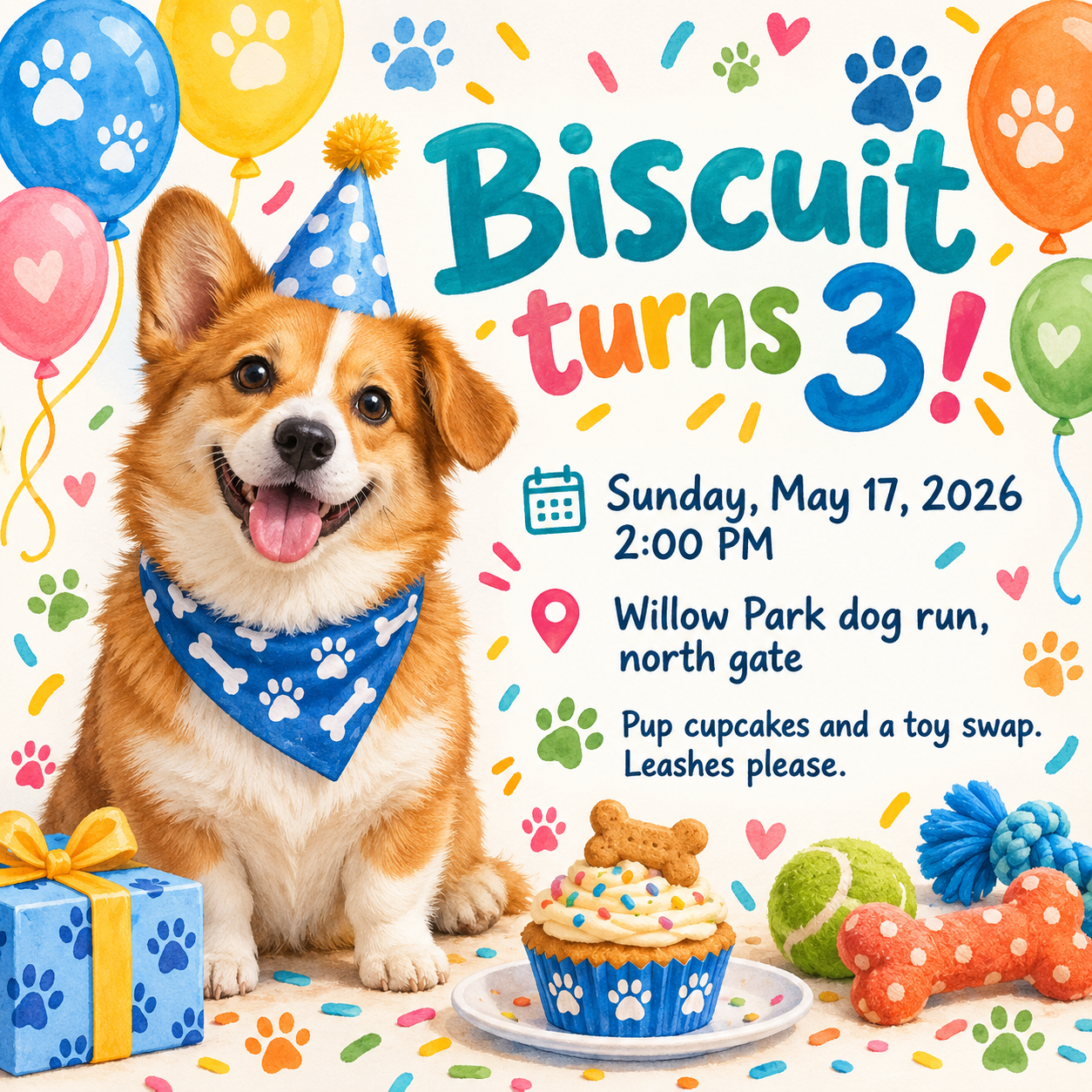
Turn your dog's birthday into a party invitation image. Add one photo so the illustrated guest of honor resembles your dog, then the date, time, place and party notes.
One generated party invitation image featuring a dog that resembles your photo or description, with the dog's name, age and complete party details as supplied. The likeness is an interpretation, not your exact dog. Check the date, time and place before sharing.
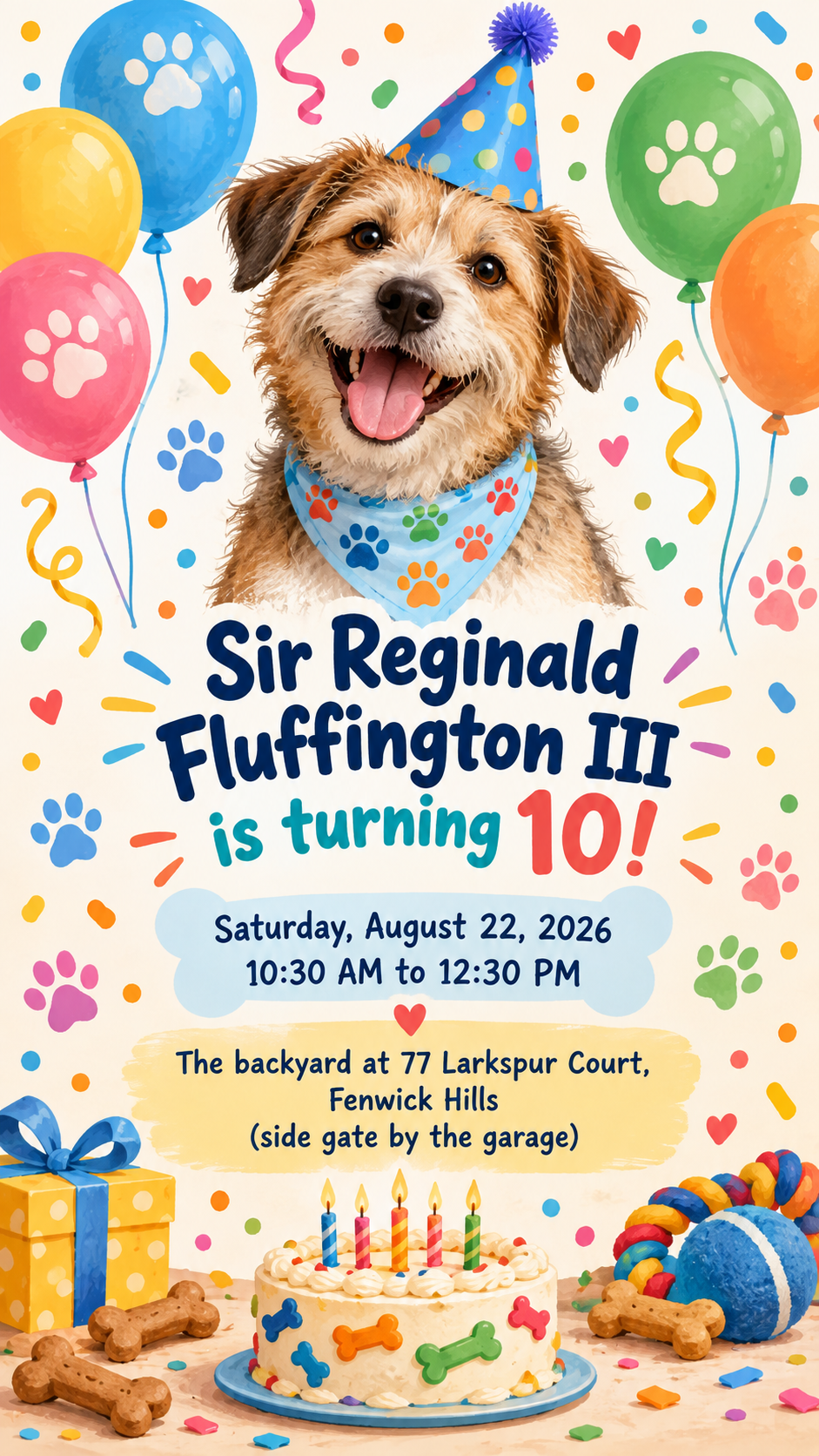
Long formal dog name, no photo and no description, tall
Dog's name and age
Sir Reginald Fluffington III is turning 10
What your dog looks like (optional)
Left empty
Date, time and place
Saturday, August 22, 2026, 10:30 AM to 12:30 PM
The backyard at 77 Larkspur Court, Fenwick Hills (side gate by the garage)
Party notes (optional)
Left empty
No photo, no appearance and no party notes, with a long name and a two-line location. Checks that a generic mixed-breed dog is drawn rather than a guessed breed, and that no rules or requests are invented.
Same task, three directions
Pick a direction to start from.
01
Cartoon party hat
A bright, flat illustration of your dog in a party hat with balloons. The easiest to read in a group chat.
02
Park picnic
A sunny outdoor scene with a picnic blanket and a ball, for parties at a dog park or a backyard.
03
Pastel bakery
Pastel colors and a bone-shaped cake for a cute, sweet invitation that suits small dogs and puppies.
What the template keeps
The parts that stay consistent.
01
Your dog as the guest of honor
One dog is the focal point, drawn to match your photo's breed, coat and markings as closely as the model allows.
02
Party details in plain view
Date, time and place sit in a clear block that stays readable on a phone.
03
Nothing extra
No registries, rules or requests appear unless you write them.
How to use it
From details to a result.
01
Add a photo or describe your dog
One clear photo with the face and coat visible works best. Without one, a short description like "black lab with a grey muzzle" helps.
02
Write the name, age and details
Type the headline as you want it, then the date, time and place on separate lines.
03
Add party notes if you like
Treats, a toy swap or a leash reminder are printed only if you write them. Choose square or tall.
04
Review, send and check
The brief and photo open in Vizify for review. After generating, check the details and ask for changes to the likeness if needed.
Output boundaries
What to check before you use it.
The dog is a generated illustration inspired by your photo. Markings, eye color and ear shape can differ; ask for specific corrections if needed.
AI-rendered text can contain mistakes. Check the name, age, date, time and place before you share the invitation.
The invitation is one image for sharing. It does not send messages, collect replies or keep a guest list.
Photos with several animals, heavy filters or a hidden face give weaker likenesses. Use one clear photo of the birthday dog.
It is not a print-ready card and has no bleed; aspect ratios are directions only.
QuestionsWill the dog on the invitation look exactly like mine?+
It will resemble your dog's breed, coat and markings, but it is a new illustration, not a copy of your photo. If something is off, such as the ear shape, ask for that fix in the conversation.
Can I make dog party invitations without a photo?+
Yes. Describe your dog in the appearance field, or leave it empty for a friendly generic dog. A photo gives the closest likeness.
Can I use it for a cat or another pet?+
The template is written for dogs, including the props and wording. For another pet, describe it clearly in Additional direction, and expect to ask for more corrections than with a dog.
Can I add a note about treats or leashes?+
Yes, write it in the party notes field exactly as it should read. The template never adds rules, requests or allergy notes on its own.
What if I have two dogs sharing a birthday?+
Upload a photo that shows both and say so in Additional direction, with both names in the name field. Two dogs are harder to keep accurate, so check both likenesses closely.