One generated image that tells your company's story in three parts, what you do, who is on the team and a short milestone timeline, in your brand colors. Only your facts appear. Check names, years and the logo before using it.
Cargo bike startup story with team, five milestones and brand colors
Company and what it does
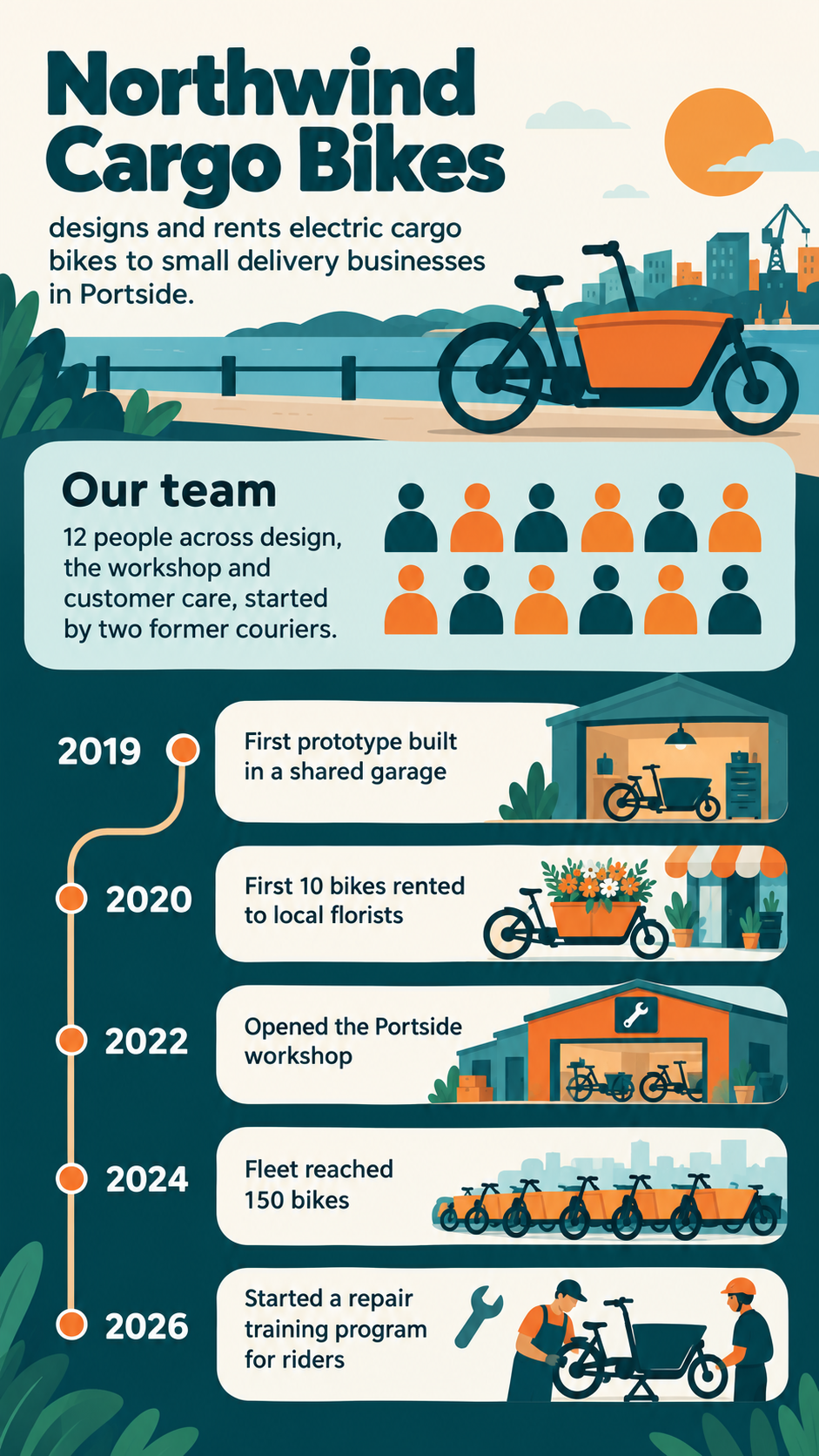
Northwind Cargo Bikes designs and rents electric cargo bikes to small delivery businesses in Portside.
Team (optional)
12 people across design, the workshop and customer care, started by two former couriers
Milestones in order, one per line
2019: First prototype built in a shared garage
2020: First 10 bikes rented to local florists
2022: Opened the Portside workshop
2024: Fleet reached 150 bikes
2026: Started a repair training program for riders
Brand colors and style (optional)
Deep teal and warm orange, friendly rounded shapes
No team or brand direction, six milestones and one without a year
Company and what it does
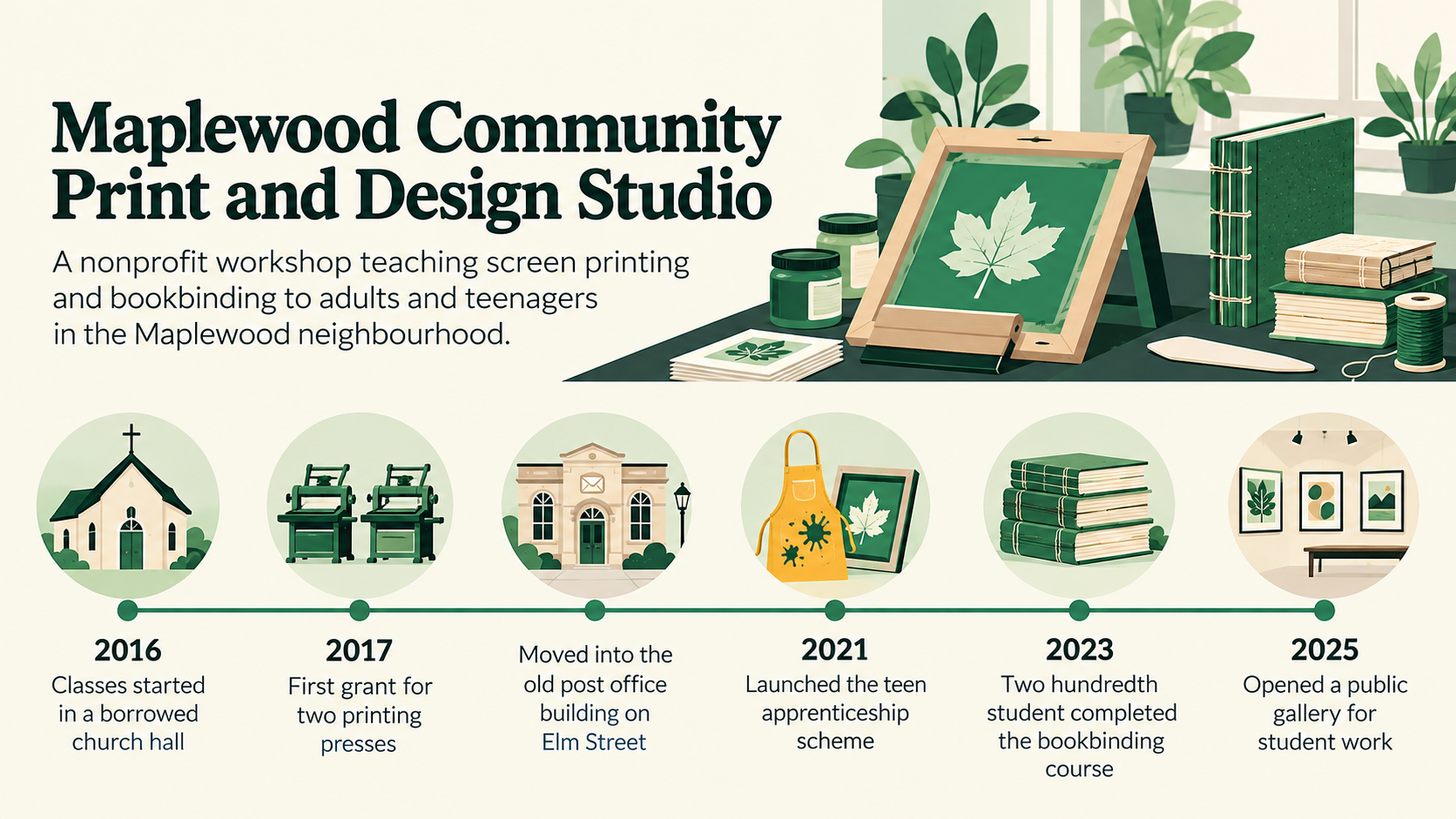
Maplewood Community Print and Design Studio, a nonprofit workshop teaching screen printing and bookbinding to adults and teenagers in the Maplewood neighbourhood.
Team (optional)
Left empty
Milestones in order, one per line
2016: Classes started in a borrowed church hall
2017: First grant for two printing presses
Moved into the old post office building on Elm Street
2021: Launched the teen apprenticeship scheme
2023: Two hundredth student completed the bookbinding course
2025: Opened a public gallery for student work
Brand colors and style (optional)
Left empty
The optional team and brand fields are empty, a long business description, six milestones and one without a year. Checks the story still reads in order, the undated milestone gets no invented year, and no team size is filled in.
Same task, three directions
Pick a direction to start from.
01
Winding road
The story runs along a road from founding to today, with milestones as signposts along the way.
02
Three chapters
Stacked blocks for what the company does, who is behind it and how it got here, for an About page.
03
Partner meeting slide
A wide overview for the opening of a partner or supplier meeting, with the timeline across the page.
What the template keeps
The parts that stay consistent.
01
Story order
What you do, who does it, then how you got here, so the image reads as a narrative.
02
Chronological milestones
The timeline always runs oldest to newest in the order you give.
03
Your palette
Brand colors carry through every section so the image sits well next to your other material.
How to use it
From details to a result.
01
Describe the business
One or two sentences on what the company does and for whom. This opens the story.
02
Describe the team
Roles, departments or size, as much as you are comfortable sharing. Leave it blank to skip the section.
03
List milestones with years
One per line in time order, a year and a short label each. Three to six milestones read best.
04
Review, generate and check
Your details and optional logo open in Vizify before anything runs. Check every year and name on the result.
Output boundaries
What to check before you use it.
Company names, years and milestone labels are image text and can be misspelled or shifted. Check each before posting.
Three to six milestones read well. A full company history needs several images or a written page.
Only your facts are used. No revenue, funding, awards or growth rates are added, and nothing about your company is looked up.
A supplied logo is redrawn by the model, not placed pixel for pixel. Use your original file wherever exact reproduction matters.
The result is one flat image, not an editable brochure or slide file.
QuestionsHow is a company infographic different from a fact sheet?+
A company infographic tells how you got here, from what you do to your milestones. A fact sheet lists a few verified figures with a source line. Use this one for an About page or an introduction, the fact sheet for quick reference.
Can I include photos of our team?+
This template shows the team as generic icons or silhouettes. You can upload one image, which is best used for your logo. Real team photos are not placed into the layout.
We are a new company with only a few milestones. Will it look empty?+
Three milestones is enough for a clear story. Do not pad the timeline; the layout gives each milestone more room instead.
Can I add figures such as customer numbers?+
Add them to a milestone line exactly as they should appear, for example "2024, 500th customer". The template never adds figures on its own.