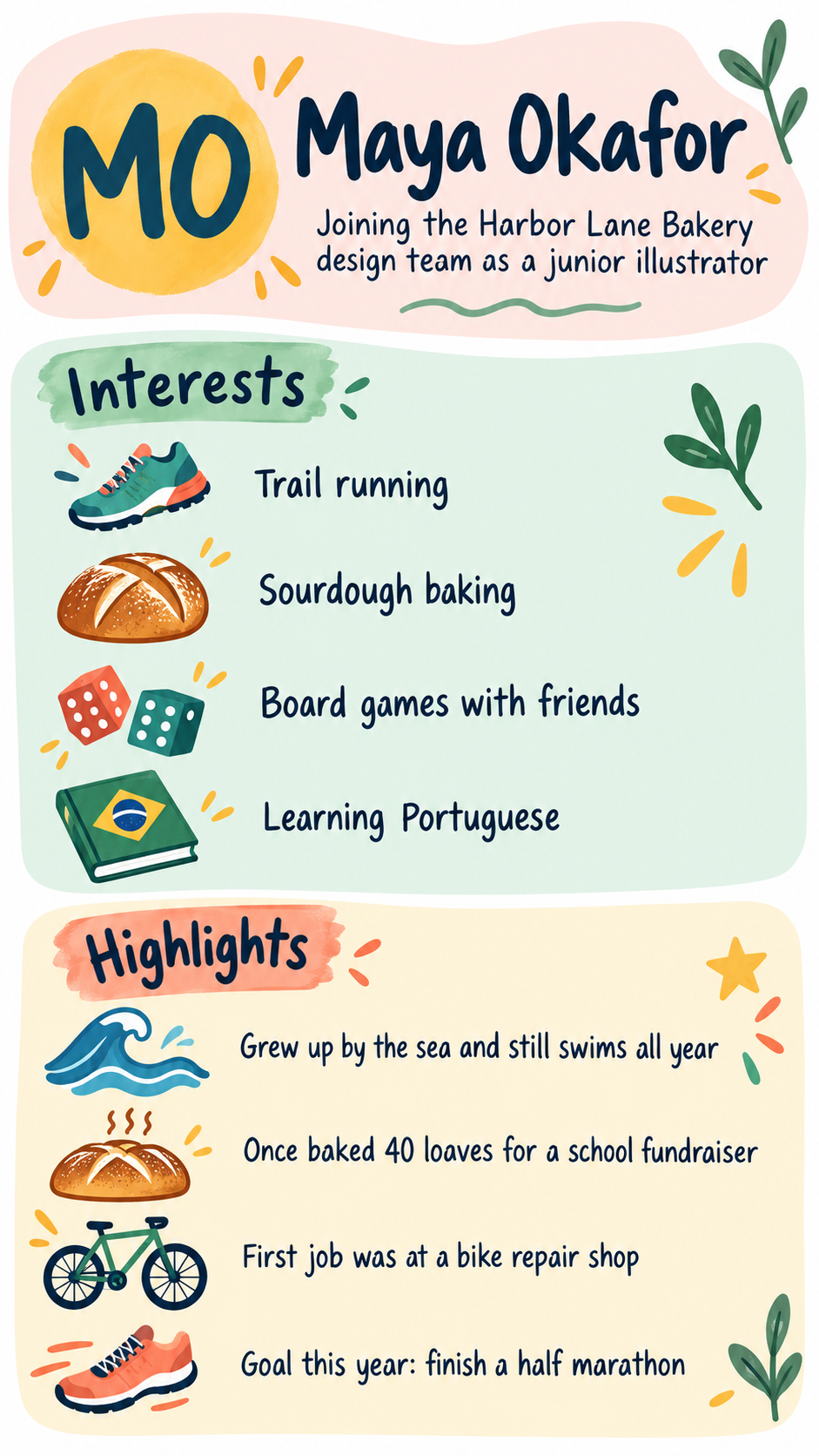
One generated one-page profile image with your name as the header and your interests and highlights in two separate sections. Only what you type appears on it. Check the spelling of your name and every detail before you share it.
New team member profile with four interests and four highlights
Your name
Maya Okafor
Role, class or one-line intro
Joining the Harbor Lane Bakery design team as a junior illustrator
Interests, one per line
Trail running
Sourdough baking
Board games with friends
Learning Portuguese
Highlights and fun facts, one per line
Grew up by the sea and still swims all year
Once baked 40 loaves for a school fundraiser
First job was at a bike repair shop
Goal this year: finish a half marathon
You listed seven interests. Which five should I feature on the one-pager? I will keep Alexandria Wilhelmina Castellanos-Fitzgerald and both supplied highlights exactly as written.
Boundary input · Square · 1:1
Student profile with a long name, seven interests and no intro line
Your name
Alexandria Wilhelmina Castellanos-Fitzgerald
Role, class or one-line intro
Left empty
Interests, one per line
Robotics club
Piano
Soccer
Reading fantasy novels
Drawing comics
Camping with my family
Collecting rocks
Highlights and fun facts, one per line
Built a cardboard arcade game for the science fair
My dog is called Pickles
A long hyphenated name, more interests than the six-item limit and an empty intro line. Checks the name wraps cleanly, the extra interests lead to a question rather than cramped text, and no class or school is invented.
Same task, three directions
Pick a direction to start from.
01
Scrapbook panels
Each section sits on a paper-cut panel with hand-drawn icons, like a class bulletin board or a club noticeboard.
02
Clean team intro
A calm layout for a new-starter post in a team channel or the first slide of an onboarding call.
03
Avatar in the middle
A friendly portrait at the top center with interests and highlights arranged in labeled bubbles around it.
What the template keeps
The parts that stay consistent.
01
Name first
Your name leads the page, so anyone glancing at it knows whose profile it is.
02
Two clear zones
Interests and highlights stay in separate sections instead of mixing into one list.
03
Short, icon-led items
Each line gets its own small icon, which keeps the page easy to scan.
How to use it
From details to a result.
01
Write your name as it should read
Type it exactly, including accents and hyphens. The name is the header and is drawn letter by letter.
02
List interests and highlights
Put one item per line and keep each to a few words. Three to six items per section read best.
03
Add a photo if you want a portrait
A single clear photo guides an illustrated portrait or avatar. Leave it out for a monogram instead.
04
Review in Vizify, then proofread
Your details open in Vizify for review and nothing runs until you send. Check every word on the result before sharing.
Output boundaries
What to check before you use it.
Your name and every item are drawn by an image model, so letters can slip. Proofread names, places and numbers before sharing.
About six items per section is the practical limit. A longer profile should be split across two images.
This is a personal one-pager, not a resume. Text inside an image is not readable by applicant tracking systems and cannot be edited later.
A portrait made from your photo is an approximation, not an exact likeness.
Each request makes one image. The format is an aspect-ratio direction, not a print size.
QuestionsCan I use an all about me one pager in a job application?+
It works best as a visual introduction for a new team, a class or a club. Recruiters' applicant tracking systems cannot read text inside an image, so keep a text resume for applications and use this alongside it.
What should I put in an infographic about yourself?+
Your name, three to six interests and a few highlights or fun facts. Short items render more reliably than sentences. Leave out addresses, phone numbers and anything you would not post publicly.
Is it suitable for a student's about me profile?+
Yes, with care. Use a first name and only details a parent or teacher is comfortable sharing. The template never adds an age, school or location on its own.
Can I make a one pager about me for a team channel in a square format?+
Pick the square format for a profile tile or chat post, or the wide format for an intro slide. Each format is a separate request.