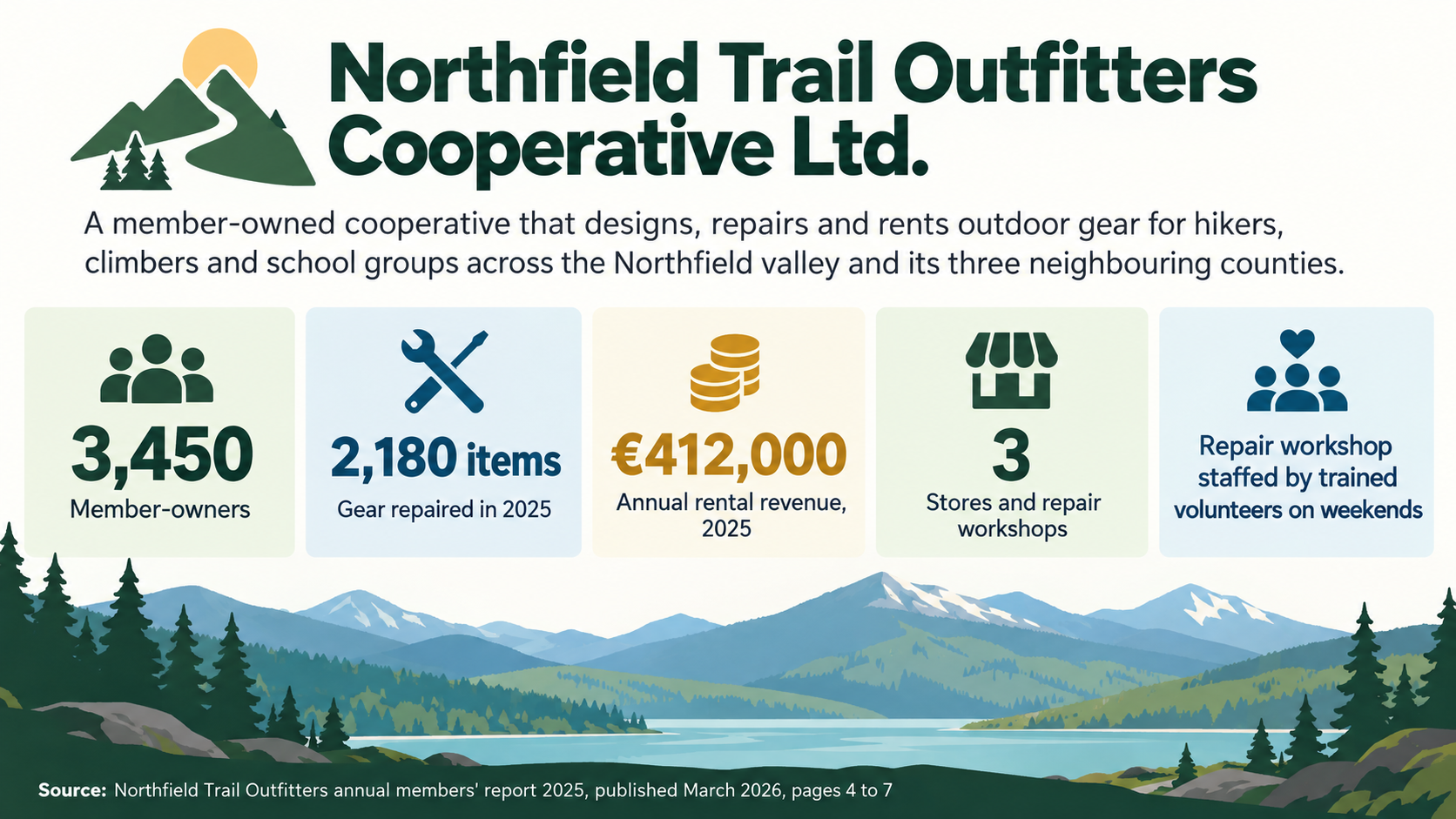
One generated fact sheet image with your company name and overview at the top, three to five fact tiles, and a source and date footnote. Every figure comes from you. Check each number, unit and the footnote against your records before using it.
Long legal name, mixed units and a fact with no number
Company name
Northfield Trail Outfitters Cooperative Ltd.
One-sentence overview
A member-owned cooperative that designs, repairs and rents outdoor gear for hikers, climbers and school groups across the Northfield valley and its three neighbouring counties.
Three to five verified facts, one per line
Member-owners: 3,450
Gear repaired in 2025: 2,180 items
Annual rental revenue, 2025: €412,000
Stores and repair workshops: 3
Repair workshop staffed by trained volunteers on weekends
Source and as-of date
Northfield Trail Outfitters annual members' report 2025, published March 2026, pages 4 to 7
A long company name and overview, a euro amount, a count with a unit and one text-only fact. Checks every value survives exactly, the text fact gets no invented number, and the long source still fits the footnote.
Same task, three directions
Pick a direction to start from.
01
Press-kit tile grid
Equal tiles with big figures and small labels, the layout people expect from a press kit or partner pack.
02
Single-column strip
A narrow vertical list for a website sidebar or the appendix of a pitch.
03
Brand-color header
Logo and name sit on a solid band in your brand color, with the facts on white below.
What the template keeps
The parts that stay consistent.
01
One fact per tile
Each figure gets its own space and label, so nothing competes for attention.
02
A visible source
The footnote is always part of the layout, never dropped to make room.
03
Values as text
Figures are shown as typed values, not plotted shapes that imply a precision the image cannot guarantee.
How to use it
From details to a result.
01
Write the overview
One sentence on what the company does and for whom. It sits under the name as a subheading.
02
Add three to five facts you can verify
Put one fact per line as a label and a value. Copy each figure from your source rather than from memory.
03
Name the source and date
The footnote tells readers where the figures come from and how current they are.
04
Review, generate and check
Everything opens in Vizify first. After generating, compare each tile and the footnote with your source.
Output boundaries
What to check before you use it.
Figures and labels are rendered by an image model and can come back altered. Check every number, currency sign, unit and the footnote before publishing.
Five facts is the limit for a clean sheet. More than that needs a second sheet or a text document.
The result is a flat image, not an editable Word, PDF or design file. Updating a figure means generating again.
Nothing is looked up. The template never adds founding dates, revenue, headcount or awards you did not supply.
When figures must be plotted exactly, such as revenue over several years, a chart from Vizify's chart tools is the better fit.
QuestionsHow is a company fact sheet different from a company profile infographic?+
A fact sheet is a snapshot of a few verified numbers with a source line. A profile tells the story of what the company does and how it grew. Use the fact sheet when readers need quick reference figures.
Can I download this fact sheet template as an editable document?+
No. You get one generated image. For a document you can edit, write the facts in your word processor and use this image as the visual summary alongside it.
Which facts work best on an infographic fact sheet?+
Figures a reader can take in at a glance, such as locations, team size or products, each with a date. Avoid claims like "market leader" unless you can cite them in the source line.
Can I add our logo to the infographic fact sheet template?+
Yes, upload it as the optional image. The model redraws it rather than placing your file, so compare the result with your original and use the real logo file wherever exact reproduction matters.