Source image (photo, graphic, or asset)
Edit goal and instructions
Details that must stay untouched
Upload a photo, graphic, or marketing asset, describe the exact change and what must stay untouched, and Vizify prepares an editable request before the Agent returns one edited image.
The request, selected options, and staged images open in Vizify for review before execution.
Source image (photo, graphic, or asset)
Edit goal and instructions
Details that must stay untouched
One reviewable edited image artifact
Reusable edit brief and settings
Photos, screenshots, illustrations, and marketing graphics share the same natural-language edit flow instead of separate tools per format.
Name logos, on-image text, brand colors, or identity that should remain intact; the Agent treats them as protected details.
The prepared request opens in Vizify so you confirm the image, instructions, and options before anything executes.
Any real image content: photos, screenshots, illustrations, product shots, or marketing graphics. Describe the exact change you need.
Preparing the request is free. Running an image generation or edit needs sign-in; a free account includes a small shared image allowance paid from sign-up credits. More requests need Pro or a credit pack.
Upload the image, describe the exact change, target area, and anything to preserve, then continue in Vizify, where the Agent executes the edit after you review and send it.
No. It is a natural-language semantic editor, not a layer stack; you describe the change instead of manually masking and stacking layers.
Not guaranteed. Semantic editing can regenerate nearby pixels while producing the requested change, so untouched regions are not promised to remain pixel-for-pixel identical.
The Site stages supported images in the browser for the same-tab handoff. Vizify performs the durable authenticated upload after sign-in.
No. The prepared request opens in Vizify, where you can review it before sending.
Yes. The request and resulting artifact can be reviewed, revised, and reused in Vizify.
You can prepare the task on the public page; sign-in is required to upload durably, execute, and save the result.
Yes. Upload any generated image, or continue in the Vizify conversation where the image was created and describe the change. Each edit returns a new image, so keep the version you like.
It can try, but generated lettering can come back misspelled or in a different typeface. Write the exact new wording in quotes and check it letter by letter. For precise text changes, a manual design tool is more reliable.
No. It works online in the browser: prepare the edit here, then review and send it in the Vizify App. There are no layers, brushes or plugins; you describe the change in words.
Separate the requested change from protected details. Call out identity, geometry, logos, labels, edges, reflections, and shadows when they must remain stable, whatever kind of image you’re working with.
This is a natural-language semantic editor, not a layer-based tool: it can rebuild nearby pixels and cannot guarantee untouched regions remain pixel-identical. The prepared request opens in Vizify first; no task runs until you review and send it.
A single request that stacks several unrelated edits usually degrades all of them. Split the work: replace the background in one pass, correct the label in another, adjust the crop in a third, and compare each result with the source before moving on. Small, named edits are also far easier to review, because you already know which region should have changed and every difference outside it is a defect.
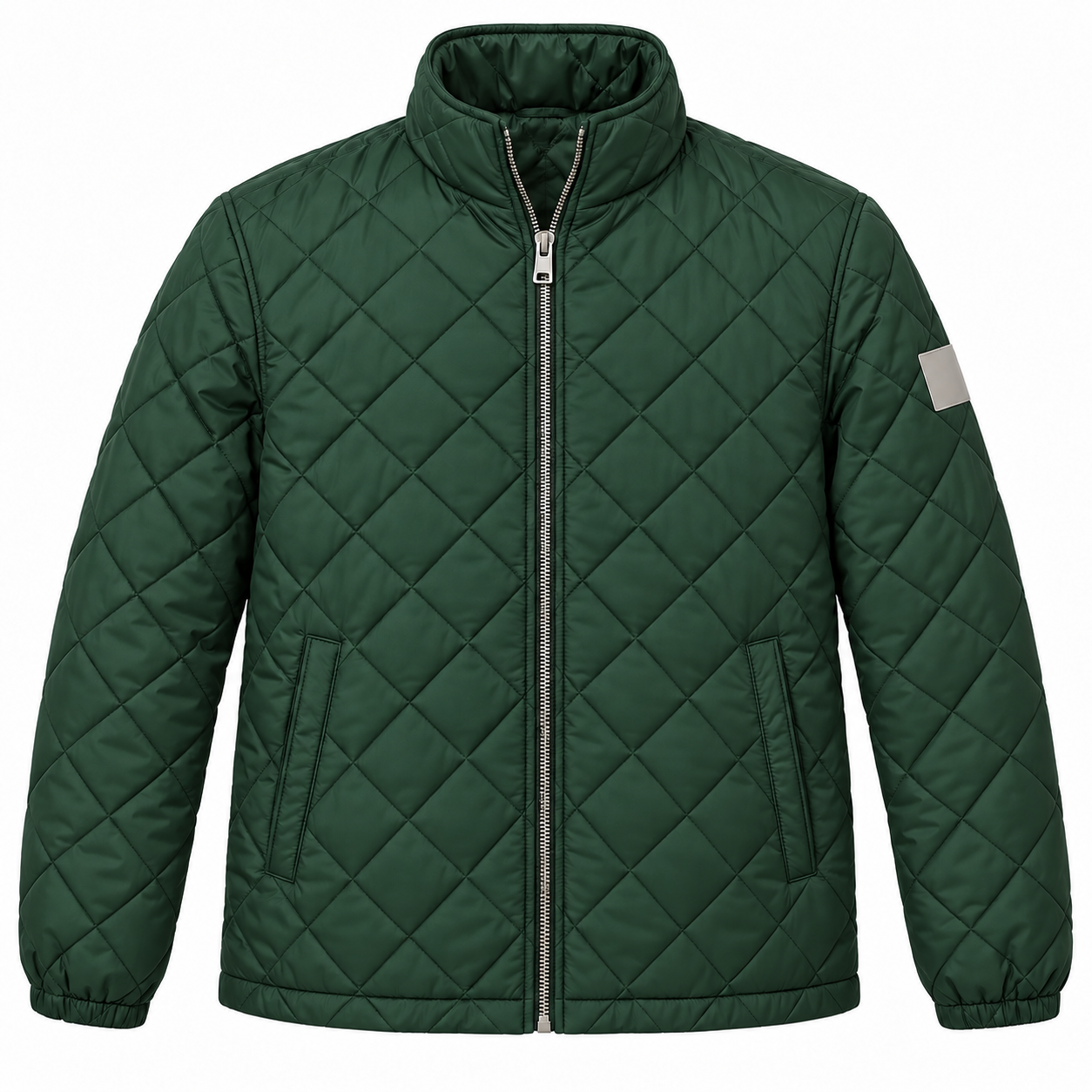
Change the jacket in this product photo from navy to forest green. Keep the quilted stitching pattern, the silver zipper, the tag on the left sleeve and the white studio background unchanged. This is for the Alder & Pine spring catalog page.
What is the exact replacement headline? Please include the app screenshot and identify the old price to remove.
Update the headline in this app screenshot to the new wording and remove the old price. I don't have the final headline yet.
Checks that the reply asks for the exact new headline and whether the price area should be blank or replaced, instead of writing its own copy into the image.