Design a dignified single-sided funeral or memorial card with the full name, dates, the family's chosen words and optional service details, plus an optional photo.
One generated card face with the name, dates, memorial words and any service details you supply, in calm, dignified type. A portrait from your photo is regenerated and may differ from them. Check every name and date carefully.
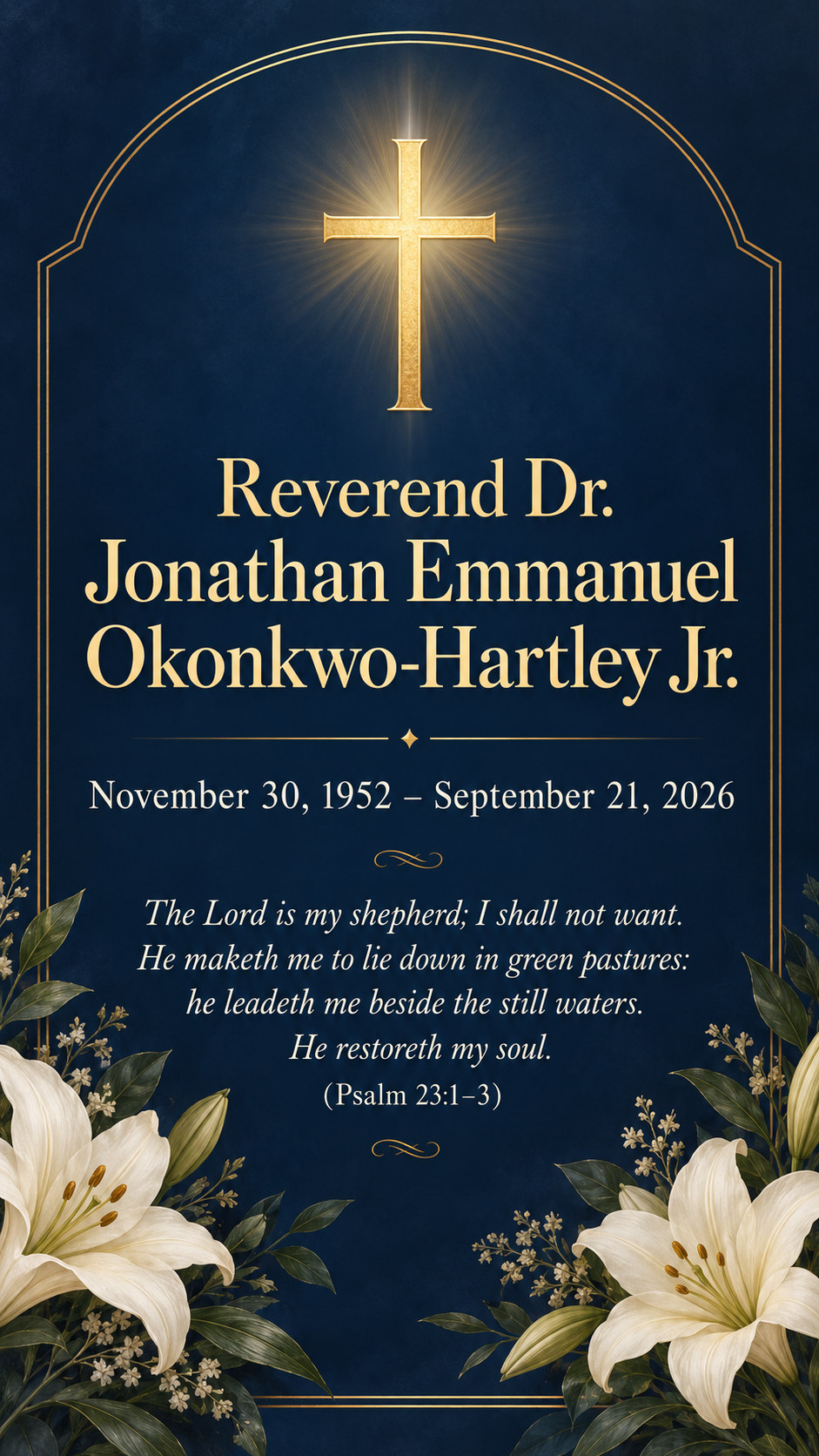
Long name with a title and suffix, a psalm near the limit, no photo or service
Full name as it should appear
Reverend Dr. Jonathan Emmanuel Okonkwo-Hartley Jr.
Dates
November 30, 1952 – September 21, 2026
Memorial words
The Lord is my shepherd; I shall not want. He maketh me to lie down in green pastures: he leadeth me beside the still waters. He restoreth my soul. (Psalm 23:1–3)
Service details (optional)
Left empty
Style (optional)
Deep navy with a simple gold cross
A long name with a title, hyphen and suffix, a psalm near the length limit and a faith symbol the user asked for, with no photo. Checks every character of the name and dates and that the verse is not trimmed or paraphrased.
Same task, three directions
Pick a direction to start from.
01
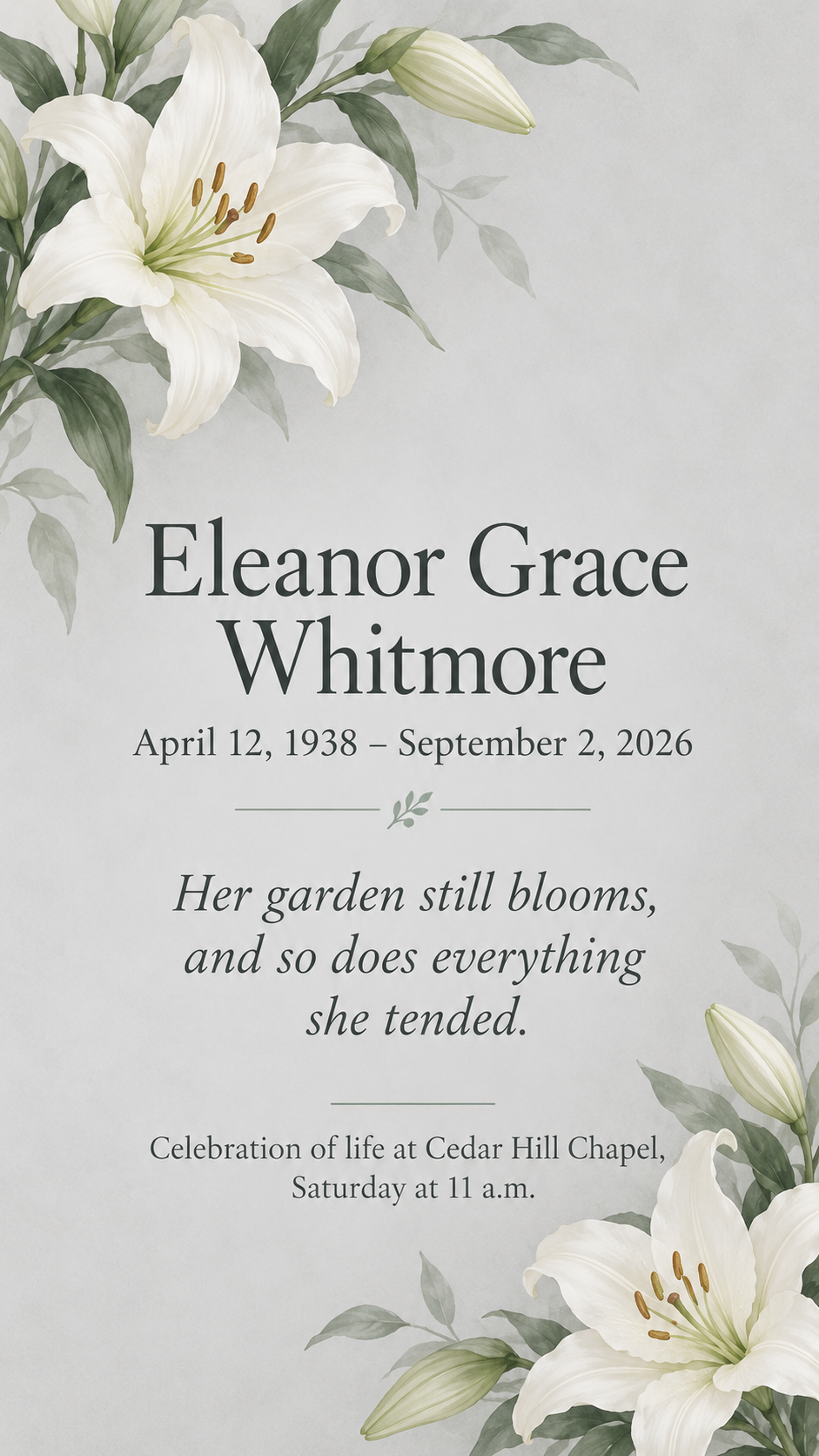
White lilies
Soft white lilies and plenty of space. A traditional choice for any faith or none.
02
Peaceful landscape
A calm sky or lake scene behind the text, for someone who loved the outdoors.
03
Framed portrait
A simple oval frame for a portrait based on your photo, or left as a plain shape.
What the template keeps
The parts that stay consistent.
01
The name leads
The full name is the largest text, with the dates directly beneath it.
02
Words exactly as chosen
Verses and tributes appear as supplied, never paraphrased or trimmed.
03
Calm restraint
Muted colors and quiet imagery, with faith symbols only when requested.
How to use it
From details to a result.
01
Enter the name and dates
Type them exactly as the family wants them, including middle names, titles and suffixes.
02
Add the memorial words
A verse, prayer or short tribute chosen by the family. It is not edited or shortened.
03
Add service details and a photo if wanted
Both are optional. A photo is regenerated as a portrait, so consider a plain frame if exact likeness matters.
04
Review, generate and check with the family
Review everything in Vizify first. After generating, have a second person check every name and date.
Output boundaries
What to check before you use it.
A portrait made from your photo is regenerated and may not look like them. Use a plain frame if an exact likeness matters.
Names, dates and long verses can contain rendering mistakes. Have two people check every character.
This is a single card face. It does not produce a back side, a folded card or a multi-page funeral program.
It is not a print-ready file with bleed or exact card dimensions. Print a test copy before ordering copies.
QuestionsWhat goes on a funeral card?+
Usually the full name, birth and death dates, a short verse or tribute and sometimes the service time and place. This template lays these out on one side and uses your wording exactly.
Can I use it as an obituary card to share online?+
Yes, as a short notice image for family messages or social posts. A full obituary is longer than a card can hold, so keep the tribute brief and share the full text separately.
Will the photo of my loved one look exactly like them?+
Not necessarily. The portrait is regenerated from your photo and the face can change. If an exact likeness matters, choose a plain frame and add the original photograph with your own printing or layout tool.
Can it make a full funeral program?+
No. It makes one card face. Programs with an order of service, hymns and several pages need a document tool.
Can I print the cards?+
You can print the image, but it is not a print-ready file with bleed, a back side or exact card dimensions. Print one test copy and check every name and date before making more.