Black History Month post for your organization's event or approved content.
Create a Black History Month event, reading-list or quote image from supplied content. Request the exact facts and attribution, then check the image text and full organization name.
One generated Black History Month image using your headline, full organization name and any supplied event details, approved fact or quote with attribution. The brief requests original visuals without real-person portraits. Check every word, date and attribution in the actual image.
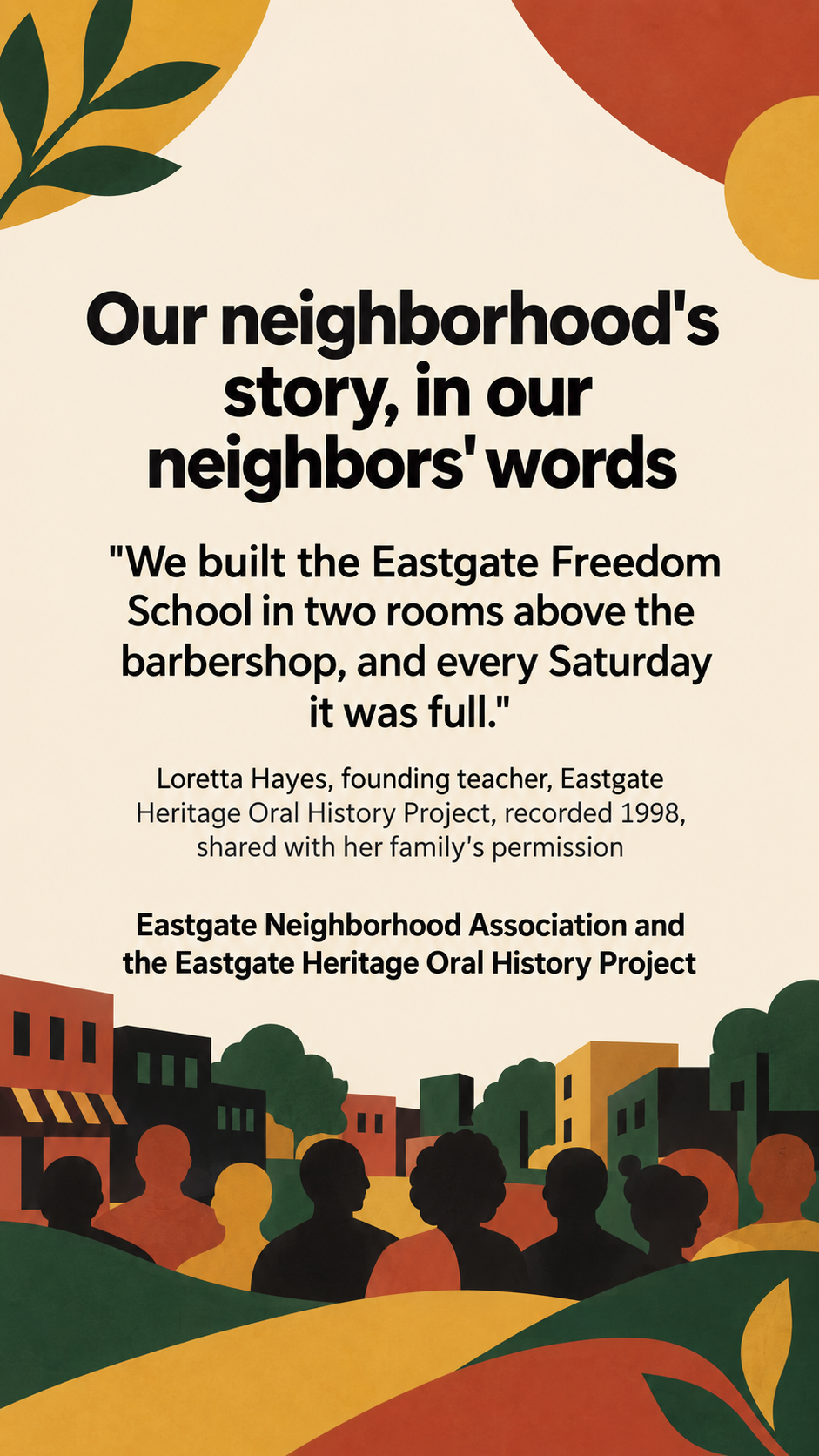
Oral-history quote with a long attribution and no event details, as a Story
Organization
Eastgate Neighborhood Association and the Eastgate Heritage Oral History Project
Headline or theme
Our neighborhood's story, in our neighbors' words
Event details (optional)
Left empty
Approved fact or quote, with its attribution (optional)
"We built the Eastgate Freedom School in two rooms above the barbershop, and every Saturday it was full."
Loretta Hayes, founding teacher, Eastgate Heritage Oral History Project, recorded 1998, shared with her family's permission
A long quote from a fictional local speaker with a detailed attribution and no event details, in a vertical Story. Checks that quote and attribution are exact, no portrait of the speaker is created, and no date or fact beyond the source is added.
Same task, three directions
Pick a direction to start from.
01
Pattern and type
A bold geometric border inspired by woven textiles frames a large headline, with plenty of space for a fact or quote.
02
Books and stories
A warm still life of books and reading light, suited to libraries, schools and reading events.
03
Community gathering
An illustration of neighbors of different ages gathered together, for community events and heritage projects.
What the template keeps
The parts that stay consistent.
01
Sourced content only
Supply the facts, dates and quote source. Request the complete attribution beside the quote and the full organization name, then inspect their presence in the image.
02
Original visuals
Request original patterns, typography or generic scenes without likenesses of real people, and inspect the actual image.
03
Dignified imagery
Request imagery without stereotypes, violence or suffering and review the actual illustration before sharing.
How to use it
From details to a result.
01
Name your organization and headline
Supply the complete organization name and headline. Request the full organization name in the footer and check it is present in the actual image.
02
Add event details or approved content
Use event details, a fact your organization has confirmed, or a quote with its full attribution.
03
Check your sources
Use facts and quotes you have checked against your source. The brief requests the supplied wording and attribution; the template does not verify them. Check the actual image before sharing.
04
Review, generate and proofread
The brief opens in Vizify before it runs. Compare the quote, names and dates with your source before posting.
Output boundaries
What to check before you use it.
The brief requests facts and quotes as supplied; the template does not verify their truth or attribution. Confirm the source first, then inspect every word in the actual image.
This template requests no portraits of real historical or public figures. Inspect the actual image; use a properly licensed archive photo in a layout tool if a specific portrait is needed.
Generated text can contain mistakes. Check quote punctuation, names, dates and attributions.
Long quotes and attributions may become hard to read, including in a Story. Approve any shorter wording before generating; never silently remove quoted words or the attribution.
Each request makes one image in one format, and Vizify does not post or schedule it.
Format and safe-area directions are requests, not guaranteed pixels or margins. Inspect the complete organization, quote, attribution, event details and destination crop before sharing.
QuestionsCan it add a quote from a famous figure?+
Supply the exact quote, its speaker and source. The brief requests that full wording and attribution without invented or paraphrased quotes; inspect the actual image and confirm the source yourself.
Can the post show a portrait of a historical figure?+
This template requests original patterns, typography or generic scenes without portraits of real figures. Inspect the result; add a licensed archive photo in a separate layout tool if you need a specific historical portrait.
What should Black History Month social media posts from an organization include?+
What you are doing and when, such as an event or a reading list, and any fact or quote you have confirmed with its source.
Can I make a Story version for our event?+
Yes. Choose the vertical direction and request space above and below the text for Story controls. Check all lettering and the actual destination crop before sharing.