Campaign, brand, or announcement message
Target platforms (LinkedIn, Instagram, Facebook, X, YouTube, or multi-platform)
Required headline, tagline, or CTA text
Brand colors and visual style
Create a cover or header banner for LinkedIn, Facebook, X or YouTube from one campaign brief. Each request returns one banner; repeat it for the next platform.
The control offers LinkedIn, Instagram, Facebook, YouTube and Multi-platform. For X or another destination, choose Multi-platform and name one destination in the brief. It still produces one image per request.
Campaign, brand, or announcement message
Target platforms (LinkedIn, Instagram, Facebook, X, YouTube, or multi-platform)
Required headline, tagline, or CTA text
Brand colors and visual style
Social Media Banner Generator · One generated image to review
Each request returns one banner image for one destination. Reuse the campaign brief for another platform, adjust the crop and wording, and generate a separate image.
The control offers LinkedIn, Instagram, Facebook, YouTube and Multi-platform. For X or another destination, choose Multi-platform and name one destination in the brief. It still produces one image per request.
Vizify organizes your message, audience, and required text into a focused social media banner brief.
The complete brief opens in Vizify, where you can generate, review, revise, and save the work without rebuilding the prompt.

Create a Black History Month event, reading-list or quote image from supplied content. Request the exact facts and attribution, then check the image text and full organization name.

Wish your followers a happy Easter with one branded image built on spring flowers or painted eggs, carrying your message and any holiday hours.

Post a Father's Day greeting from your business on Instagram, with your message, a visual style and, if you like, one real product from your range.

Create a US Independence Day greeting image for your brand. Request a square feed post or a vertical Story, then inspect the text, flag details and actual platform preview.
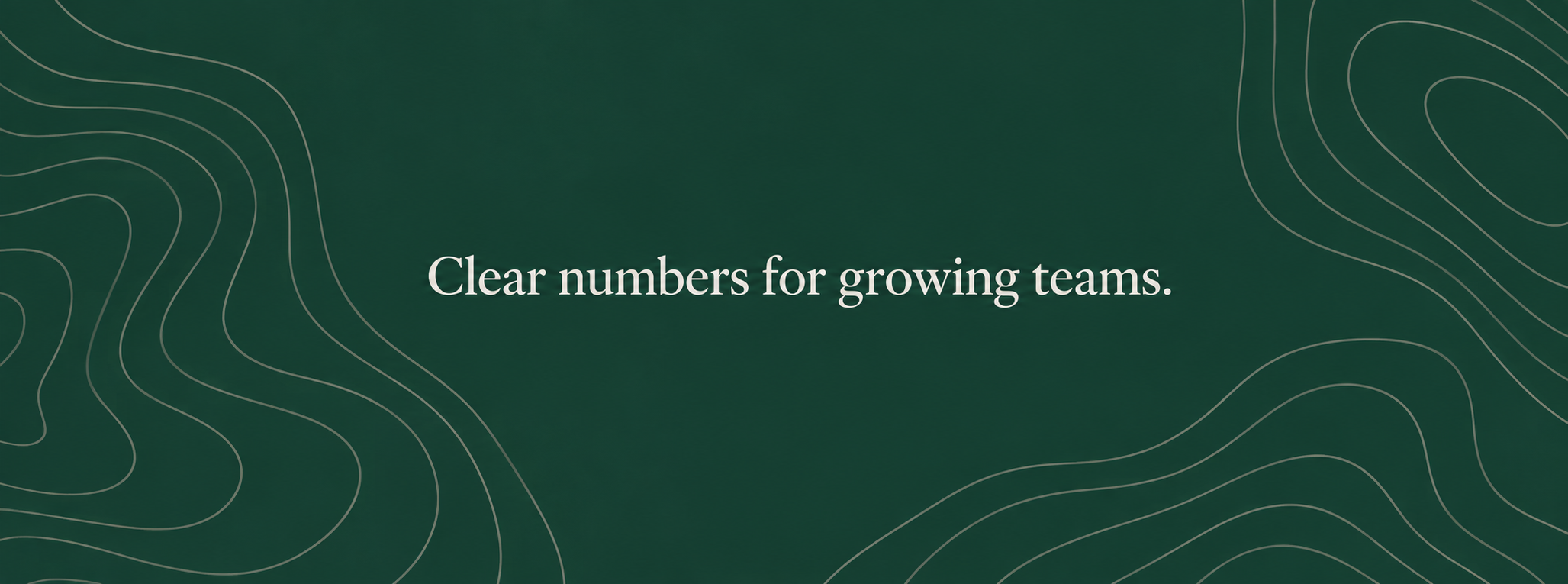
LinkedIn company cover for Fieldstone Analytics after our rebrand. Tagline: 'Clear numbers for growing teams.' Deep green and warm grey with an abstract contour-line pattern. Keep the tagline centered and away from the left edge, where the profile logo overlaps. Brand style.
The control offers LinkedIn, Instagram, Facebook, YouTube and Multi-platform. For X or another destination, choose Multi-platform and name one destination in the brief. It still produces one image per request.
Not a horizontal one — Instagram doesn't have a cover-photo slot like LinkedIn or Facebook. Selecting Instagram adapts the brief toward an Instagram-appropriate format, such as a profile grid header or Highlight cover, instead of forcing a banner shape Instagram doesn't support.
The brief targets each platform's typical banner or cover proportions at the time of writing — for example LinkedIn's roughly 1584×396 cover or X's 1500×500 header — but platforms adjust these occasionally, and the generated image isn't a guaranteed exact-pixel export. Confirm current requirements before publishing.
Put the exact wording in your brief. Social banners route to Vizify's typography-capable image models, but always review the rendered text for each platform variant in Vizify before you save or upload it, since generated text isn't guaranteed pixel-perfect.
The control offers LinkedIn, Instagram, Facebook, YouTube and Multi-platform. For X or another destination, choose Multi-platform and name one destination in the brief. It still produces one image per request. Choose a destination to guide the composition, then check the actual image size. Exact pixels, crop marks, bleed and CMYK are not guaranteed; resize or prepare the file before publishing or printing.
Each request returns one banner image for one destination. Reuse the campaign brief for another platform, adjust the crop and wording, and generate a separate image.
You can prepare the brief here without an account. Sign in to Vizify when you want to generate, save, or reuse the banner.
Yes. The brief you build here opens in Vizify, where you can adjust the prompt, controls, and generation direction, then regenerate or save the result.
No. Each request returns one banner image. Generate the first platform, then resend the same brief with the next platform selected so the message and colors stay consistent.
It's for banner and cover images. Draft captions or post copy in Vizify AI Chat. Vizify doesn't schedule, publish or analyze posts on your accounts.
Preparing the brief is free. Generating needs sign-in: a free account includes a small image allowance paid from its sign-up credits, and more banners need Pro or a credit pack.
Each request returns one banner image for one destination. Reuse the campaign brief for another platform, adjust the crop and wording, and generate a separate image.
The control offers LinkedIn, Instagram, Facebook, YouTube and Multi-platform. For X or another destination, choose Multi-platform and name one destination in the brief. It still produces one image per request.
Choose a destination to guide the composition, then check the actual image size. Exact pixels, crop marks, bleed and CMYK are not guaranteed; resize or prepare the file before publishing or printing.
LinkedIn company cover for Fieldstone Analytics after our rebrand. Tagline: 'Clear numbers for growing teams.' Deep green and warm grey with an abstract contour-line pattern. Keep the tagline centered and away from the left edge, where the profile logo overlaps. Brand style.
What approved slogan and list of social platforms should the fall-campaign banners use?
Make banners for all our social accounts for the fall campaign. The slogan isn't approved yet.
Checks that the reply explains it makes one banner per request, asks which platform to start with, and uses a placeholder rather than inventing a slogan.