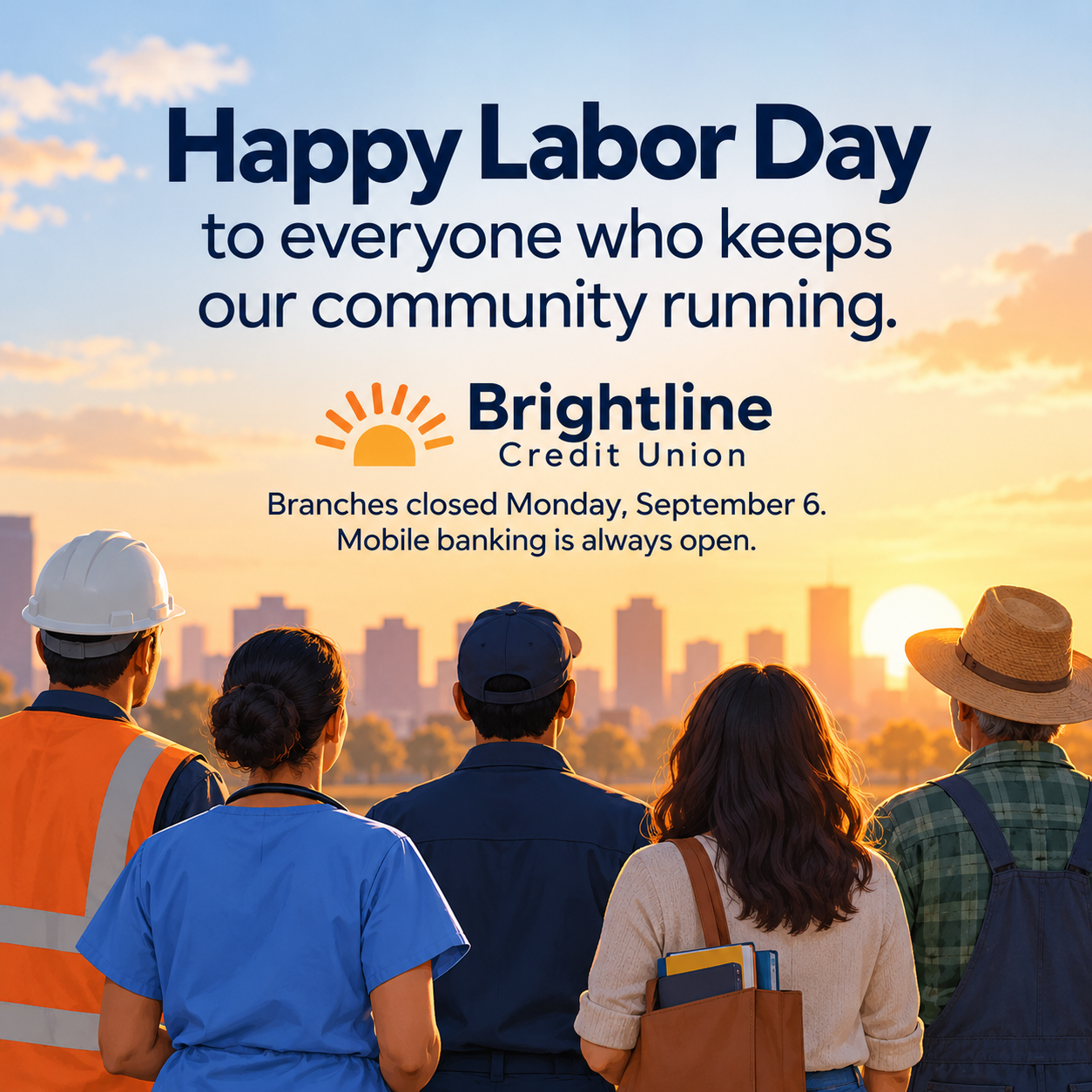
Labor Day greeting post for your brand's feed or Story.
Prepare a US Labor Day thank-you image for your feed or Story with your brand, message and optional hours. Review the generated wording and platform preview before posting.
One image requested for US Labor Day in September, with your greeting as the headline, your brand name and an optional hours note. Square feed and vertical Story are composition directions. The brief excludes offers; review the generated text, dimensions and platform preview before posting.
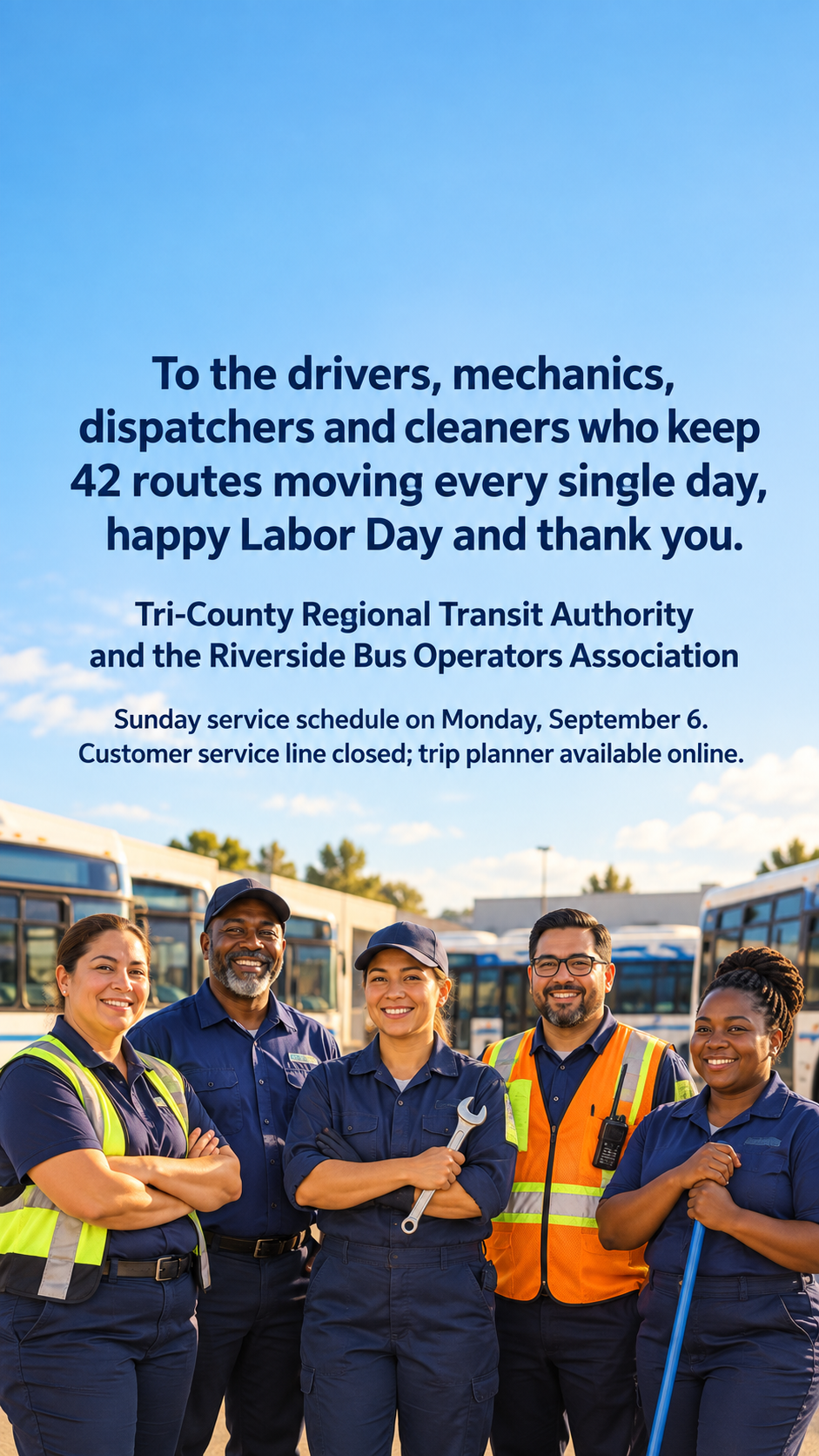
Long regional brand and long greeting as a Story, with no colors
Brand or organization
Tri-County Regional Transit Authority and the Riverside Bus Operators Association
Greeting
To the drivers, mechanics, dispatchers and cleaners who keep 42 routes moving every single day, happy Labor Day and thank you.
Where it will be posted
Instagram Story and Facebook Story
Holiday hours or closure note (optional)
Sunday service schedule on Monday, September 6. Customer service line closed; trip planner available online.
Brand colors (optional)
Left empty
US September Labor Day example with two organization names, the supplied number 42 and a service note. The vertical Story direction tests whether all wording remains readable with generous margins. Check the actual preview, unchanged 42 and absence of promotional copy.
Same task, three directions
Pick a direction to start from.
01
Hands at work
A close, warm image of working hands and tools in late-summer light, with the greeting in clean type. Quiet and respectful.
02
Workers of every trade
An illustrated line-up of workers from different jobs, for organizations that want to thank the whole community.
03
Minimal stars and stripes
A simple typographic post with a thin stripe motif and a few stars, suited to banks, offices and public services.
What the template keeps
The parts that stay consistent.
01
A greeting, not a sale
The brief asks for a worker thank-you without offers or product pitches; check that no sales copy was added.
02
Respectful imagery
Request varied workers without stereotypes, political symbols or misuse of flags, and inspect the result.
03
Platform-aware layout
Request central spacing away from interface edges. Check the actual crop and text placement in the destination preview.
How to use it
From details to a result.
01
Enter your brand and greeting
Keep the thank-you short and proofread the input. Ask for that wording, then check the text in the generated image.
02
Say where it will be posted
Feed and Story layouts differ. Choose a composition direction; use a separate request for the other format and check the returned image size.
03
Add hours if they change
Optional. Include the closure or schedule note you want below the greeting, then check it against the generated text.
04
Review, generate and post it yourself
The brief opens in Vizify for review; generation starts after you send it. Inspect the image and platform preview, save it and post from your account.
Output boundaries
What to check before you use it.
Generated text can contain mistakes. Check your brand name, the greeting and any hours or dates.
Vizify does not post or schedule the image for Labor Day; publish it from your own social tools.
Each request makes one image in one format. A square post and a Story are two separate requests.
Story interface elements can still cover edges on some devices; preview before publishing.
The workers shown are generic illustrations or photo-style figures, not your employees.
The examples use the US September observance and the illustrative date Monday, September 6. Confirm the country, year, date and weekday for your own post; these are not May holiday examples.
QuestionsWhat should a Labor Day post from a business say?+
A short thank-you to workers, your brand name and, if your hours change, a closure note. Keep promotions separate so the greeting reads as sincere.
Can I make a square Labor Day social media post and a Story version?+
Yes, as two requests. Pick square for the feed, then run the same details again with the vertical format for Stories.
Can I mention a sale in the greeting?+
This brief asks for a greeting without offers. For a promotion, use the published Labor Day sale flyer or prepare a separate request with the flyer maker.
Do Labor Day posts need a flag?+
No. Stars and stripes are optional accents for the US occasion. If you request a flag, keep text off it and inspect the generated motif and lettering.
Will the square post work on LinkedIn too?+
A square image generally displays well in LinkedIn and Facebook feeds, but check each platform's preview before posting.