On-image text, such as a headline and short details
Subject, product or occasion
Brand colors and mood
Feed or Story format
Optional product photo or logo
Give Vizify the words that belong on the image, what the post is about and your brand colors, then choose feed or Story. It generates one post image you can refine in conversation. The caption, hashtags and posting stay with you.
Your brief, format and any image open in Vizify for review. Nothing runs until you send it.
On-image text, such as a headline and short details
Subject, product or occasion
Brand colors and mood
Feed or Story format
Optional product photo or logo
One generated post image
Revised versions on request in the same conversation
A feed post is composed for a square frame; a Story or Reel cover is composed tall, with text kept clear of the top and bottom where Instagram places its own buttons.
Your headline and details are rendered as you wrote them, and the result is checked for spelling. Generated lettering can still contain mistakes, so read it before posting.
Upload one product photo or logo and the image is built around it. The result is guided by your photo rather than a pixel copy, so compare details such as labels and logos.
The tool makes the picture. It does not write hashtags, connect to your account, post or schedule; you do that from Instagram or your own scheduling tool.
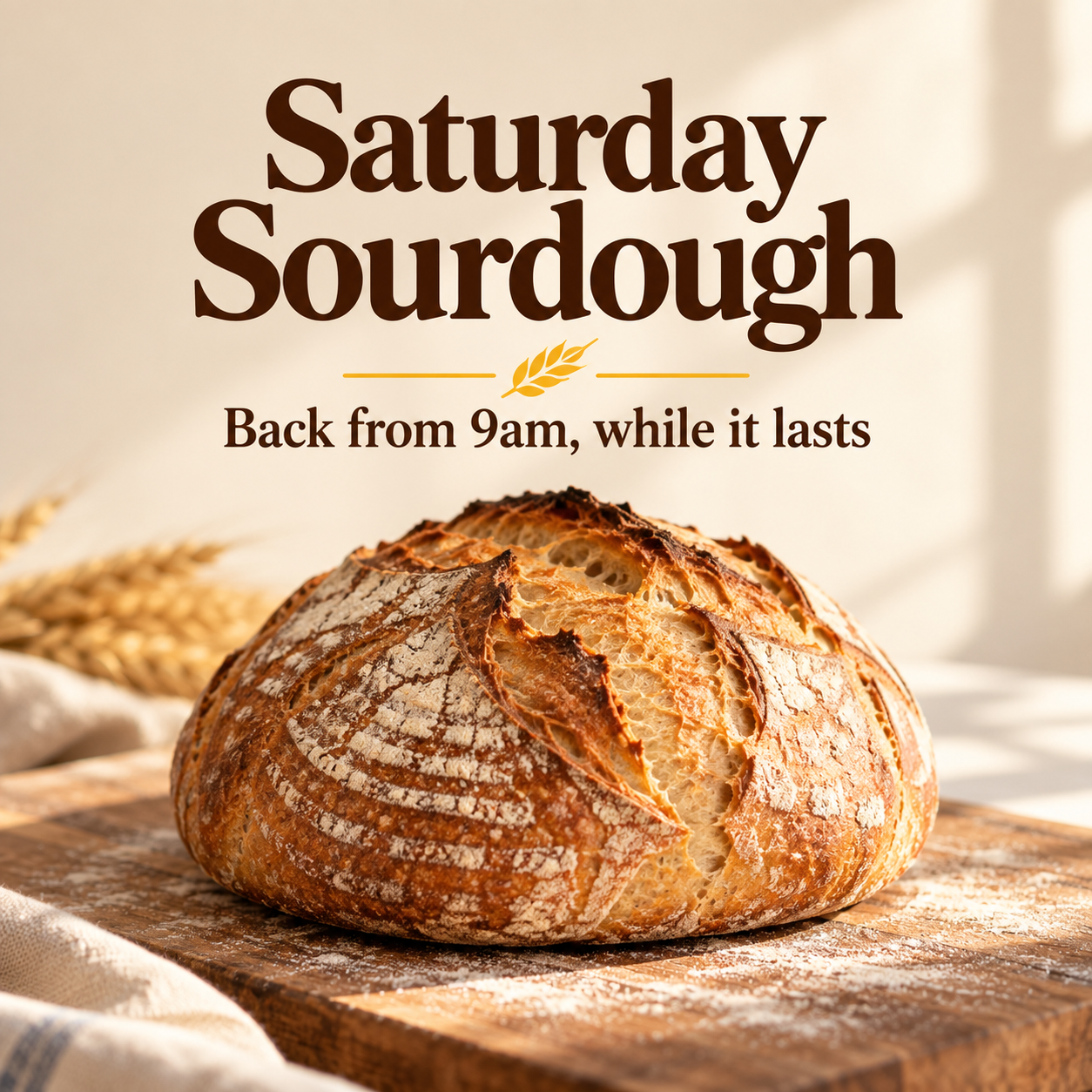
Create an Instagram feed post for Harbor Lane Bakery. Text on the image: 'Saturday Sourdough' as the headline and 'Back from 9am, while it lasts' underneath. Subject: a crusty round sourdough loaf on a floured wooden board in morning light. Brand colors: cream background, deep brown lettering and a small touch of wheat yellow. Mood: warm and simple, no clutter. Format: square feed post.
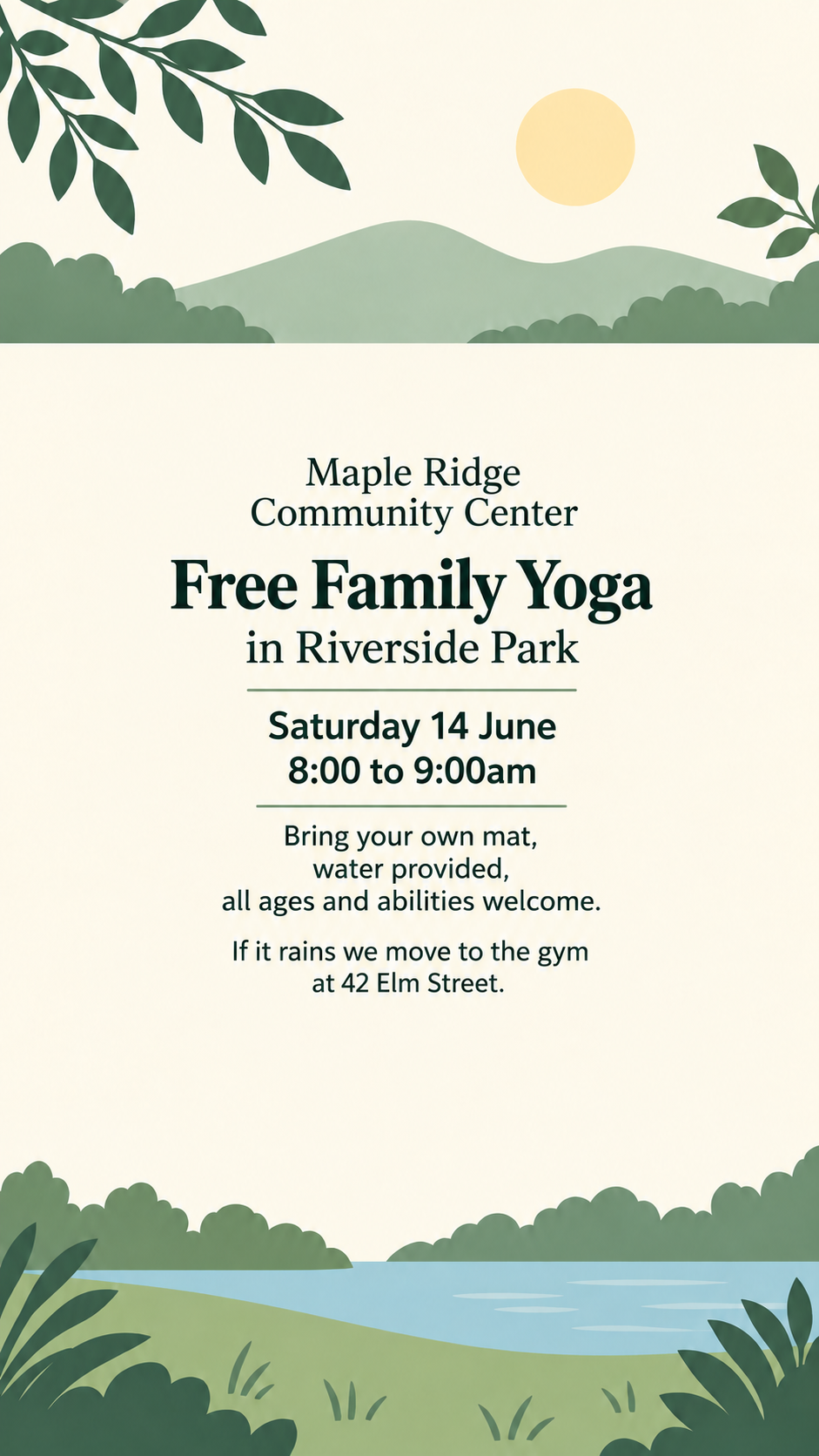
Create an Instagram Story for the Maple Ridge Community Center. Text: 'Free Family Yoga in Riverside Park, Saturday 14 June, 8:00 to 9:00am. Bring your own mat, water provided, all ages and abilities welcome. If it rains we move to the gym at 42 Elm Street.' No brand colors or logo. Format: Story.
Long on-image copy with no colors and no reference image. Checks that every date, time and address renders correctly, text stays clear of the top and bottom edges, and nothing is added.
One generated image for a post, built from your on-image text, subject, colors and chosen format. Ask for changes in the same conversation and Vizify returns a revised image.
Yes. Choose the Story format for a tall 9:16 image. Important text is kept away from the top and bottom of the frame, where Instagram shows the profile name and reply bar.
The formats offered here are square and tall. A square image works in the feed as it is; if you prefer a 4:5 crop, crop the square image in Instagram or an editing app, keeping text away from the edges.
It is rendered from what you type and checked, but generated text can contain mistakes. Keep on-image text short, read every word, date and price, and ask for a corrected version if anything is off.
Yes, one PNG, JPEG or WebP image up to 10 MB as a reference. The post is newly generated around it, so labels, logos and small details may differ from your photo. Compare them before posting.
The tool creates the image. Captions and hashtags are not part of it, though you can ask for a caption draft afterwards in the same conversation and edit it before posting.
No. Vizify does not connect to your Instagram account. Download the image and post or schedule it yourself.
One request makes one image. For a carousel, create each slide in turn in the same conversation and say which slide number it is. Expect small style differences between slides and check them side by side.
Preparing the post brief on this page is free and needs no account. Generating the image requires signing in to Vizify and uses your account's current access and credit rules.
No exact pixel size is promised. The format sets the shape, square or tall, and Instagram scales the upload to fit.
The Social Media Banner Generator is for wide profile banners and covers across several platforms. This tool makes a single Instagram post or Story image.
Keep on-image text to a headline and one or two short details, such as a date, a time or an offer, and type it exactly as it should appear. Everything else belongs in the caption you write when you post. Describe the subject, the mood and your brand colors, and add a product photo if the post must show a real item.
Choose the square feed format for posts that live on your grid, and the tall Story format for Stories and Reel covers. In the tall format, Vizify keeps text away from the top and bottom edges where Instagram overlays its own controls. One request makes one image; ask for the other format in the same conversation once you like the design.
Read every word, number and handle on the image, and compare any product or logo with your original. Then download the image and post it from Instagram or your scheduler. For wide profile covers across several platforms, use the social media banner generator instead.