Event name, date, time and place
Exact invitation wording
Style and aspect-ratio direction
Create an invitation image from your event details and visual direction, with short text and a composition you can review.
Sign-in and access checks apply in Vizify.
Explore your idea with AI before generating.
Chat could not be loaded. Your form is still available.
Review the brief and any reference in Vizify before sending it. Image generation uses your account’s current access and credits.
Event name, date, time and place
Exact invitation wording
Style and aspect-ratio direction
One image artifact
Include event name, date, time and place, exact invitation wording, style and aspect-ratio direction.
Copy the supplied event details exactly and inspect every visible date, time and name.
The output is an image, not an RSVP system, editable stationery file, print-ready bleed package or assured exact typography.
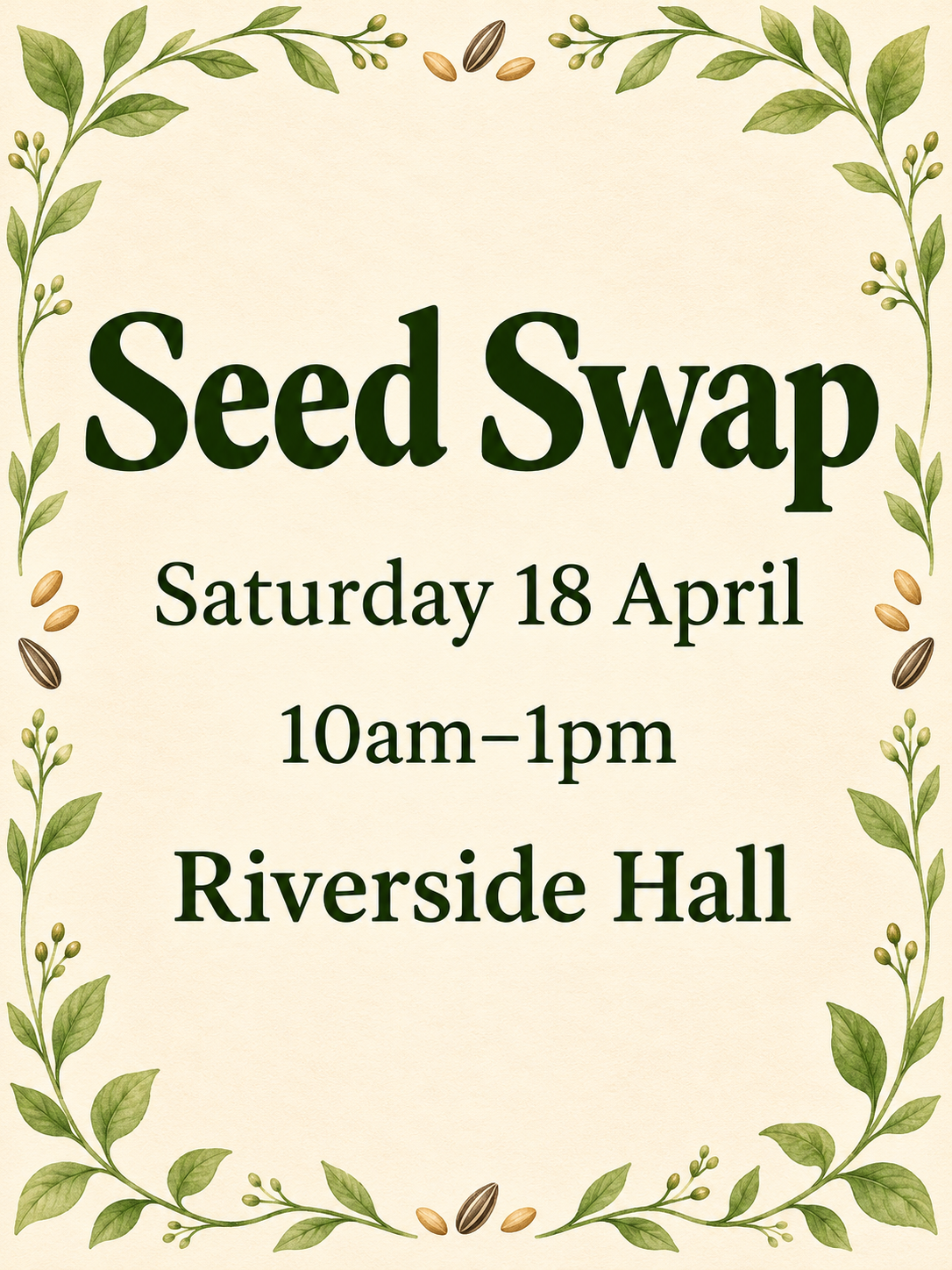
Create a portrait invitation concept for a community seed swap. Text: Seed Swap; Saturday 18 April; 10am–1pm; Riverside Hall. Botanical border, clear simple lettering.
This image workflow delivers a raster invitation concept, not a dimensionally verified editable production file. Lettering, dates and layout still need inspection, and the image does not establish print dimensions, bleed or printer approval. Would you like an appearance concept, or is a separately prepared editable layout required?
Create this as a engineering-accurate, editable production file. Explain the actual image-output limitation before proceeding.
Checks the input and output boundary rather than silently substituting an unsupported result.
Provide event name, date, time and place, exact invitation wording, style and aspect-ratio direction. A reference image is optional.
Supply exact text, but keep it concise enough to remain readable. Long directions and RSVP instructions may be better added later in a layout editor.
No. Download the image and share it yourself. No guest list or RSVP tracking is included.
You can use the available image output, but check resolution, margins, color and printer requirements before ordering copies.
The invitation result is a raster image artifact in Vizify. Download the available image and inspect it before reuse. Editable source layers, vector paths and production files are not included.
Yes. Explain the next change to your invitation image and identify what should stay. Copy the supplied event details exactly and inspect every visible date, time and name. Each generation or edit may use further allowance or credits.
Copy the supplied event details exactly and inspect every visible date, time and name. Compare the actual result with the original brief, including any text or reference details.
The invitation brief opens in Vizify before any image is generated. Check event name, date, time and place, sign in and send when ready. The account’s current access and credit rules apply.