Source image uploaded on this page
Quality problems to fix, such as noise, blur, or low detail
Elements that must remain unchanged
Upload the source image, describe what should look cleaner and sharper and what must stay unchanged, then continue in Vizify to create an enhanced, higher-quality artifact.
The request, selected options, and staged images open in Vizify for review before execution.
Source image uploaded on this page
Quality problems to fix, such as noise, blur, or low detail
Elements that must remain unchanged
One enhanced image artifact
A generative quality restoration, not a lossless correction
Reusable enhancement instructions
The AI image enhancer reconstructs plausible detail, reduces noise, and sharpens perceived clarity instead of applying one fixed preset.
Name faces, product shapes, logos, text, colors, or composition that should stay stable while the image quality is enhanced.
Upload the source image and describe what should look cleaner, sharper, or more detailed, plus anything that must stay unchanged. Continue in Vizify to restore the prepared image and task, then send it so the Agent can inspect the source and return one enhanced artifact.
Prompt, references, and optional selections can be reviewed before the Agent executes the enhancement.
It reduces noise and blur, sharpens perceived detail, and can restore texture that looks degraded, using an image-editing model. This is a generative quality enhancement, not a forensic recovery of information missing from the source.
Upload the source image and describe what should look cleaner, sharper, or more detailed, plus anything that must stay unchanged. Continue in Vizify to restore the prepared image and task, then send it so the Agent can inspect the source and return one enhanced artifact.
Preparing the request is free. Running an image generation or edit needs sign-in; a free account includes a small shared image allowance paid from sign-up credits. More requests need Pro or a credit pack.
You can ask Vizify to produce a cleaner, higher-quality version of an image, but the result is a generative enhancement rather than a mathematically exact format or lossless conversion.
No. The AI image enhancer regenerates plausible texture and edges where the source looks soft, noisy, or degraded, but it cannot recover ground truth that was never captured. Treat recovered detail as a convincing reconstruction, not restored evidence.
Yes. Describe the specific problem, such as sensor noise, JPEG artifacts, or soft focus, and Vizify will target that issue while trying to preserve the subject and composition you specify.
Tell Vizify exactly what must remain unchanged. The Agent can use that constraint and inspect the result, but small faces, lettering, logos, and fine geometry may still be reconstructed imperfectly by a generative model.
Yes, though the workflows overlap. An image enhancer prioritizes cleaning up and sharpening the existing image, while an image upscaler primarily increases output dimensions. Describe both a quality goal and a size goal if you need both.
Vizify validates the generated bytes and stores the artifact with its detected MIME type and matching filename extension. The page does not promise a specific format before generation.
You can prepare the task on this public page without an account. Signing in is required to upload the image durably, run the enhancement, and save the resulting artifact.
It can repair small scratches, tears and fading as a generative edit. Faces and fine patterns near the damage are redrawn rather than recovered, so compare them with the original and keep your scan.
Only if you ask. Say whether to correct a color cast, restore faded color or leave colors alone, and name any color that must match, such as a product or uniform.
Upload the source image and write a short brief that names the quality problem, such as noise, blur, or flat detail, along with anything that must stay unchanged. Continue in Vizify. The App restores the prepared image and task before the Agent inspects the input, chooses a compatible image-editing model, runs the enhancement, and returns one reviewable artifact.
Use this tool as an image quality enhancer for grainy low-light photos, soft or slightly blurry shots, and images that look flat or washed out after compression. It can act as an AI enhance-image step before publishing a photo, or as a high quality image converter pass when you want a cleaner result without changing the overall composition.
An AI image enhancer can make a noisy or soft source look noticeably cleaner, but the added texture and edges are model-generated estimates, not recovered ground truth. Faces, logos, lettering, and fine patterns deserve a close comparison with the original before you rely on the result. Describe protected details explicitly, and keep the source file alongside the enhanced artifact.
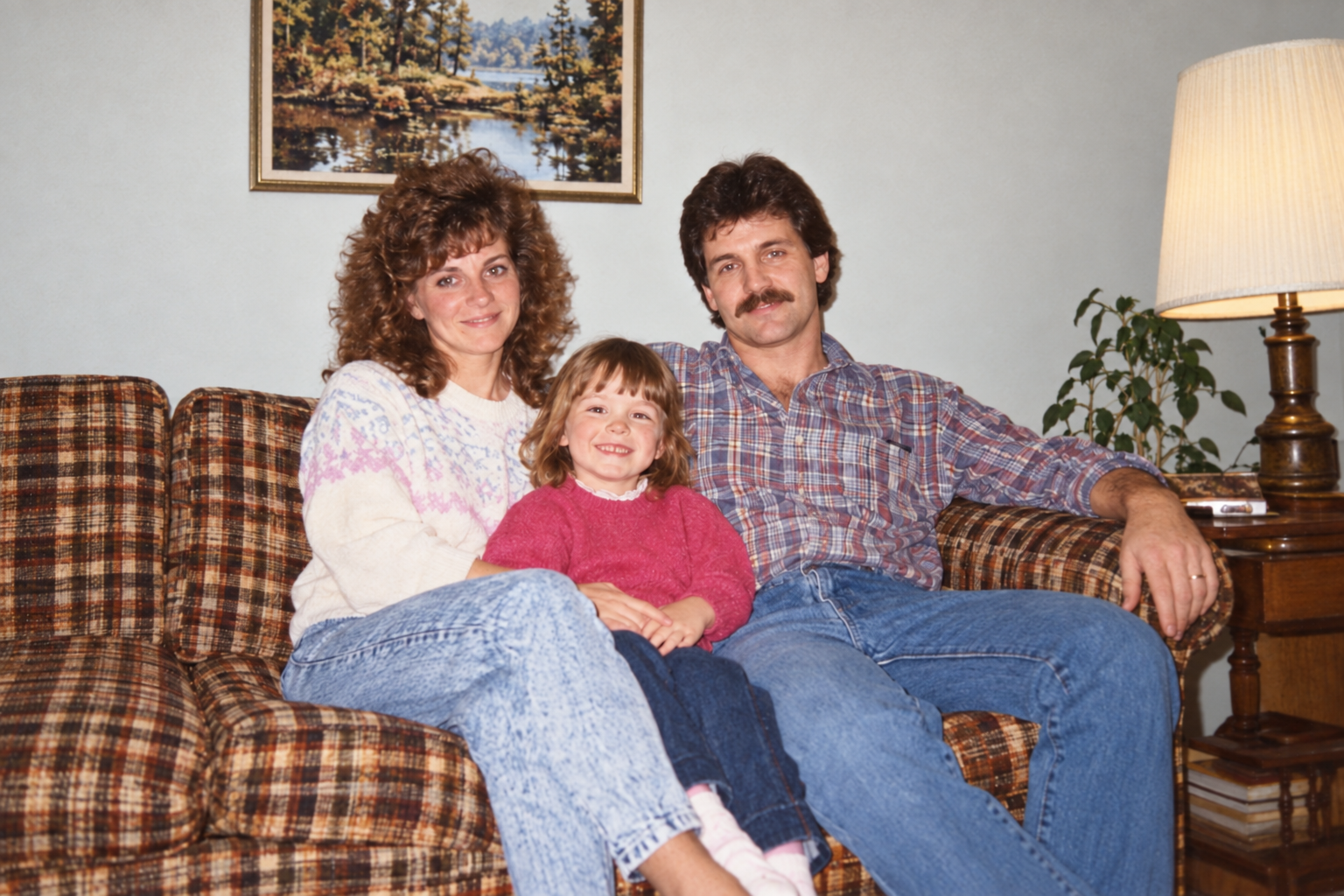
Enhance this scanned 1980s family photo: reduce the orange color cast, lift the faded shadows and clean up dust specks. Keep everyone's faces and hairstyles, the plaid sofa pattern and the framing as they are, and don't smooth skin.
What needs improving in the photo: lighting, color, sharpness or another specific issue? Please include the original photo.
Fix this photo please.
Checks that the reply names the visible issues it can address (noise, blur, color cast) and asks which matter, rather than applying a heavy restoration that changes faces.