Shoe type and intended look
Materials and colors
View and signature details
Develop shoe concepts from silhouette, material appearance and color blocking, with a clear view of the design idea.
Sign-in and access checks apply in Vizify.
Explore your idea with AI before generating.
Chat could not be loaded. Your form is still available.
Review the brief and any reference in Vizify before sending it. Image generation uses your account’s current access and credits.
Shoe type and intended look
Materials and colors
View and signature details
One image artifact
Include shoe type and intended look, materials and colors, view and signature details.
Preserve the requested silhouette and visual components without asserting engineering performance.
This is concept artwork, not a shoe last, pattern, CAD file, safety certification or fit assessment.
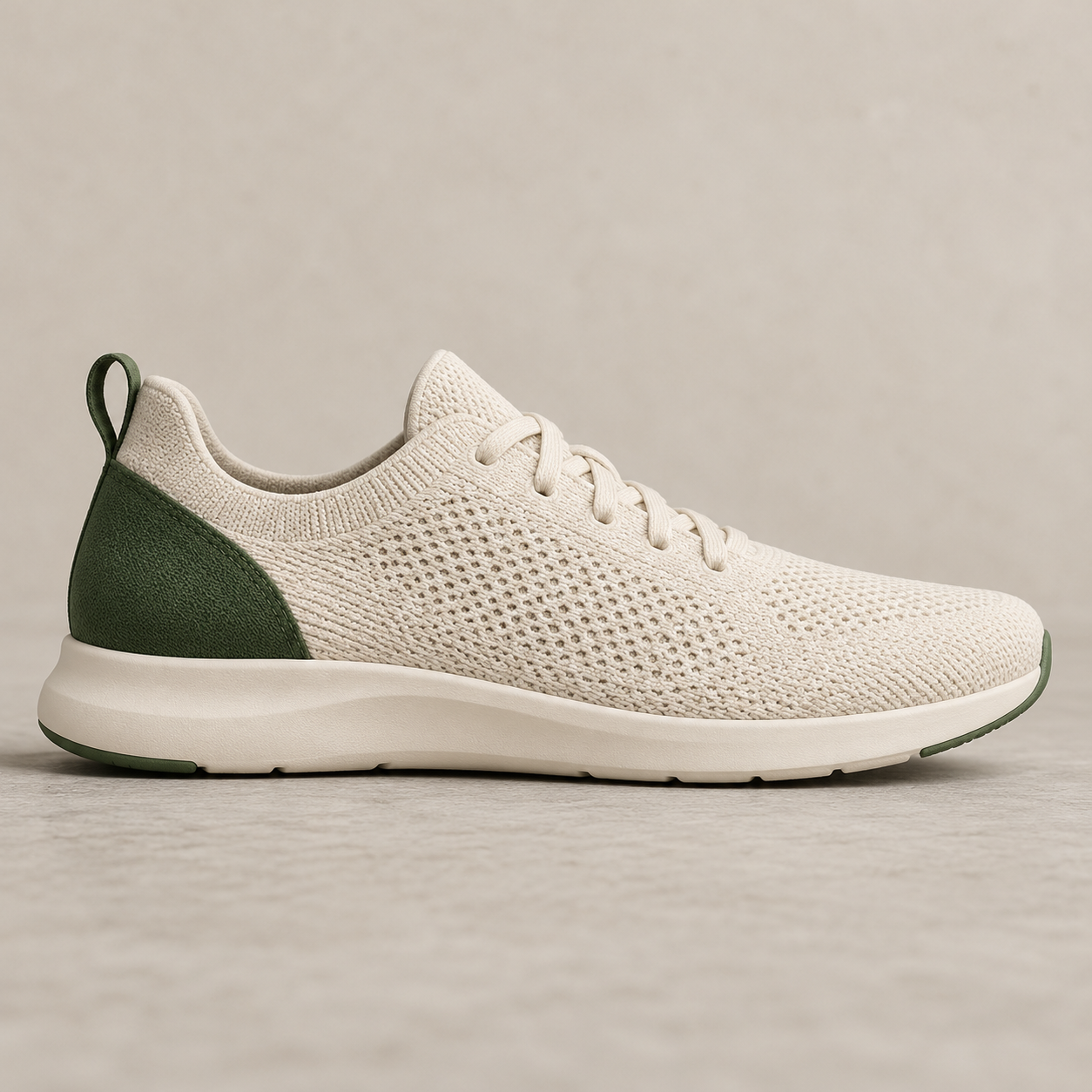
Create a lightweight walking-shoe concept with a cream knit upper, forest-green heel panel and simple low-profile sole. Side view, no brand logo.
This image workflow can illustrate a shoe concept, but it does not provide a shoe last, production patterns or tested fit. A picture cannot verify internal dimensions, comfort or manufacturing suitability. Would an appearance reference help, or do you need separately developed and validated production deliverables?
I need a shoe last and production patterns with tested fit. Explain that a concept image cannot establish these properties.
Checks the input and output boundary rather than silently substituting an unsupported result.
Provide shoe type and intended look, materials and colors, view and signature details. A reference image is optional.
Yes. Describe silhouette, materials and color placement. Avoid assuming the image proves comfort or performance.
No. Production patterns, sizing, lasts and material specifications require specialist design work.
Ask for variations, but inspect each output for shape changes. A generative variation is not a color-only replacement.
The shoe design result is a raster image artifact in Vizify. Download the available image and inspect it before reuse. Editable source layers, vector paths and production files are not included.
Yes. Explain the next change to your shoe design image and identify what should stay. Preserve the requested silhouette and visual components without asserting engineering performance. Each generation or edit may use further allowance or credits.
Preserve the requested silhouette and visual components without asserting engineering performance. Compare the actual result with the original brief, including any text or reference details.
The shoe design brief opens in Vizify before any image is generated. Check shoe type and intended look, sign in and send when ready. The account’s current access and credit rules apply.