Product and packaging form
Brand colors and exact short copy
View and presentation
Visualize packaging concepts from a product brief, form and brand direction, with a reference image when useful.
Sign-in and access checks apply in Vizify.
Explore your idea with AI before generating.
Chat could not be loaded. Your form is still available.
Review the brief and any reference in Vizify before sending it. Image generation uses your account’s current access and credits.
Product and packaging form
Brand colors and exact short copy
View and presentation
One image artifact
Include product and packaging form, brand colors and exact short copy, view and presentation.
Preserve supplied brand spelling and avoid inventing certifications, ingredients or regulatory claims.
The output is not a dieline, editable label, barcode, compliance review or production-ready packaging file.
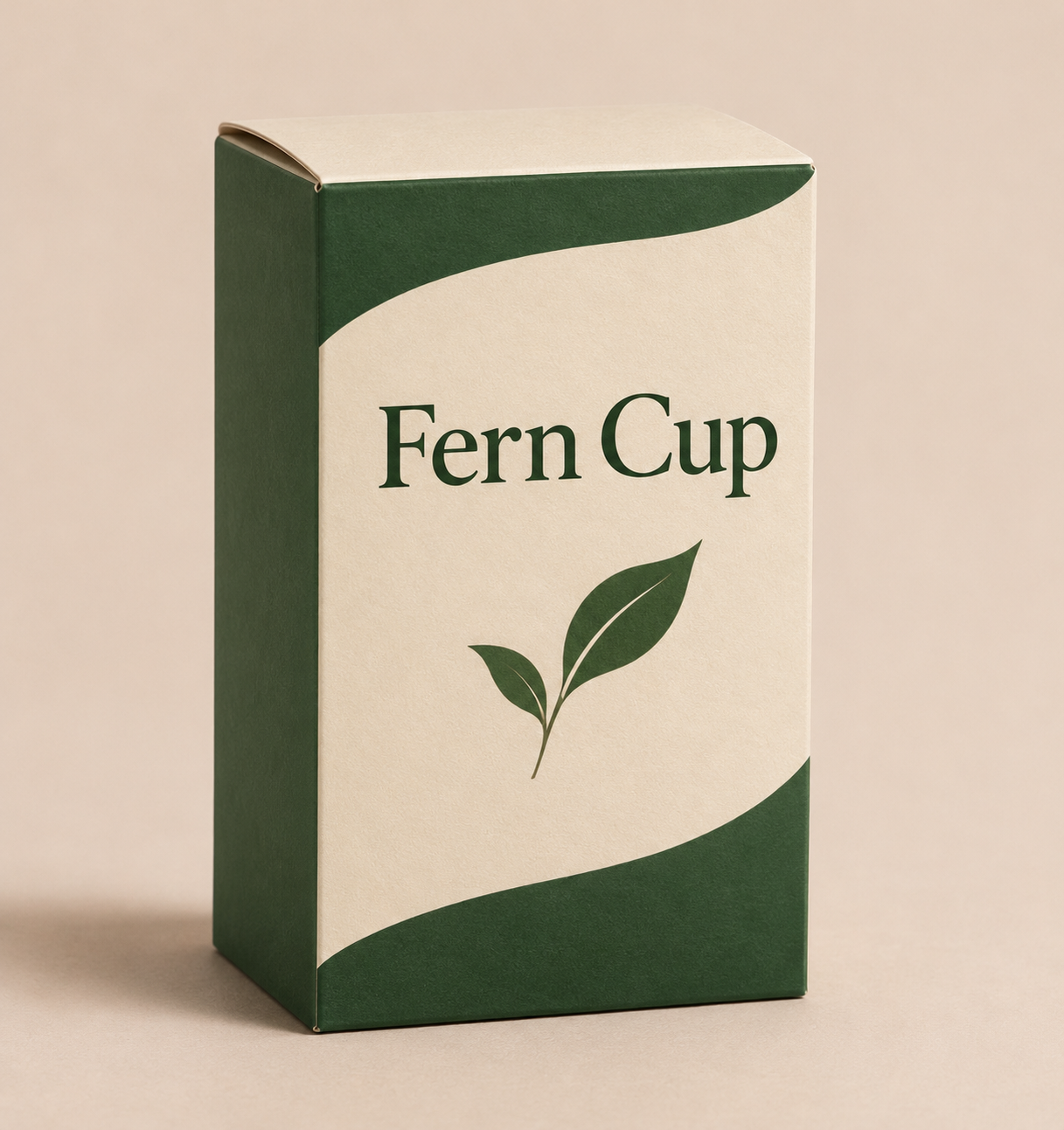
Create a concept mockup of a paper tea box for a fictional brand called Fern Cup. Cream and forest green, simple leaf motif, no health claims.
A packaging concept image can illustrate appearance, but it is not a measured dieline or a verified scannable barcode. Structural dimensions, cutting and folding geometry, barcode data and print behavior require separate preparation and checking. Would you like an appearance concept, with production files handled as a separate requirement?
Create a measured box dieline and a scannable barcode for production. Explain why a packaging concept image is not those files.
Checks the input and output boundary rather than silently substituting an unsupported result.
Provide product and packaging form, brand colors and exact short copy, view and presentation. A reference image is optional.
No. This page creates a visual concept. Structural templates, measurements and print production files require a separate packaging workflow.
Do not rely on generated imagery for legally required copy or scannable codes. Add verified information and real barcode assets in a layout editor.
Yes. Specify a shelf, studio background or lifestyle setting. Treat it as a mockup rather than evidence of a manufactured product.
The packaging design result is a raster image artifact in Vizify. Download the available image and inspect it before reuse. Editable source layers, vector paths and production files are not included.
Yes. Explain the next change to your packaging design image and identify what should stay. Preserve supplied brand spelling and avoid inventing certifications, ingredients or regulatory claims. Each generation or edit may use further allowance or credits.
Preserve supplied brand spelling and avoid inventing certifications, ingredients or regulatory claims. Compare the actual result with the original brief, including any text or reference details.
The packaging design brief opens in Vizify before any image is generated. Check product and packaging form, sign in and send when ready. The account’s current access and credit rules apply.