Publication name and main subject
Exact headlines and issue text
Style, palette and composition
Develop a magazine-cover concept with one visual story, a masthead and a small set of cover lines you supply.
Sign-in and access checks apply in Vizify.
Explore your idea with AI before generating.
Chat could not be loaded. Your form is still available.
Review the brief and any reference in Vizify before sending it. Image generation uses your account’s current access and credits.
Publication name and main subject
Exact headlines and issue text
Style, palette and composition
One image artifact
Include publication name and main subject, exact headlines and issue text, style, palette and composition.
Keep the supplied masthead and headlines distinct; inspect text and avoid inventing endorsements or publication credentials.
The output is a raster concept, not an editable magazine template, a press-ready layout or an official issue of a publication.
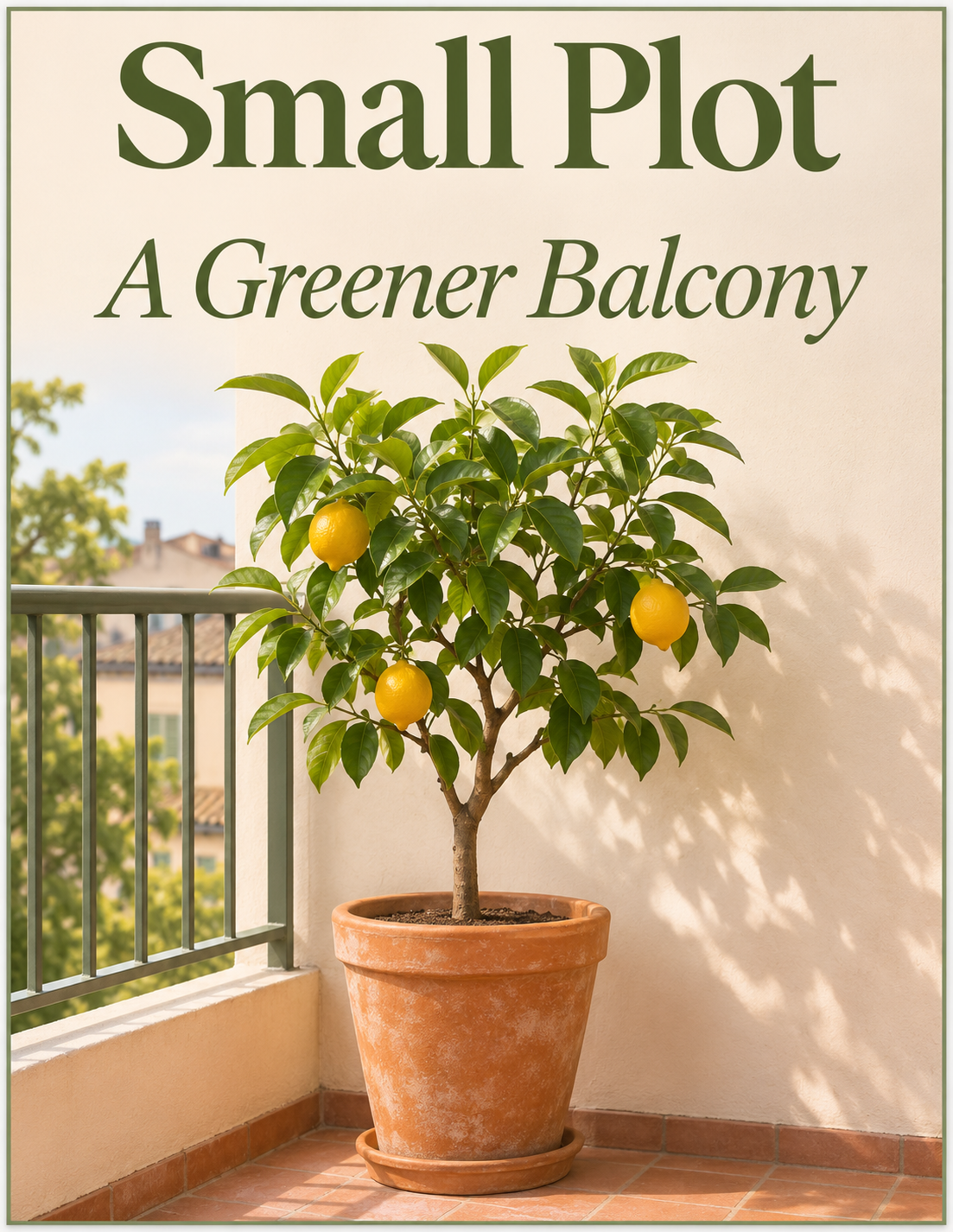
Create a fictional gardening magazine cover. Masthead: Small Plot. Main cover line: A Greener Balcony. One potted citrus tree, warm daylight, restrained typography.
This image workflow produces one raster cover concept, not an editable press-ready magazine layout or a package of licensed fonts. Visible cover lettering still needs inspection, and the image does not establish bleed, color separations or print approval. Would a visual concept help, or is an editable production layout essential?
I need an editable press-ready magazine layout with packaged fonts. Explain what the image artifact actually contains.
Checks the input and output boundary rather than silently substituting an unsupported result.
Provide publication name and main subject, exact headlines and issue text, style, palette and composition. A reference image is optional.
Yes, but short copy is easier to keep legible. Supply an order of importance so the layout has one clear lead.
An optional reference can guide the subject. Use a photo you have permission to use and inspect identity details; an exact cutout or layout is not promised.
No. Check dimensions, bleed, fonts and color with a layout workflow before printing.
The magazine cover result is a raster image artifact in Vizify. Download the available image and inspect it before reuse. Editable source layers, vector paths and production files are not included.
Yes. Explain the next change to your magazine cover image and identify what should stay. Keep the supplied masthead and headlines distinct; inspect text and avoid inventing endorsements or publication credentials. Each generation or edit may use further allowance or credits.
Keep the supplied masthead and headlines distinct; inspect text and avoid inventing endorsements or publication credentials. Compare the actual result with the original brief, including any text or reference details.
The magazine cover brief opens in Vizify before any image is generated. Check publication name and main subject, sign in and send when ready. The account’s current access and credit rules apply.