Characters and the short scene
Panel order and action
Style and exact dialogue, if any
Turn a short scene into a comic-strip concept with a small number of panels, clear actions and optional brief dialogue.
Sign-in and access checks apply in Vizify.
Explore your idea with AI before generating.
Chat could not be loaded. Your form is still available.
Review the brief and any reference in Vizify before sending it. Image generation uses your account’s current access and credits.
Characters and the short scene
Panel order and action
Style and exact dialogue, if any
One image artifact
Include characters and the short scene, panel order and action, style and exact dialogue, if any.
Keep panel order and character details as consistent as possible; inspect panel count and any lettering.
Character consistency, exact panel geometry and readable dialogue are not assured; this is not an editable comic document.
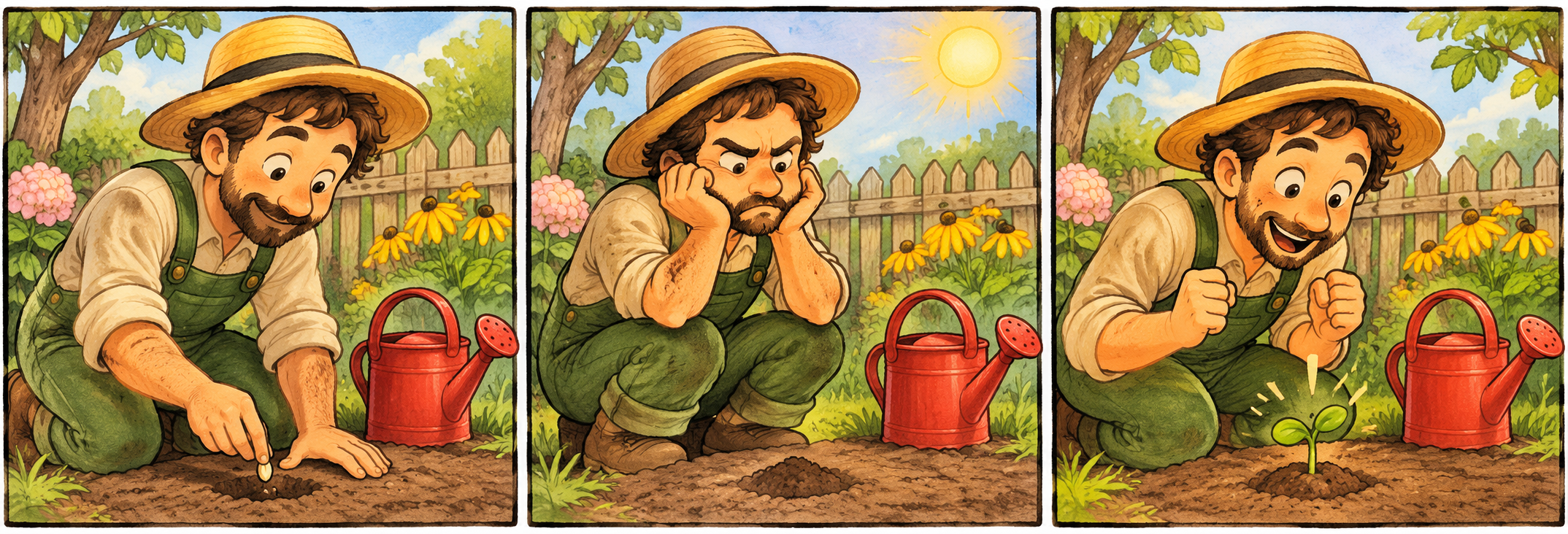
Create a 3-panel silent comic: a gardener plants a seed, waits impatiently, then discovers a tiny sprout. Same character and red watering can throughout; warm hand-drawn style.
This image workflow produces a short comic strip as one raster image, not an editable hundred-page comic project. It can aim for recognizable characters between panels, but it cannot guarantee exact continuity across a book. Would you like to start with one short sequence, then inspect the character details and panel order?
I need a fully editable comic book project with exact character continuity across 100 pages. Explain the short-strip image boundary before starting.
Checks the input and output boundary rather than silently substituting an unsupported result.
Provide characters and the short scene, panel order and action, style and exact dialogue, if any. A reference image is optional.
That is the goal, but generative images may change faces, clothing or props. Use a small cast and inspect every panel.
Yes. Supply short exact lines and assign each to a speaker and panel. Check every word and bubble placement.
This page is for a short strip concept. A full book needs separate planning, repeated consistency checks and a layout workflow.
The comic strip result is a raster image artifact in Vizify. Download the available image and inspect it before reuse. Editable source layers, vector paths and production files are not included.
Yes. Explain the next change to your comic strip image and identify what should stay. Keep panel order and character details as consistent as possible; inspect panel count and any lettering. Each generation or edit may use further allowance or credits.
Keep panel order and character details as consistent as possible; inspect panel count and any lettering. Compare the actual result with the original brief, including any text or reference details.
The comic strip brief opens in Vizify before any image is generated. Check characters and the short scene, sign in and send when ready. The account’s current access and credit rules apply.