Character brief: species, outfit, pose, personality cues
Art style (anime, painterly, 3D render, flat vector, and so on)
Optional reference art or a photo to guide identity
Framing preference for the result
Describe the character — species, outfit, pose, art style — add reference art or a photo when useful, and review the design before it executes.
The request, selected options, and staged images open in Vizify for review before execution.
Character brief: species, outfit, pose, personality cues
Art style (anime, painterly, 3D render, flat vector, and so on)
Optional reference art or a photo to guide identity
Framing preference for the result
One reviewable character image artifact
Reusable prompt and settings for follow-up variations
Describe anime, painterly, 3D-render, or any other look directly in the prompt instead of choosing from a fixed style list.
If you attach a reference photo or art, Vizify checks faces, anatomy, and reference drift before returning a result — output is a likeness, not a guaranteed exact match.
Uploaded references are staged locally in your browser and only uploaded durably to Vizify after you sign in to execute.
It prepares an original character design request from a written brief and optional reference images, then hands that request to Vizify for one reviewable image.
Yes. References are optional; describe the character's species, outfit, pose, and style directly in the prompt and Vizify generates from that description.
Yes, up to 8 reference images. Only upload identities, art, and photos you're authorized to use as a reference.
Yes. Only use reference photos you have the rights to use. Uploaded images are staged locally in your browser and uploaded durably only after sign-in.
It produces a likeness based on the reference, not a guaranteed exact match. Review the design before using it in a story, game, or published work.
Yes. Add pose, outfit, and expression details to the prompt; they stay editable before the request executes.
Reuse an approved character image as a reference for another request. Face, costume and small details may still drift, so compare each result rather than assuming a fixed identity.
No. The prepared request opens in Vizify, where you can review the prompt, framing, and any reference images before sending it.
You can prepare the task on this public page; signing in is required to upload references durably, execute the request, and save the result.
Yes. Describe the hero's powers, costume shapes and colors, an emblem idea and a personality, then ask for a full-body pose. Keep it original: don't ask for existing franchise heroes, their costumes or their logos, which belong to their owners.
You can ask for a front and a three-quarter view in one image, but each request returns a single image and details can differ between the views. For more poses, reuse the approved image as a reference in a new request and compare the results.
Preparing the character brief is free. Generating needs sign-in: a free account includes a small image allowance paid from its sign-up credits, then Pro or a credit pack is needed.
Name the species, outfit, pose, personality cues, art style, and intended use — a game, a story, or concept art. Reference art or a photo helps guide identity or visual direction, but the written brief stays editable, so style and detail are never locked to a fixed preset.
Only use reference photos and art you’re authorized to use. Uploaded images stay staged in your browser until you sign in; Vizify then performs the durable upload before execution. Output is an AI-generated likeness based on your brief and reference, not a certified exact match, so review the design before publishing or reusing it.
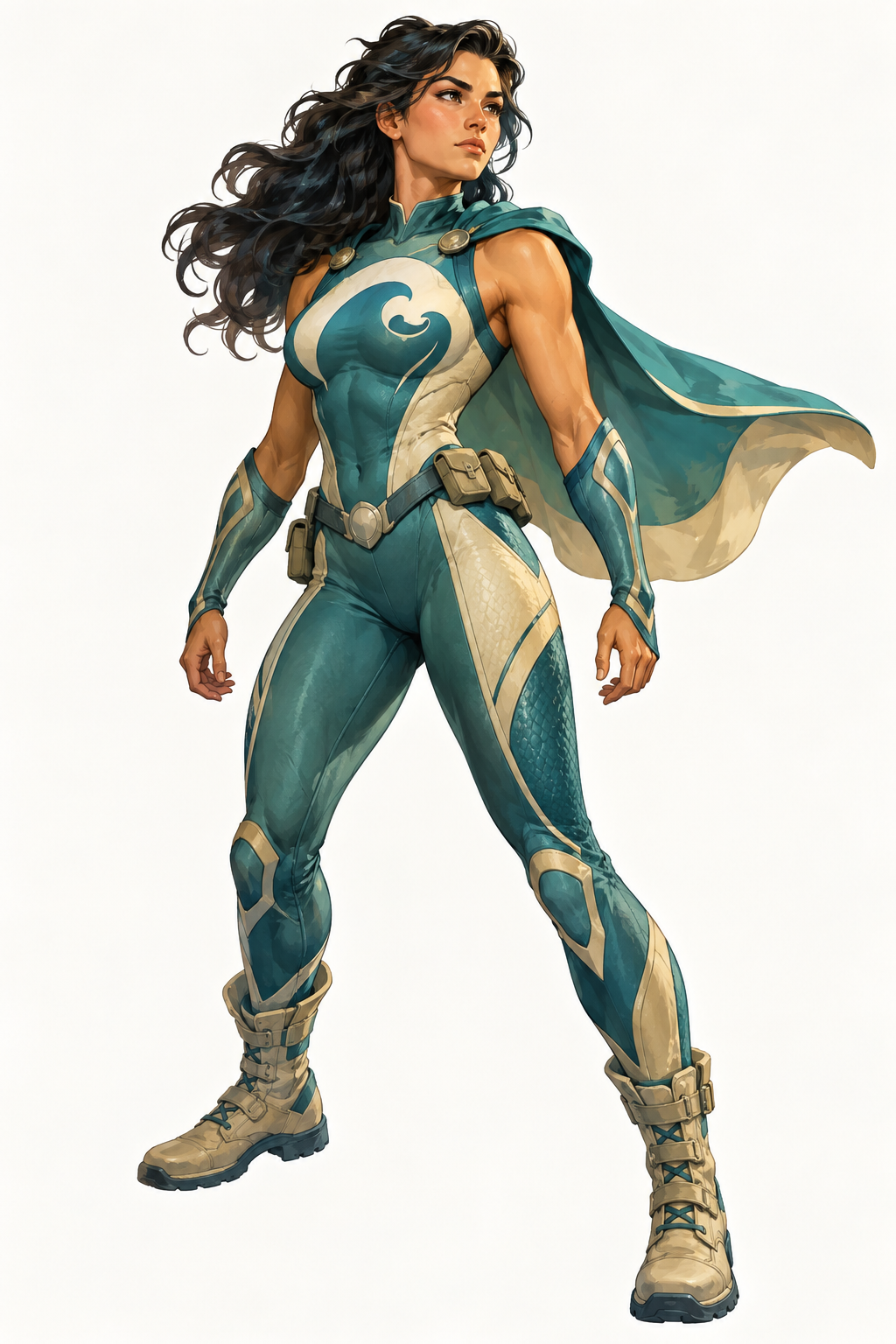
Design an original superhero called Tidebreaker, a marine biologist who can shape seawater. Teal and sand costume with a wave-shaped chest emblem, short cape, practical boots, determined expression. Full body, three-quarter view, painterly comic style, plain light background, no text.
Which character class, art style and outfit should I use for your friend’s character? Please confirm they agreed to the use of their likeness, and attach the reference photo if it is not already included.
Turn the attached photo of my friend into a character for our tabletop game. I haven't picked the class, the art style or the outfit yet.
Checks that the reply asks for the art style and role and confirms the friend agreed to the likeness being used, instead of inventing a class, backstory or look.